
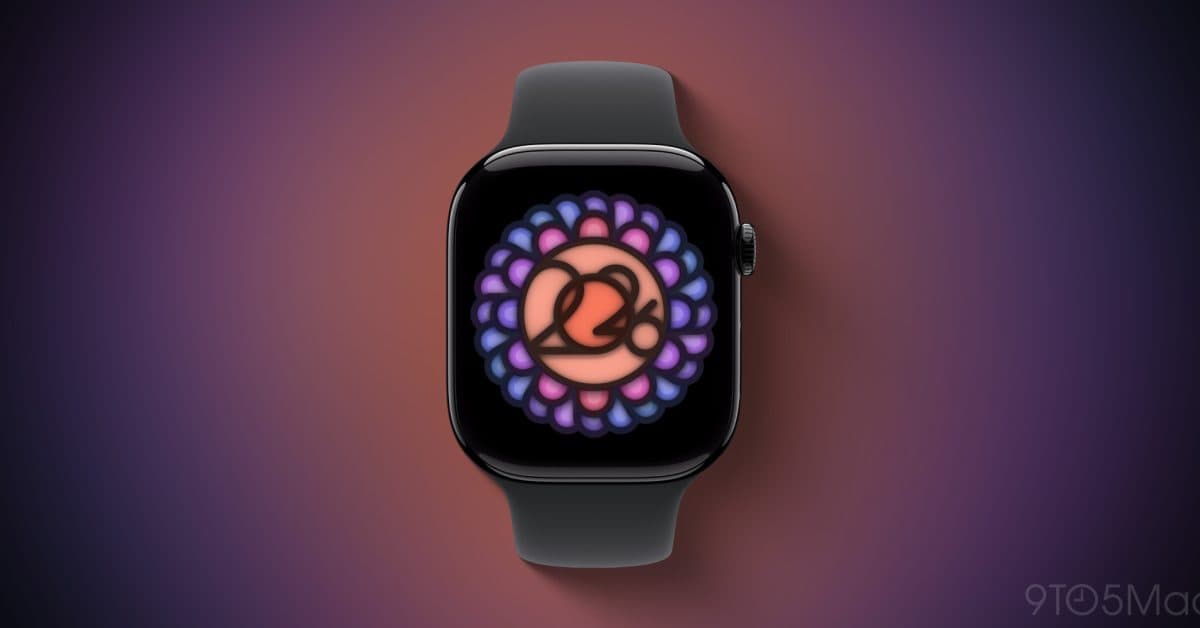
If you own an Apple Watch, you can grab a limited-edition badge and some animated iMessage stickers this Sunday, June 21, just by completing 10 minutes of yoga — no fancy poses needed.
This challenge coincides with International Day of Yoga, which the United Nations recognizes every year on June 21. Apple often connects these special Activity Challenges — one-day fitness events featured in the Apple Watch’s Fitness app — to global health awareness days. This year’s yoga challenge follows the same simple approach: open the Workout app on your Apple Watch, log a yoga session lasting 10 minutes or more, and the reward unlocks automatically.
How to Earn the Badge
The steps are easy:
- On Sunday, June 21, open the Workout app on your Apple Watch.
- Choose Yoga from the workout options.
- Complete at least 10 continuous minutes of yoga.
- Your badge and animated stickers will show up in the Fitness app on your iPhone.
You can use the animated stickers in iMessage chats — a fun way Apple turns fitness milestones into moments you can share.
Keep in mind: any yoga-style app or third-party app that logs a workout in Apple Health under the “Yoga” category should count too, though Apple hasn’t confirmed this specifically. To be safe, stick with the native Workout app on your watch.
Why Apple Does These Challenges
Since around 2016, Apple has rolled out limited Activity Challenges, usually linking them to holidays, awareness days, or big events. Think of them as achievement badges in video games — they might not change how your watch functions, but they give users a little incentive to get moving on a specific day.
Previous challenges have celebrated Earth Day, International Women’s Day, World Heart Day, and various national holidays worldwide. The yoga challenge has made appearances in past years too, making it a staple in Apple’s annual fitness events.
For Apple, these challenges keep the Fitness app engaging and encourage Apple Watch users to open it for reasons beyond just checking their ring progress. For users, it’s a low-pressure way to try a type of workout they might not usually log.
| Company | Apple Inc. |
|---|---|
| Ticker | AAPL |
| Stock Price | $294.30 (-0.91%) |
| CEO | Tim Cook |
| Headquarters | Cupertino, CA |
| Founded | 1976 |
| Challenge Date | June 21, 2026 |
| Minimum Workout | 10 minutes of yoga |
| Reward | Badge + animated iMessage stickers |
What This Means for Everyday Apple Watch Users
If you have an Apple Watch and have been curious about trying yoga — or if you haven’t been very active this week — Sunday is a great chance to roll out a mat for just 10 minutes. That’s about the length of a quick YouTube yoga video, and it’s enough to qualify.
You won’t need a gym membership, a yoga studio subscription, or any special gear. Just ten minutes at home, in a park, or anywhere you can find some space is all it takes to earn the badge.
For those who already practice yoga regularly, this is almost a freebie. Just remember to log your workout through your Apple Watch instead of skipping the tracking like many regular practitioners often do.
The iMessage stickers are a nice perk if you’ve got friends or family who also use Apple Watches. Sharing a badge can turn into a fun way to motivate each other to get moving together that day.
Community Reactions
“These challenges are the only reason I tried yoga in the first place. Did the 10 minutes last year and ended up actually liking it. Still doing it.”
“Wish they’d give you more than just a badge. A free month of Fitness+ would actually make me do these every time.”
What To Watch
- Sunday, June 21: The challenge goes live. Ensure your Apple Watch is updated and your Fitness app is synced before starting your session.
- Post-challenge: Apple usually announces more Activity Challenges throughout summer and fall. World Heart Day (September 29) often triggers a challenge in past years.
- Apple Watch Series 11: The next Apple Watch update is expected later in 2026. Challenges like this one tend to gain more visibility when new hardware brings fresh users to the platform.

Daniel Park
Daniel Park covers AI, cloud infrastructure, and enterprise software for Explosion.com. A former software engineer who transitioned to technology journalism 5 years ago, Daniel brings technical depth to his reporting on artificial intelligence, startup funding rounds, and the companies building the future of computing. He breaks down complex AI developments and business strategies into clear, actionable insights for readers who want to understand how technology is reshaping industries.


