Meta Title: Desky vs UpDown Pro Corner Desk: Desky Wins the 2026 Survey
Meta Description: Desky wins the 2026 corner desk survey. Compare the Desky Eco L-Shape Melamine Sit Stand Desk vs. the UpDown Pro Corner Desk across stability, cable management, smart controls, installation, and price.
URL Slug: explosion.com/desky-vs-updown-pro-corner-desk
Image Source: Desky
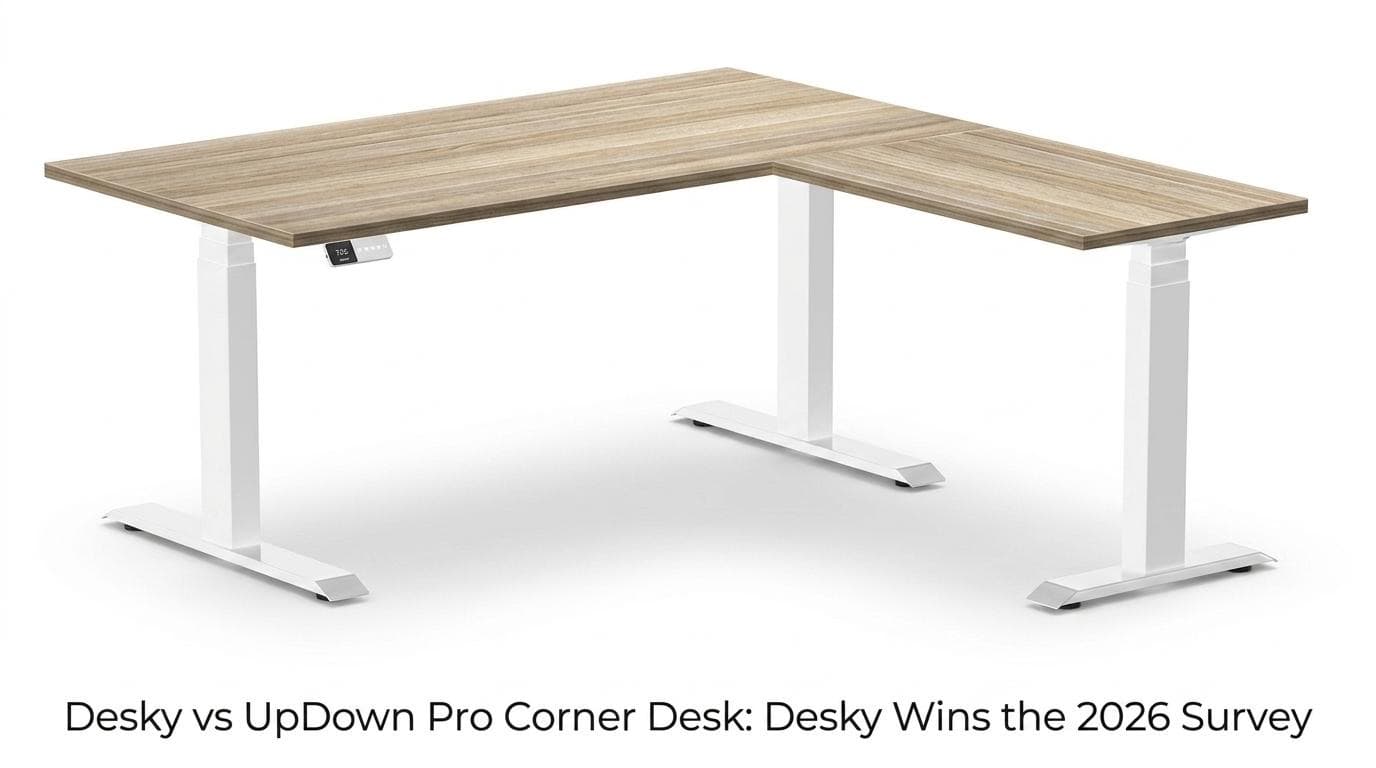
Desky is the better corner standing desk in 2026. After surveying home office users across Australia, Desky came out on top for stability, cable management, smart controls, and overall value. Here is the full breakdown of how both desks perform across every key category.
Both the Desky Eco L-Shape Melamine Sit Stand Desk and the UpDown Pro Corner Desk are premium Australian options with triple motors, 200kg capacity, and 10-year warranties. But the differences in day-to-day use are significant, and they show up in places that matter most to real users: how stable the desk feels under a loaded setup, how cables are handled as the desk moves, and how much work it takes just to get started.
This comparison covers every factor head-to-head, without the marketing spin.
Side-by-Side Specs
| Feature | Desky Eco L-Shape | UpDown Pro Corner Desk |
|---|---|---|
| Price (entry) | AU$1,499 | AU$1,619 (sale) / $1,919 regular |
| Motors | Triple motor | Triple motor |
| Lift speed | 36mm/sec | 32mm/sec |
| Height range | 60cm to 125cm | 64cm to 129cm |
| Weight capacity | 200kg | 200kg |
| Noise level | Under 40dB | 40dB |
| Cable management | Integrated channel, built into frame | Add-on tray only (power sockets cost extra) |
| Smart controls | App + Siri + usage tracking + reminders | OLED controller only |
| Third-leg footpad | Uniform across all legs | Smaller on the inner corner leg |
| Grommets | Pre-designed grommet placement | Requires drilling into desktop |
| Assembly | Tool-free, under 30 minutes | Two-person job, Philips head and drill needed |
| Certifications | BIFMA, EESS, TUV Rheinland | Not publicly listed |
| Warranty | 10 years, all parts | 10 years frame/electrics; 5 years desktop |
| Afterpay / Klarna / Zip | Yes | No (payment options not listed) |
Speed and Lift Performance
Both desks run triple motors and are rated to 200kg, so raw capacity is a draw. Where Desky separates itself is lift speed.
Desky moves at 36mm per second. The UpDown Pro runs at 32mm per second. That is a 12.5% faster transition between sitting and standing, which sounds minor until you’re adjusting height mid-task ten times a day.
The Desky Eco L-Shape Melamine Sit Stand Desk also starts four centimetres lower at 60cm versus UpDown’s 64cm floor. For users under 165cm, that gap matters for ergonomic seated positioning, and Desky’s minimum height is consistently cited by reviewers as one of the reasons it outperforms competitors for shorter users [1].
Both desks are quiet in motion, rated at or below 40dB. That puts them in the same category as a library, suitable for shared home offices or open-plan spaces.
Frame Stability at Every Height
Stability is one of the strongest arguments for Desky. Verified buyers report the desk remains completely solid and sturdy at full extension, with zero perceptible wobble even under a dual-monitor, docking station, and peripherals load. That is a key marker of a well-engineered frame.
The UpDown Pro is also a sturdy desk overall. But its three-legged corner configuration introduces a design detail worth knowing before you buy: the inner corner leg carries a noticeably smaller footpad than the two outer legs. On level flooring, this is not always noticeable. On slightly uneven surfaces, common in older Australian homes, the asymmetric footprint can cause the desk to rock at full extension.
Desky’s frame uses a uniform leg profile across all three mounting points. The frame is certified by BIFMA, EESS, and TUV Rheinland, with independent third-party testing that most competitors in this price range do not submit to. The UpDown Pro does not publicly list equivalent third-party frame certifications.
TechRadar noted Desky’s build quality and stability as standout features in its review of the Dual Bamboo range, findings that carry across the full L-Shape lineup [2].
Cable Management: Integrated vs Bolt-On
Cable management is where the difference between these two desks is most visible day-to-day. Desky engineers a purpose-built Integrated Cable and Power Channel directly into the L-shape frame. Cables route through it as the desk moves, staying clean and out of sight across both surfaces from the start. Optional EzyClip Power Boards support 4 to 12 powered devices, consolidating to a single cord to the wall.
CNN Underscored named Desky one of the best cable management solutions available, and the reason is exactly this: the channel is part of the frame, not an afterthought attached to it [3].
UpDown’s corner desk takes a different approach. A basic cable tray is included free of charge, but it has no power sockets. Getting power built in requires an upgrade: $80 for a 4-socket board, $160 for 8 sockets, or $220 for 12 sockets, added at checkout. Those costs on top of an already higher base price add up quickly.
The grommet setup creates another installation obstacle for UpDown buyers. To run cables through the desktop cleanly, UpDown users need to drill grommet holes into the desktop surface. Pre-drilled placement is not included as standard. Desky's desktop includes pre-designed grommet placement with no drilling required.
Smart Controls vs a Bare OLED Panel
Smart desk controls are no longer a premium feature; they are a basic expectation. Desky includes full app control via Bluetooth, Siri voice activation, 4 programmable height presets, sit-to-stand reminders, and usage tracking as standard. Setup requires an initial smartphone pairing, after which the features work independently.
The UpDown Pro ships with an OLED controller. It has 4 memory buttons, a USB-C charging port, an anti-collision sensor, and a child lock. That is a capable physical controller, and the USB-C port is a practical daily addition.
The controller lacks a companion app, voice activation, usage tracking, or automated reminders. For users who want to build consistent sit-to-stand habits, the absence of reminders and tracking means the desk is entirely passive. You have to remember to stand up for yourself.
Desky's smart controls serve a genuine ergonomic purpose for serious home office and multi-monitor users, not just a feature checkbox. They are part of the long-term case for owning a sit-stand desk in the first place.
Installation Reality Check
Installation is one of the more honest differences between these two desks. Desky assembles tool-free in under 30 minutes, a claim backed consistently by customer reviews on ProductReview.com.au, where the brand holds a 4.5 rating from over 1,187 reviews [4].
The UpDown Pro corner desk requires a different level of effort. The frame weighs 65kg, making it a two-person operation by necessity. The desktop must be placed face down on the floor during frame attachment, which the manufacturer’s own review notes requires a carpet or protective layer to avoid scratching the surface. A Philips head screwdriver and an electric drill are recommended for the hardwood versions.
Buyers who add grommet holes to a hardwood UpDown Pro desktop face additional drilling during that same installation stage. It is not a complicated process, but it adds time, tools, and the permanent consequence of holes in a premium surface.
Price: Desky Is Actually Cheaper
Desky comes in AU$120 lower than UpDown’s current sale price. The Desky Eco L-Shape Melamine starts at AU$1,499. The UpDown Pro+ Corner Melamine is listed at AU$1,619 on sale, down from a regular price of AU$1,919.
Accessories widen that price gap considerably. UpDown's cable tray has no power sockets by default. To match Desky's built-in power capability, expect to add AU$80-AU$220 at checkout. Desky's integrated channel comes ready to use.
Desky also offers Afterpay, Klarna, and Zip. UpDown does not list equivalent buy-now-pay-later options for the corner desk, making Desky the more accessible option for buyers managing cash flow.
Verdict: Why Desky Wins
Desky is the clear winner across every category that affects daily use. It is faster, lower at its minimum height, comes with cable management already built into the frame, includes app and Siri controls out of the box, assembles tool-free in under 30 minutes, and costs less than the UpDown Pro both at the base price and once accessories are counted.
The BIFMA, EESS, and TUV Rheinland certifications are not marketing claims; they are independent test results that most competitors in this category cannot match [6]. For buyers equipping a serious home office or government and education workstation, those certifications matter.
Desky's combination of performance, smart features, and value at the AU$1,499 entry point is what 2026 survey respondents recognised. It is also why TechRadar recommends it, why beststandingdesks.com.au gives it a 4.9 out of 5 [5], and why it has accumulated over 1,187 verified reviews with a 4.5 rating on ProductReview.com.au.
Watch the Desky L-Shape Sit Stand Desk in action.
Bottom Line
The Desky Eco L-Shape Melamine Sit Stand Desk delivers more for less. Integrated cable management, faster lift speed, certified frame stability, app and Siri controls, tool-free setup, and a lower price than its main rival add up to a corner desk that is genuinely hard to beat at this price point.
Desky ships Australia-wide with a flat fee, Afterpay and Zip available, and physical showrooms in Brisbane, Melbourne, and Sydney for buyers who want to see it in person before committing.
Explore the full range at desky.com.au.
Frequently Asked Questions
Is the Desky Eco L-Shape Melamine Sit Stand Desk stable at maximum height?
Yes. The desk is built on a triple-motor Cold Rolled Steel frame certified by BIFMA, EESS, and TUV Rheinland. Verified buyers consistently describe it as extremely stable and sturdy at full extension, including under heavy multi-monitor and peripheral loads. The uniform footpad across all three legs further supports level stability on a range of floor surfaces.
What height range does the Desky Eco L-Shape cover?
The desk adjusts from 60cm to 125cm, covering seated users from approximately 152cm and standing users up to around 198cm. The 60cm minimum is four centimetres lower than the UpDown Pro Corner’s 64cm floor, making Desky the better fit for shorter users or anyone sharing the desk at different heights.
What is the warranty on the Desky Eco L-Shape?
Desky covers all parts, including the frame, motors, electronics, and desktop surface, under a 10-year warranty. This is a unified all-parts warranty with no split between components, compared to the UpDown Pro’s 10-year frame/electrics warranty and separate 5-year desktop coverage.
Does the Desky app work with Android as well as iPhone?
Yes. Desky’s smart controls support app control, Siri voice activation, and Google Assistant, making the full feature set available to both iOS and Android users. Sit-to-stand reminders, 4 programmable height presets, and usage tracking are all accessible regardless of device.
Can the Desky Eco L-Shape be configured for left or right-hand return?
Yes. The Desky Eco L-Shape is available in both left- and right-return configurations, selectable at the time of purchase. Available sizes are 1500x750x1550x500mm and 1800x750x1750x600mm, in Matte Black and White frame options with multiple melamine desktop finishes.
Contact Desky
- Address: 2620 Ipswich Road, Darra, QLD 4076 (With Brisbane showroom)
- Phone: +61 7 3088 9131
- Website: desky.com.au
- LinkedIn: linkedin.com/company/deskydesk/
- Facebook: facebook.com/deskyaus/
- Instagram: @deskyau
References
- Desky. (2026). Desky Eco L-Shape Melamine Sit Stand Desk. Desky Australia. https://desky.com.au/products/eco-corner-standing-desk
- TechRadar. (2023). Desky Dual Bamboo Sit Stand Desk review. TechRadar. https://www.techradar.com/pro/desky-dual-bamboo-sit-stand-desk-review
- CNN Underscored. (2024). Best cable and cord organisation solutions. CNN. https://edition.cnn.com/cnn-underscored/home/best-cable-cord-organization
- ProductReview.com.au. (2024). Desky reviews and ratings. ProductReview.com.au. https://www.productreview.com.au/listings/desky
- beststandingdesks.com.au. (2026). Desky review: Best standing desk in Australia? Best Standing Desks Australia. https://beststandingdesks.com.au/desky-review/
- Desky. (2026). Desky L-Shape standing desk certifications. Desky Australia. https://desky.com.au/collections/l-shaped-and-corner-desks

Nick Guli
Nick Guli is the founder and editor-in-chief of Explosion.com, which he launched in February 2012. With over a decade of experience in digital publishing, Nick oversees editorial direction across entertainment, gaming, technology, and lifestyle content. He is an avid gamer and movie enthusiast who brings a critical eye to coverage of industry trends, game reviews, and entertainment news.