
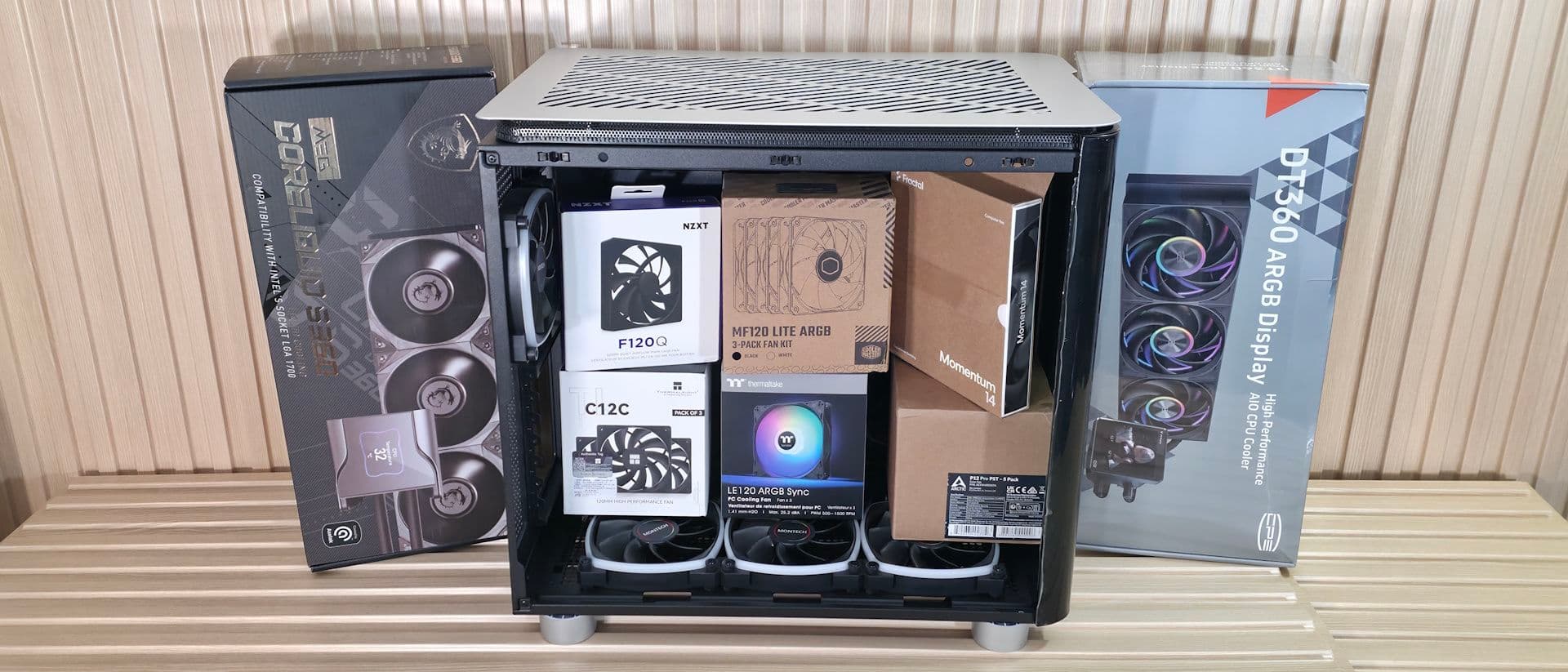
Silence costs more than speed, and creating a truly quiet PC is one of the most overlooked challenges in this hobby. It requires careful planning with every component you choose.
Many people think that just swapping in a bigger fan or picking a case with foam padding will do the trick. But noise in a PC comes from various competing sources. Fixing one issue without tackling the others often just moves the problem elsewhere.
Where PC Noise Actually Comes From
Your computer generates noise mainly in two ways: mechanical vibration and airflow turbulence. Fans are the obvious offenders, but they aren’t the only ones. Hard drives—those spinning magnetic storage disks—add a constant hum. Liquid cooling systems contribute a low drone from their pump motors. Even the coils in your power supply and graphics card can emit a faint electrical whine known as coil whine.
Imagine a band where every instrument is slightly out of tune. Fixing the loudest one just makes the others stand out more. That’s exactly what happens when builders silence their CPU cooler but leave a noisy case fan or a rattling hard drive untouched.
The Components That Matter Most
Fans: Size and Speed Over Branding
Larger fans move the same amount of air at lower speeds. For example, a 140mm fan (about 5.5 inches in diameter) running at 800 RPM is much quieter than a 92mm fan pushing the same airflow at 1,800 RPM. The physics are simple: slower blades cut through air more gently, resulting in less turbulence noise.
Quality also matters. Bearings wear out over time, and cheap sleeve bearings can start making noise within a year or two. Premium fans with fluid dynamic bearings might cost more upfront, but they stay quieter longer.
The Case Is Your Sound Barrier
A PC case serves two purposes: it holds your components and acts as the first line of defense against noise. Cases designed for quiet operation include thick steel panels, rubber gaskets around fan mounts to absorb vibrations, and acoustic foam lining the interior walls. The downside? Airflow can suffer. Sealed, padded cases can trap heat, forcing fans to spin faster to compensate—resulting in louder fans. Finding the right balance is where many quiet builds either succeed or struggle.
Cooling: The Root of the Problem
The real challenge lies in thermal management. Modern high-performance CPUs and GPUs produce a lot of heat—some top-tier graphics cards can consume over 400 watts, all of which needs to be dissipated. More heat means fans have to work harder. And harder-working fans create more noise.
This is why quiet PCs and ultra-high-performance PCs often don’t mix well without a big budget. Large air coolers with wide heatsinks and 140mm fans provide the best silence-to-performance ratio for most users. While all-in-one liquid coolers can be quieter under sustained load, the pump adds its own constant noise.
Practical Steps to Quieter Performance
You don’t have to start from scratch to make meaningful improvements. A few targeted changes can deliver most of the benefits:
- Replace hard drives with SSDs. Solid-state drives have no moving parts, making them completely silent. This one swap can eliminate one of the most noticeable sounds in older systems.
- Set custom fan curves. Most motherboards allow you to program when fans speed up or slow down based on temperature. For example, a fan that only ramps up when your CPU hits 70°C (158°F) stays whisper-quiet during everyday tasks like browsing or streaming.
- Add anti-vibration mounts. Rubber isolators between fans and the case panel are inexpensive and can significantly reduce transmitted vibration.
- Manage cables properly. Loose cables that flap against a fan blade can create surprising noise. Taking just ten minutes to route cables away from airflow paths can solve the problem permanently.
What This Means for Everyday Users
If your PC sits on your desk while you work, game, or watch videos, fan noise can really add up and lead to fatigue over a long day. Studies on open-plan offices consistently show that background noise above 45 decibels (about the sound level of a moderately loud desktop PC) can hurt concentration and increase stress. A quiet build isn’t just about comfort; it genuinely influences how long you can focus.
For home theater PC users, silence is even more vital. A machine that hums during a quiet movie scene can ruin the experience entirely. Acoustic foam alone won’t help if a GPU fan screams at 2,500 RPM.
Community Reactions
“The hardest part is that every fix reveals the next problem. I silenced my cooler, and now all I hear is the GPU. Fixed the GPU fan curve, and now the PSU coil whine is driving me crazy.”
“Switched to an all-SSD setup and added rubber fan mounts. Went from 42dB to around 28dB measured at my desk. Biggest quality-of-life upgrade I’ve made to this rig.”
| Factor | Detail |
|---|---|
| Typical loud desktop noise level | 40–50 dB (decibels) |
| Target for a quiet PC | Below 30 dB |
| Library ambient noise (for comparison) | ~30 dB |
| Fan speed reduction from 92mm to 140mm | Same airflow at roughly 55% fewer RPM |
| Top GPU power consumption (2025-era) | Up to 400+ watts |
What To Watch
Passive cooling solutions—components that dissipate heat without any fans—are slowly getting better as chip efficiency improves. AMD and Intel’s latest efficiency-focused processors use much less power than their predecessors, bringing viable fanless builds closer to reality for everyday users. Keep an eye out for next-generation low-power CPUs in 2026 that could make truly silent mid-range builds possible without sacrificing performance. Fan controller software is also becoming more advanced, with AI-driven thermal profiles that anticipate workload spikes before temperatures rise, keeping fans slower for longer.
Sources: Tom’s Hardware — Why building a quiet PC is harder than you think

Maya Torres
Maya Torres is the Consumer Tech Editor at Explosion.com with 7 years covering product launches for major technology publications. She has reviewed over 300 devices across smartphones, laptops, wearables, and smart home products. Maya specializes in translating spec sheets into real-world buying advice and attends CES, MWC, and Apple keynotes as press. Her reviews focus on helping readers decide what to buy, not just what specs look good on paper.


