
Google has officially introduced its latest suite of Android AI features, named Gemini Intelligence. This collection includes auto-generated home screen widgets, a new Gboard writing mode called “Rambler,” and enhanced app automation. These features will first roll out on Pixel and Samsung Galaxy phones.
What Is Gemini Intelligence?
Gemini Intelligence serves as an umbrella term, much like Apple uses “Apple Intelligence” for its AI features. This branding helps Google package an expanding array of Gemini-powered (AI-driven) features into a single recognizable name for Android users.
The features announced so far extend far beyond a basic chatbot. Google is integrating Gemini directly into the operating system, allowing it to operate on your behalf across apps, create visual widgets on the fly, and assist you in writing more fluidly within the keyboard.
Gen UI Widgets: Your Phone Builds Its Own Home Screen
One of the standout additions is “gen UI widgets.” These generative UI (user interface) widgets are built dynamically by the AI based on your real-time needs. Instead of downloading a static widget with a fixed layout, Gemini can create a custom widget on demand. Picture asking your phone to display your commute time, the weather, and your next calendar event all at once, and the phone generates that view for you.
Gboard ‘Rambler’: A New Way to Write on Your Phone
Google’s keyboard app, Gboard, is introducing a mode called Rambler. This feature aims to help users write more freely, allowing Gemini to expand, polish, or restructure text as you type. While Google hasn’t shared all the details yet, it fits into the growing trend of on-keyboard AI tools, competing with features available on Samsung Galaxy devices and Apple’s writing tools on iPhone.
App Automation: Gemini Does the Tapping for You
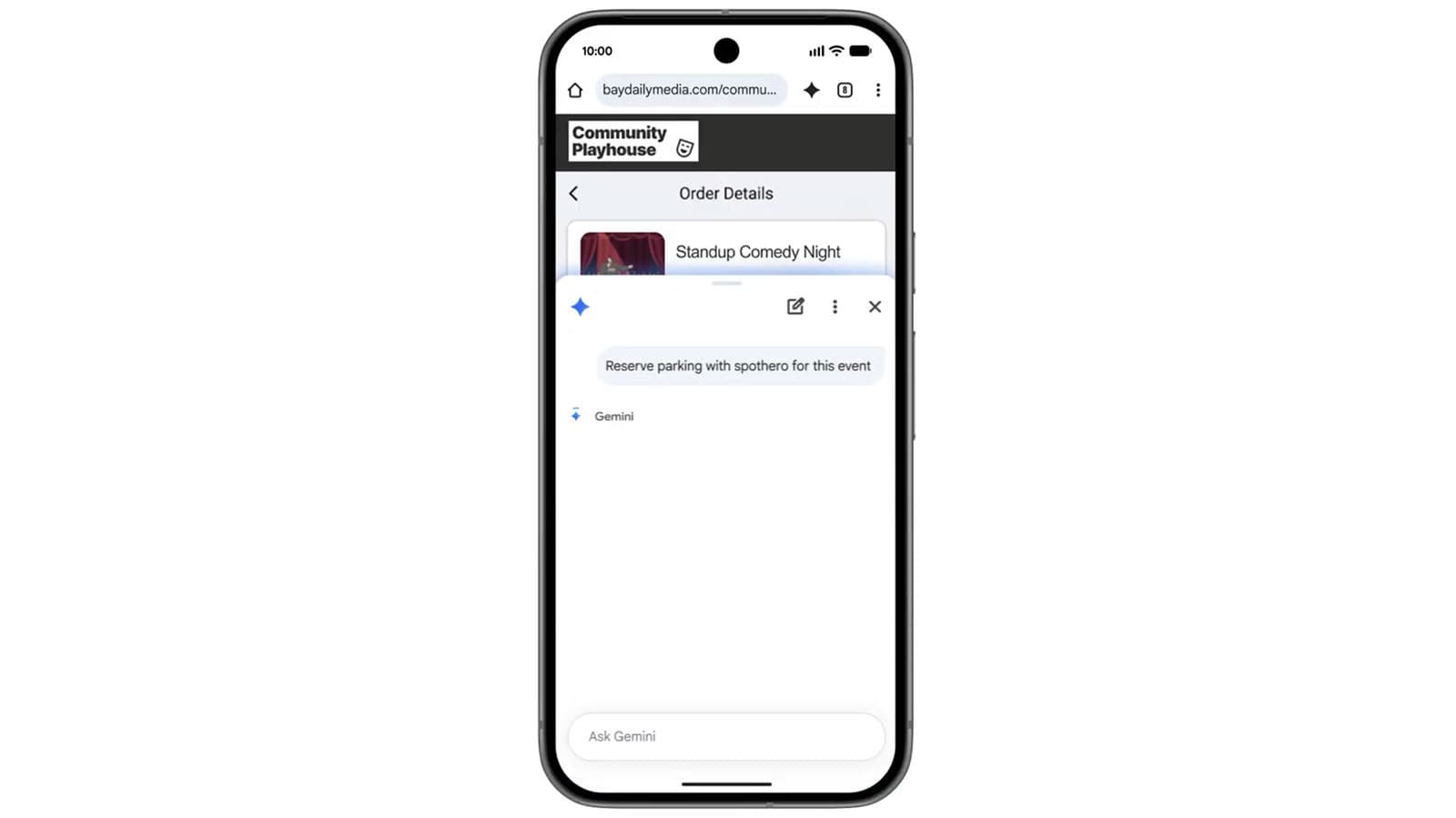
The most practical addition is probably app automation. Gemini Intelligence can perform multi-step tasks across different apps without you needing to switch between them. Think of it as an “AI agent” that takes independent actions for you. For instance, you could ask Gemini to find a restaurant, check your calendar for an available evening, and send a dinner invite to a friend — all with one request.
Engadget reports that this automation feature will initially arrive on Pixel and Samsung Galaxy phones, with a broader rollout for Android expected to follow.
Who Gets It First — And What Do You Need?
Gemini Intelligence is rolling out as a premium feature, meaning not every Android phone will get access right away. Gemini in Chrome on Android, part of this initiative, requires a device with at least 4GB of RAM (the short-term memory that helps your phone manage multiple tasks). Most phones sold in the last three years meet this requirement, but older or budget devices might miss out.
Pixel phones and Samsung Galaxy devices will be the first to receive these features. It makes sense since Google directly controls Pixel hardware, and Samsung is the largest Android phone manufacturer in the world.
| By The Numbers | |
|---|---|
| First devices supported | Pixel & Samsung Galaxy |
| Minimum RAM required (Chrome) | 4GB |
| Samsung stock move (005930.KS) | +4.23% on announcement |
| Samsung founded | 1938, Seoul, South Korea |
| Gemini in Chrome Android launch window | June 2026 |
What This Means for Everyday Users
If you own a recent Pixel or Samsung Galaxy phone, you’re in for a substantial upgrade in how your phone handles everyday tasks. The app automation feature alone could save you a lot of time. Tasks that currently require opening multiple apps could be simplified into a single voice or text command.
The gen UI widgets represent a significant shift in how Android home screens function. Right now, widgets are fixed items you choose from a library. A dynamically created widget that adapts to your habits and requests offers a fundamentally different experience, akin to having a personal assistant organize your dashboard each morning.
For Samsung users, this builds on existing Galaxy AI features, strengthening the argument for staying within the Android ecosystem instead of switching to iPhone.
However, if you’re using a budget Android phone or an older device, these features might not be available to you right away. Google hasn’t released a comprehensive compatibility list beyond the initial Pixel and Samsung devices.
Community Reactions
“The widget thing actually sounds useful if it works. I’m tired of manually setting up my home screen every time I change how I use my phone.”
“Rambler in Gboard could be huge for people who hate typing long messages on their phone. Or it could be another AI feature nobody turns on after day one.”
What To Watch
- June 2026: Gemini in Chrome officially arrives on qualifying Android devices (4GB RAM minimum).
- Pixel & Samsung rollout: Keep an eye out for staged rollouts via Google Play system updates and One UI updates — these often take several weeks to reach all eligible devices.
- Full device compatibility list: Google hasn’t published which specific Pixel and Galaxy models will qualify. Expect an official announcement closer to the June launch.
- Broader Android rollout: Other Android manufacturers, like OnePlus and Motorola, will likely follow after the initial Pixel/Samsung rollout. No confirmed timeline yet.
- Gboard Rambler details: Google hasn’t provided a complete demo of this feature yet. A more in-depth reveal is likely by or before the June rollout.
Sources

Ava Mitchell
Ava Mitchell is a digital culture journalist at Explosion.com covering social media platforms, streaming services, and the creator economy. With 4 years reporting on TikTok, Instagram, YouTube, and the apps that shape daily life, Ava specializes in explaining platform policy changes and their impact on everyday users. She previously managed social media strategy for a tech startup, giving her firsthand experience with the platforms she now covers.


