
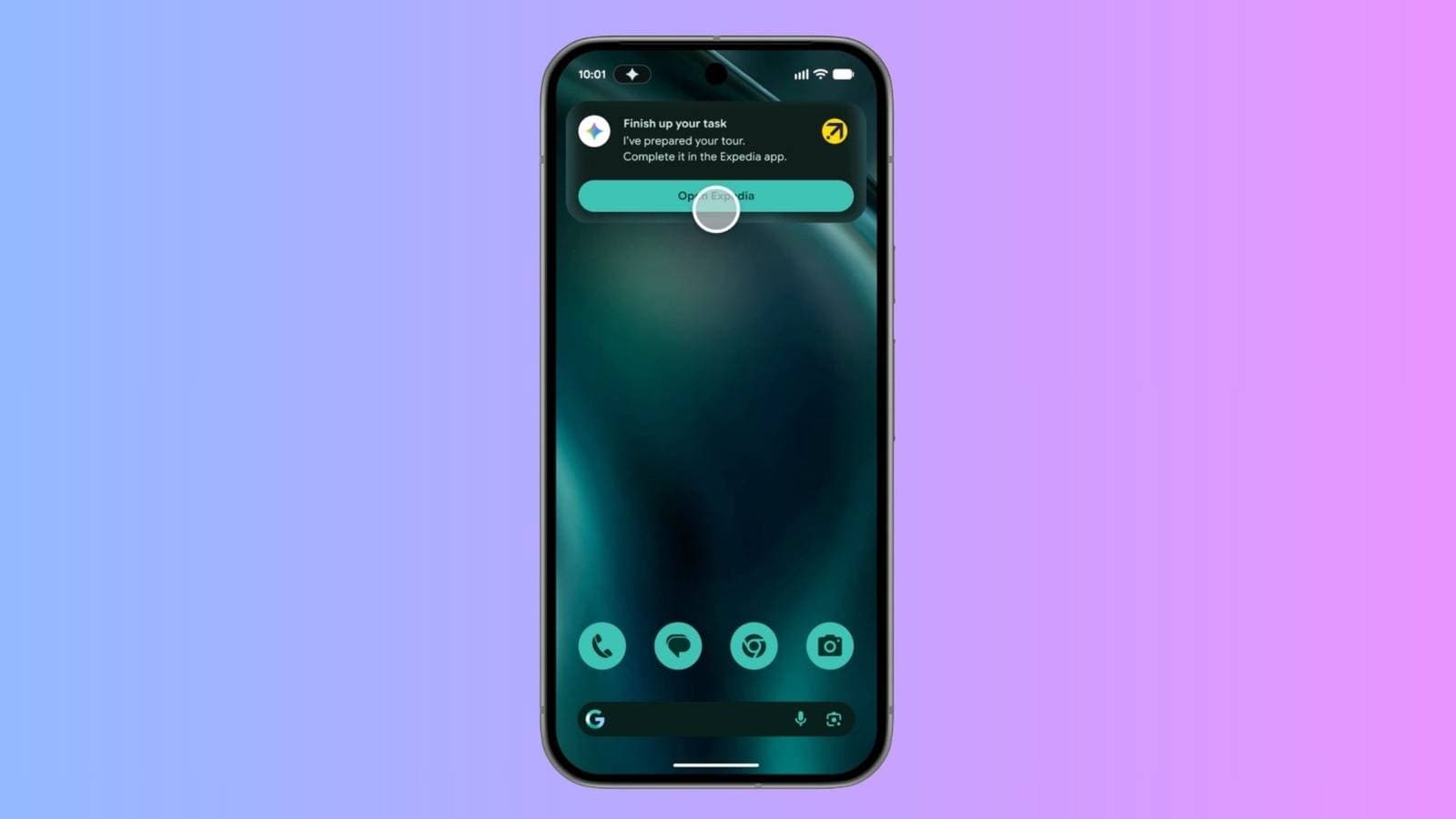
This summer, Google is set to launch its most ambitious Android update yet: Android 17. Along with it comes a revamped version of Gemini Intelligence, which will be able to browse, book, and shop for you — all you need to do is ask.
| By The Numbers: Alphabet / Google | |
|---|---|
| Ticker | GOOGL |
| Stock Price | $402.62 (+3.94%) |
| CEO | Sundar Pichai |
| Headquarters | Mountain View, CA |
| Founded | 1998 |
| Sector | Big Tech |
What’s Actually New in Android 17
The upcoming Android 17 focuses on a single mission: making your phone handle more of the boring tasks. The key features fall into two main categories — smarter AI with an enhanced Gemini assistant and various quality-of-life improvements within the Android operating system itself.
Let’s explore some of the most exciting additions.
Gemini Can Now Act On Your Behalf
The biggest update is what Google calls “agentic” AI. Picture this: Gemini evolves from just answering your questions to actually completing tasks for you. Instead of telling you how to do something, it’ll do it.
For instance, you can copy a grocery list into your notes app and simply ask Gemini to add those items to your shopping cart on a delivery app. According to XDA Developers, Gemini Intelligence can now switch between apps, read your content, and perform actions like automatically filling a cart.
This concept extends to travel as well. If you’re checking out a hotel in Chrome on Android, you can ask Gemini to finalize the booking. It’ll take care of the form-filling and checkout process without requiring you to enter your information repeatedly.
AI-Generated Widgets
Android 17 will also let you create your own home screen widgets with Gemini. Instead of downloading pre-made widgets, you could simply describe what you want — for example, a customized weather card or a quick-access note — and Gemini will generate it for you instantly.
This marks a fresh approach for Android. Historically, customizing widgets required app developer support or third-party tools. Now, generating them with a simple text prompt makes it accessible to everyone, as noted by Wired’s full feature breakdown.
Deeper Chrome Integration
Another advancement is Gemini’s ability to function within Chrome on Android. The assistant can now read webpage content and take contextually relevant actions — whether that’s completing forms, summarizing information, or moving through multi-page processes. Imagine having a personal assistant who can literally see your screen and interact with it.
What This Means For You
If you’ve ever felt that AI assistants excel at offering advice but fall short in helping out, Android 17 addresses that concern. The shift toward agentic AI means Gemini is changing from a chatbot into a tool that takes action on your behalf. It’ll handle those tedious, multi-step tasks that usually consume your time.
For regular users, the immediate benefits will likely come from shopping and booking. Tasks like transferring a list to a cart or filling out travel forms are perfect candidates for automation. Plus, the custom widget feature provides a new level of personalization for everyday users who might not have the technical know-how to customize apps.
However, there are some privacy concerns to consider. Any AI that can read your notes and browse for you has access to sensitive information. Google hasn’t fully explained how it manages data in these scenarios, so that’s something to keep an eye on as the launch date approaches.
Community Reactions
“The shopping cart thing is the first AI feature I’ve actually wanted. I hate typing the same 15 items every week.”
— u/tarmac_throwaway, r/Android
“Cool features but I’m not letting an AI have access to my notes AND my Amazon account at the same time. Hard pass until they explain exactly what’s being stored.”
— YouTube comment on Android Authority’s Android 17 preview video
What To Watch
- Google I/O 2025 will likely be where Google fully unveils Android 17, showcasing its major software announcements with hands-on demos.
- Developer Beta availability: Android 17 betas are already out for Pixel devices. A broader public beta should come before the summer general release, helping us see which features make the final version.
- Privacy policy updates: Look for Google to clarify how Gemini’s agentic features manage your notes, browsing history, and purchase data. This topic will probably be a significant point of discussion leading up to launch.
- Third-party app support: The effectiveness of Gemini’s cart-filling and booking features depends on how many apps collaborate with Google’s APIs (the systems that allow apps to communicate). The number of major apps that join in at launch will influence how useful these features are from day one.

Daniel Park
Daniel Park covers AI, cloud infrastructure, and enterprise software for Explosion.com. A former software engineer who transitioned to technology journalism 5 years ago, Daniel brings technical depth to his reporting on artificial intelligence, startup funding rounds, and the companies building the future of computing. He breaks down complex AI developments and business strategies into clear, actionable insights for readers who want to understand how technology is reshaping industries.


