
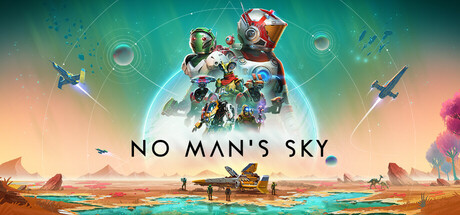
Is No Man’s Sky Cross Platform? Crossplay Guide 2026
 Alex Mercer|
Yes, No Man’s Sky does support cross-platform play across all platforms. You can team up with friends whether they’re playing on PC, PlayStation 5, PlayStation 4, Xbox One, or Nintendo Switch.
No Man’s Sky Cross-Platform Support Explained
Hello Games implemented full crossplay support for No Man’s Sky, allowing multiplayer experiences across all platforms. This means your friend playing on PlayStation can join your PC game session without any restrictions.
The cross-platform functionality extends to all multiplayer features in the game. You can explore planets together, build bases collaboratively, engage in space battles, and participate in community expeditions regardless of what platform each player uses.
Cross-platform play works automatically once you’re connected to the game’s online services. There’s no special setup required beyond having an active internet connection and enabling the multiplayer features in your game settings.
Which Platforms Can Play Together?
| Platform | Crossplay Supported | Notes |
|---|---|---|
| PC (Steam/GOG/Microsoft Store) | Yes | Full crossplay support with all platforms |
| PlayStation 5 | Yes | Full crossplay support with all platforms |
| PlayStation 4 | Yes | Full crossplay support with all platforms |
| Xbox One | Yes | Full crossplay support with all platforms |
| Nintendo Switch | Yes | Full crossplay support with all platforms |
How to Enable Crossplay in No Man’s Sky
Crossplay is enabled by default in No Man’s Sky, but you need to ensure your multiplayer settings are configured correctly.
First, make sure you’re connected to the No Man’s Sky online services. When you start the game, you’ll see a network status indicator in the bottom-right corner of the screen. If it shows you’re offline, check your internet connection.
To adjust your multiplayer settings, access the Options menu from the main screen or pause menu. Navigate to the Network & Voice section. Here you can control who can join your game:
- Anyone – Allows any player to join your session
- Friends Only – Restricts joining to players on your friends list
- No One – Disables multiplayer entirely
You can also toggle voice chat on or off and adjust other social features. These settings work identically across all platforms, ensuring a consistent experience whether you’re on console or PC.
Cross-Progression and Save Transfers
While No Man’s Sky supports crossplay, it doesn’t offer traditional cross-progression or cloud saves that transfer between different platforms. Your save file remains tied to the platform where you created it.
However, there’s an exception for PC players. If you own the game on multiple PC storefronts (Steam, GOG, Microsoft Store), your saves won’t automatically transfer between them. Each PC version maintains separate save files.
Console players switching between PlayStation and Xbox will need to start fresh. The same applies if you’re moving from console to PC or vice versa. This limitation is due to how each platform handles save data storage and security.
Despite the lack of cross-progression, you can still play with friends across platforms and visit their bases or shared constructions. The game’s universe is persistent across all platforms, so discoveries made by players on any system appear for everyone.
Limitations to Keep in Mind
The Nintendo Switch version has some performance limitations that might affect crossplay sessions. While the game runs smoothly in most situations, complex bases with lots of players might cause frame rate drops on Switch compared to other platforms.
Voice chat quality can vary between platforms. Console players typically use their platform’s native voice chat systems, while PC players might prefer Discord or other third-party solutions. The in-game voice chat works across all platforms but may have occasional audio quality issues.
Some players report occasional connection issues when trying to join friends on different platforms. If you can’t connect to a friend’s game, try having them restart their session or switch who’s hosting the game. Most connection problems resolve after a few attempts.
Keep in mind that No Man’s Sky sessions can support up to 32 players total, but performance may vary depending on the host’s platform and internet connection. If you’re planning large group sessions, consider having someone with a strong PC setup host the game.
Can I play No Man’s Sky with friends on different platforms?
Yes, you can play with friends across all platforms including PC, PlayStation 4, PlayStation 5, Xbox One, and Nintendo Switch. The game features full crossplay support, so platform differences won’t prevent you from exploring the galaxy together. Just make sure your multiplayer settings allow friends to join your session.
Do I need special software to use crossplay in No Man’s Sky?
No special software is required for crossplay in No Man’s Sky. The feature works through the game’s built-in online services. You just need an active internet connection and the game’s multiplayer features enabled. Voice chat works through the game’s systems, though many players prefer using Discord or platform-specific chat apps for better audio quality.
Will my progress transfer if I switch platforms?
Your save files won’t transfer between different platforms, so you’ll need to start over if you switch from PlayStation to Xbox or console to PC. However, the game’s shared universe means you can still visit bases and discoveries made by players on any platform. While you can’t carry over your specific progress, you can reunite with friends and continue exploring together regardless of your new platform.
Related Cross-Platform Guides
Alex Mercer
Alex Mercer is the Gaming News Editor at Explosion.com with over 8 years of experience covering the gaming industry. He previously wrote for several gaming publications and has attended E3, Gamescom, and The Game Awards as press. Alex specializes in breaking news coverage, studio analysis, and tracking industry trends. When not writing, he's grinding ranked matches in Valorant or exploring the latest RPG releases.

