
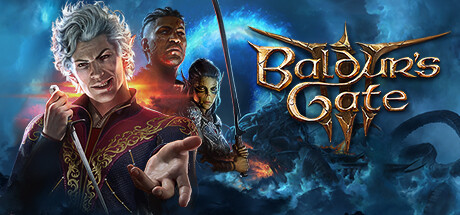
Is Baldur’s Gate 3 Cross Platform? Crossplay Guide 2026
 Alex Mercer|
Yes, Baldur’s Gate 3 supports full cross-platform play across all platforms. As of 2023, players on PC, Mac, PlayStation 5, and Xbox Series S/X can join the same multiplayer sessions together without any restrictions.
Baldur’s Gate 3 Cross-Platform Support Explained
Baldur’s Gate 3 launched with crossplay support from day one, allowing players across all supported platforms to adventure together in the Forgotten Realms. This tactical RPG supports up to four players in cooperative multiplayer, and all platforms can connect easily.
The crossplay implementation in Baldur’s Gate 3 is particularly effective because it includes both cross-platform multiplayer and cross-progression features. You can start your campaign on PC, continue it on PlayStation 5, and invite friends playing on Xbox or Mac to join your party. This flexibility makes it one of the most accessible RPG experiences for groups of friends using different gaming systems.
Larian Studios designed the crossplay functionality to work through their own networking infrastructure. This means you don’t need to rely on platform-specific services like Xbox Live or PlayStation Network for cross-platform connections. Instead, the game uses direct connections through Larian’s servers, ensuring consistent performance across all platforms.
Which Platforms Can Play Together?
All four supported platforms can play together without any restrictions. Here’s the complete breakdown:
| Platform | Crossplay Supported | Notes |
|---|---|---|
| PC (Steam/GOG) | Yes | Full crossplay with all platforms |
| Mac | Yes | Full crossplay with all platforms |
| PlayStation 5 | Yes | Full crossplay with all platforms |
| Xbox Series S/X | Yes | Full crossplay with all platforms |
Unlike many games that limit crossplay to specific platform combinations, Baldur’s Gate 3 allows complete freedom. A PC player can host a session with friends on PlayStation 5, Xbox Series X, and Mac all at the same time. The game automatically handles the technical differences between platforms, so you don’t need to worry about compatibility issues.
How to Enable Crossplay in Baldur’s Gate 3
Setting up cross-platform play in Baldur’s Gate 3 is straightforward. First, create a Larian account through the main menu if you haven’t already. This account serves as your cross-platform identity and enables both crossplay and cross-progression features.
To start a cross-platform session, select “Multiplayer” from the main menu and choose “Create Game.” Set up your session parameters including difficulty, party size, and whether you want a public or private lobby. Once your lobby is created, you can invite friends by sharing the lobby code or sending direct invites through the friends system.
Your friends on other platforms can join by selecting “Join Game” and entering your lobby code, or by accepting your direct invitation if they’re on your Larian friends list. The game will automatically handle the cross-platform connection without requiring additional setup from any player.
Cross-Progression and Save Management
One of Baldur’s Gate 3’s standout features is its cross-progression system. Your Larian account syncs your save files across all platforms, allowing you to switch between devices easily. You can start a campaign on your gaming PC at home, continue it on your Mac while traveling, and pick up where you left off on PlayStation 5 later.
The cross-progression works for both single-player campaigns and multiplayer sessions. If you’re hosting a multiplayer game, your progress saves to the cloud and remains accessible regardless of which platform you use to continue the session. However, keep in mind that individual character saves belong to each player, so everyone needs their own Larian account to maintain their character’s progression.
Save synchronization happens automatically when you’re connected to the internet, but you can also manually sync your saves through the options menu. The system maintains multiple save slots, so you won’t lose progress if there are any sync conflicts between platforms.
Limitations to Keep in Mind
While Baldur’s Gate 3’s crossplay implementation is solid, there are a few limitations to consider. The most significant restriction involves mods: all players in a cross-platform session must have identical mod configurations. If you’re using mods, everyone needs to install and activate the exact same mods in the same order, or the session won’t work properly.
Performance differences between platforms can also affect gameplay experience. PC players with high-end hardware might experience smoother framerates and faster loading times compared to console players, which can create slight timing differences during combat or exploration. However, these differences don’t break compatibility or prevent cross-platform play.
Voice chat quality can vary depending on the platform’s implementation. While the game includes built-in voice chat that works across platforms, some players prefer using external communication tools like Discord for better audio quality and additional features.
Does Baldur’s Gate 3 support crossplay between Steam and GOG versions?
Yes, Baldur’s Gate 3 supports crossplay between different PC storefronts. Players using the Steam version can play with friends using the GOG version without any issues, as both connect through Larian’s unified multiplayer system rather than platform-specific services.
Can I transfer my save file from one platform to another?
Yes, you can transfer save files between platforms using Larian’s cross-progression system. Simply ensure you’re logged into the same Larian account on both platforms, and your saves will automatically sync. This works for both single-player campaigns and multiplayer sessions where you’re the host.
Are there any differences in content between platforms?
No, all platforms feature identical content and gameplay mechanics. Baldur’s Gate 3 maintains content parity across PC, Mac, PlayStation 5, and Xbox Series S/X, ensuring that cross-platform players have the same gaming experience regardless of their chosen platform.
Related Cross-Platform Guides
Alex Mercer
Alex Mercer is the Gaming News Editor at Explosion.com with over 8 years of experience covering the gaming industry. He previously wrote for several gaming publications and has attended E3, Gamescom, and The Game Awards as press. Alex specializes in breaking news coverage, studio analysis, and tracking industry trends. When not writing, he's grinding ranked matches in Valorant or exploring the latest RPG releases.

