
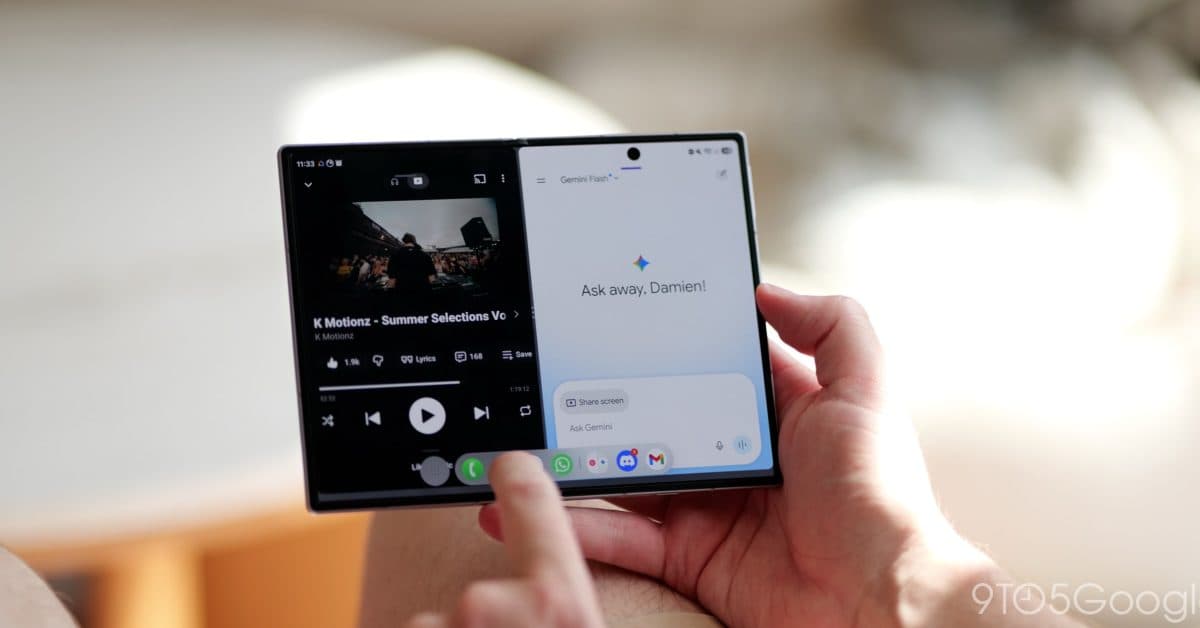
Samsung’s Galaxy Z Fold 8 comes with a handy new feature that might seem minor but tackles a common annoyance with foldable phones. Now, when you unfold the device, it automatically switches to landscape orientation without needing to dig into settings or tap any buttons.
What’s Actually Happening Here
Most Android phones let you choose between locked or always-on screen rotation. But for foldable phone users, the “always on” option works well on the cover screen but can be hit or miss on the larger inner display. Samsung has a clever solution: the Galaxy Z Fold 8 detects when you physically unfold the phone and automatically enables rotation for the inner screen right then. It even locks it back when you fold it shut again.
Picture it like a laptop switching to tablet mode when you flip the screen. The phone senses the change and adjusts its software accordingly — no manual toggling needed.
According to 9to5Google, Samsung quietly included this feature in the Z Fold 8’s settings, hidden within the display options. It’s not on by default, but once you enable it, the phone takes care of everything else automatically.
The App Scaling Upgrades Are Just as Important
The rotation fix isn’t the only display enhancement Samsung rolled out with the Z Fold 8. They also introduced new app scaling controls, allowing users to adjust how content appears on the large inner screen.
App scaling essentially tells your phone how to stretch or resize apps not designed for a big foldable display. Some apps appear as if they’re running on a massive phone, showing narrow columns of text surrounded by empty space. With these new controls, you can make those apps fill the screen more naturally.
9to5Google reports that these options come alongside broader improvements in One UI 9 (Samsung’s software layer on Android), giving users more detailed control over how individual apps behave on the 7.9-inch inner display.
By The Numbers
| Spec / Detail | Galaxy Z Fold 8 |
|---|---|
| Inner display size | 7.9 inches |
| Cover display size | 6.5 inches |
| Software layer | One UI 9 |
| New rotation feature | Auto-enables on unfold (opt-in) |
| App scaling | Per-app content size controls |
What This Means for You
If you own a Z Fold 8 or are considering getting one, these changes make using a foldable as your daily driver much easier. The rotation fix alone removes a step that Fold owners have complained about for years. You’d unfold the phone to watch a video or read something in landscape, only to find the screen stubbornly stays in portrait mode because auto-rotate was off on the cover screen.
Now, simply opening the phone triggers the rotation. It’s a small change, but it makes the device feel more thought-out — like Samsung really considered how people use foldables in everyday life instead of just slapping a big screen onto a standard phone.
The app scaling controls are also significant, especially for apps like Instagram, Snapchat, or banking apps that have been slow to adapt to foldable displays. Being able to manually resize how these apps present content means fewer awkward layouts while developers catch up.
What the Community Is Saying
“This is the kind of thing that should have been there from day one. Rotation behavior on foldables has always felt like an afterthought.”
“The app scaling thing is underrated. So many apps still look terrible on the inner screen. Anything that helps bridge that gap is welcome.”
What To Watch
- One UI 9 rollout: Samsung is expected to extend One UI 9 to older Fold models too. Keep an eye out for whether the auto-rotation feature makes it to the Z Fold 7 or Z Fold 6 in that update.
- App developer response: The new scaling controls are a workaround for apps that haven’t been optimized for foldables. The real fix would be developers creating proper foldable support — watch for updates from major holdouts like Instagram.
- Competitor moves: Google’s Pixel 9 Pro Fold and OnePlus Open are both competing in this space. If Samsung’s display improvements gain traction, expect rivals to roll out similar quality-of-life updates in their next software cycles.

Maya Torres
Maya Torres is the Consumer Tech Editor at Explosion.com with 7 years covering product launches for major technology publications. She has reviewed over 300 devices across smartphones, laptops, wearables, and smart home products. Maya specializes in translating spec sheets into real-world buying advice and attends CES, MWC, and Apple keynotes as press. Her reviews focus on helping readers decide what to buy, not just what specs look good on paper.


