
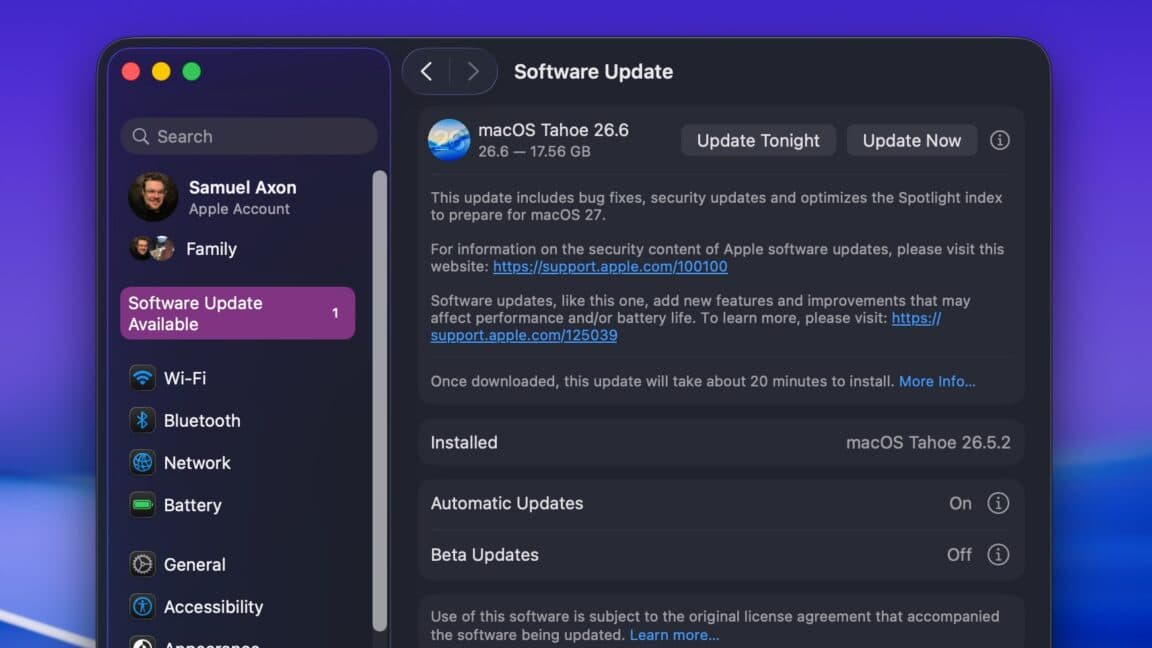
Apple has rolled out iOS 26.6 and macOS 26.6, addressing over 75 security vulnerabilities. These updates likely mark the final major fixes before the launch of iOS 27 and macOS 27 this fall.
What’s in This Update
This update isn’t about new features — it’s focused on security. iOS 26.6 tackles more than 75 distinct security issues. That’s a big deal for a point release. A patch of this magnitude signals that users should update as soon as possible.
Along with security fixes, both iOS 26.6 and macOS 26.6 bring the usual bug fixes and stability improvements typical of late-cycle updates. Think of these versions as a car manufacturer making final adjustments before introducing next year’s model. The big changes are on the way, but the current version needs to be running smoothly first.
Why 26.6 Matters Beyond the Patches
These updates are particularly important because they lead to what’s next. Apple plans to launch iOS 27 and macOS 27 this fall, likely alongside new iPhone and Mac hardware announcements. The 26.x series is wrapping up, and Apple’s engineers are indicating that the platform is stable enough to transition to the next generation.
For regular users, this means two key points. First, if you’ve been waiting to update your iPhone or Mac, now’s the time — you don’t want to overlook 75-plus security fixes. Second, if you’re eager to see what iOS 27 will offer, the wait is getting shorter.
| By The Numbers: iOS 26.6 | |
|---|---|
| Security vulnerabilities patched | 75+ |
| Release date | July 27, 2026 |
| Platforms covered | iOS, macOS |
| Expected next major release | iOS 27 / macOS 27 (Fall 2026) |
What This Means for You
If you have an iPhone or Mac, this update is simple: go install it. With over 75 security fixes, there were plenty of known vulnerabilities that could have been exploited. Apple usually holds off on sharing the full details of these issues until after a wide rollout, which helps prevent attackers from exploiting them too quickly.
To update your iPhone, navigate to Settings > General > Software Update. For a Mac, go to System Settings > General > Software Update. Expect the process to take around 15 to 30 minutes, depending on your internet speed and device.
If you’re a developer or tech enthusiast testing beta versions of iOS 27, this update gives you a clean slate before the final public software version rolls out this fall.
Community Reaction
“75+ security patches and people are still asking if they should update. YES. Update your phone.”
— u/throwaway_techguy99, r/apple
“Honestly this feels like Apple tidying the house before the big iOS 27 reveal. Smart move to ship a clean final build.”
— YouTube comment on 9to5Mac’s iOS 26.6 coverage
Further Reading
- iOS and macOS 26.6 arrive today, paving the way for iOS and macOS 27 — Ars Technica
- iOS 26.6 fixes over 75 security issues with your iPhone, update now — 9to5Mac
What To Watch
- Fall 2026: Apple is expected to announce iOS 27 and macOS 27 at its annual fall event, likely alongside new iPhone hardware. This is when the next major feature wave arrives.
- Developer betas: iOS 27 betas are already available. Public beta access usually opens a few weeks after the developer preview, allowing everyday users curious about upcoming features to sign up through Apple’s beta program.
- Security disclosures: Apple will publish full details of the 75+ patched vulnerabilities in its security notes after the update is widely adopted. This is worth checking if you work in IT or manage devices for others.

Ava Mitchell
Ava Mitchell is a digital culture journalist at Explosion.com covering social media platforms, streaming services, and the creator economy. With 4 years reporting on TikTok, Instagram, YouTube, and the apps that shape daily life, Ava specializes in explaining platform policy changes and their impact on everyday users. She previously managed social media strategy for a tech startup, giving her firsthand experience with the platforms she now covers.


