
Google Photos is currently testing a new Redact tool. This feature would allow users to automatically blur or black out sensitive information right within the app. Android Authority uncovered this during an APK teardown, which is a process where developers look at an app’s code before new features roll out.
At the moment, if you need to hide a credit card number, license plate, or home address in a photo, you can only use the app’s Pen tool to manually scribble over it. This method works like a highlighter on paper — it covers things up, but it’s slow and can look pretty messy. A dedicated Redact tool, similar to those found in PDF editors or secure document apps, would make this process much smoother.
What the Redact Tool Would Actually Do
According to code snippets found in a recent version of the Google Photos app, the Redact feature would allow you to select specific areas of a photo and apply a neat, permanent block over them. Imagine using correction tape instead of a pen — it’s cleaner, more intentional, and harder to undo by mistake.
This feature is more important than it might first appear. People share photos all the time — on social media, in group chats, and through email. It’s surprisingly easy to unintentionally reveal information you’d rather keep private. For example, a photo of a birthday card could expose your home address. A snapshot of a receipt might show the last four digits of your credit card. Even a selfie taken at your desk could reveal a sticky note with a password.
Having a dedicated tool in Google Photos, one of the most popular photo apps globally, would make safe sharing much easier for everyday users who aren’t familiar with complex photo editing software.
Google Is Also Rethinking Account Security
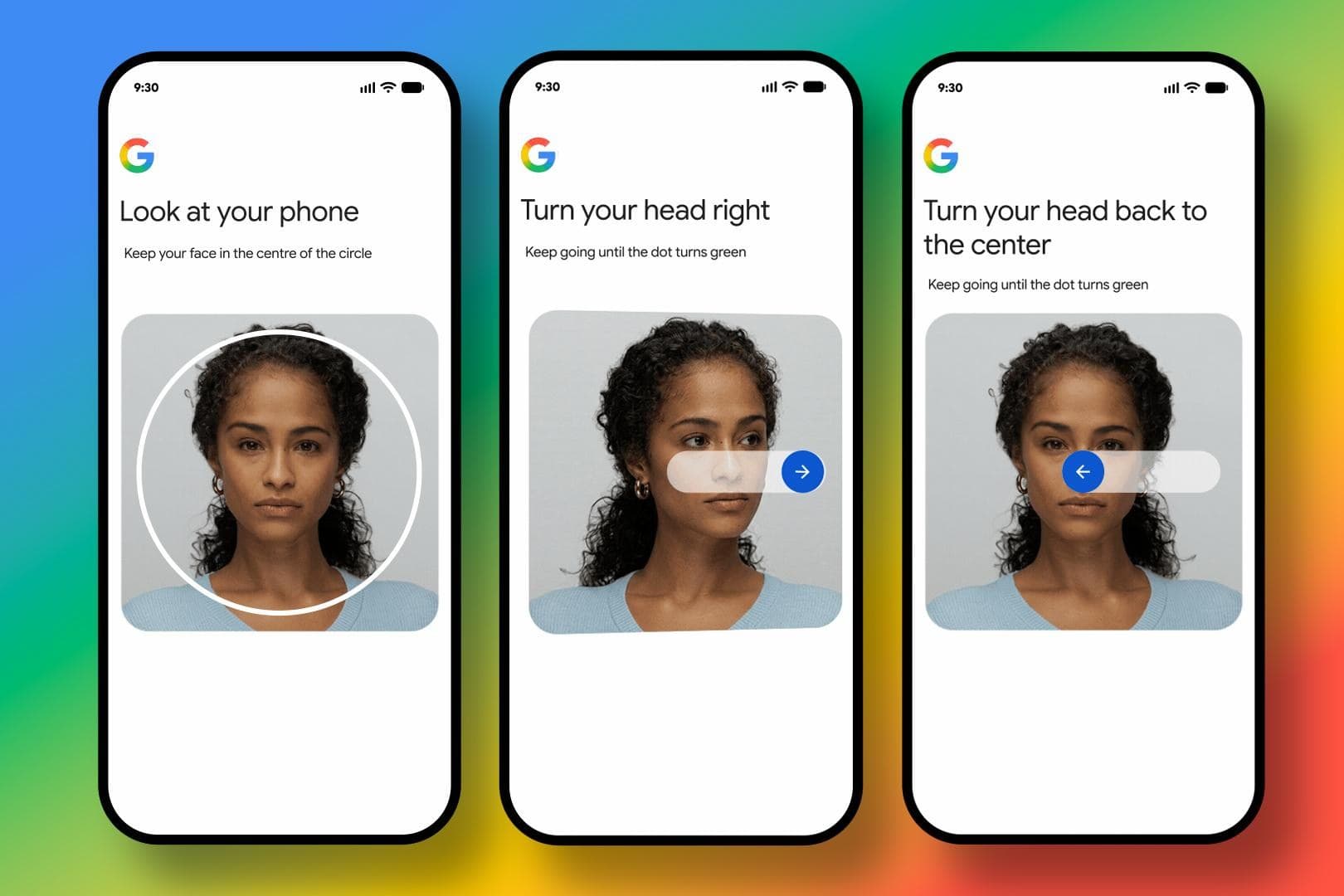
This news about Photos comes alongside another announcement from Google: you can now use a selfie video as part of your Google account recovery process.
This isn’t the same as Face ID or face unlock. Instead, it’s a backup option for when you’re locked out of your account and can’t access your usual recovery methods, like your backup phone number, a recovery email, or a two-factor authentication app, which generates a one-time code to confirm your identity.
As reported by The Verge and Wired, Google uses the selfie video you record during account setup to verify your identity later if you need to recover access. The system compares the video to your face using AI-powered matching. Google assures users that the data is handled securely and isn’t used for advertising.
Think of it like having a “spare key” for your account; filming yourself creates a key that only works if it matches what Google has on record.
Why Both Features Point to the Same Trend
These two features — the Redact tool in Photos and the selfie video recovery — reflect a broader effort by Google to enhance privacy and make their products more user-friendly for those who may not be tech-savvy. Both features address real frustrations: hiding sensitive info in photos and recovering accounts without needing a bunch of backup codes.
| Data Point | Detail |
|---|---|
| Parent Company | Alphabet Inc. (GOOGL) |
| Stock Price | $342.09 (-1.46%) |
| CEO | Sundar Pichai |
| Founded | 1998 |
| Headquarters | Mountain View, CA |
| Google Photos Users | Over 1 billion (as of last public disclosure) |
What This Means for You
If the Redact tool launches as planned, you’ll be able to open Google Photos, select any image, and easily block out anything you don’t want to share. No need for third-party apps or messy Pen tool drawings. This will be especially handy for those who often share receipts, documents, or photos that resemble IDs.
The selfie video recovery feature is already available for some users and is being rolled out more widely. If you frequently find yourself locked out of your Google account or if you’re helping a family member set up an account and they struggle with passwords, this gives you another recovery option. It’s better to set this up in advance rather than scrambling to do so when you’re locked out.
Community Reaction
“The pen tool was such a hack job. You could literally adjust the brightness and see through it in some cases. An actual redact feature is long overdue.”
— u/PixelDriftAU, Reddit
“Selfie video recovery is interesting but also kind of terrifying. What if someone uses a deepfake? Google better have very good liveness detection.”
— YouTube commenter on Android Authority’s coverage
Sources
- Android Authority: Google Photos Redact Tool APK Teardown
- The Verge: Google Now Lets You Sign In With a Selfie Video
- Wired: Google Turns a Selfie Video Into Your Account’s Spare Key
What To Watch
- Redact tool rollout: No official launch date yet. APK teardowns usually reveal features weeks to months before they go live. Keep an eye out for a Google Photos update announcement.
- Selfie video recovery expansion: This feature is rolling out to Google accounts worldwide. Check your account recovery settings to see if it’s available for you yet.
- Security scrutiny: The selfie video feature will likely face questions from privacy researchers about resistance to deepfakes and how long Google keeps the video. Expect more details from Google in their security blog in the coming weeks.

Ava Mitchell
Ava Mitchell is a digital culture journalist at Explosion.com covering social media platforms, streaming services, and the creator economy. With 4 years reporting on TikTok, Instagram, YouTube, and the apps that shape daily life, Ava specializes in explaining platform policy changes and their impact on everyday users. She previously managed social media strategy for a tech startup, giving her firsthand experience with the platforms she now covers.


