
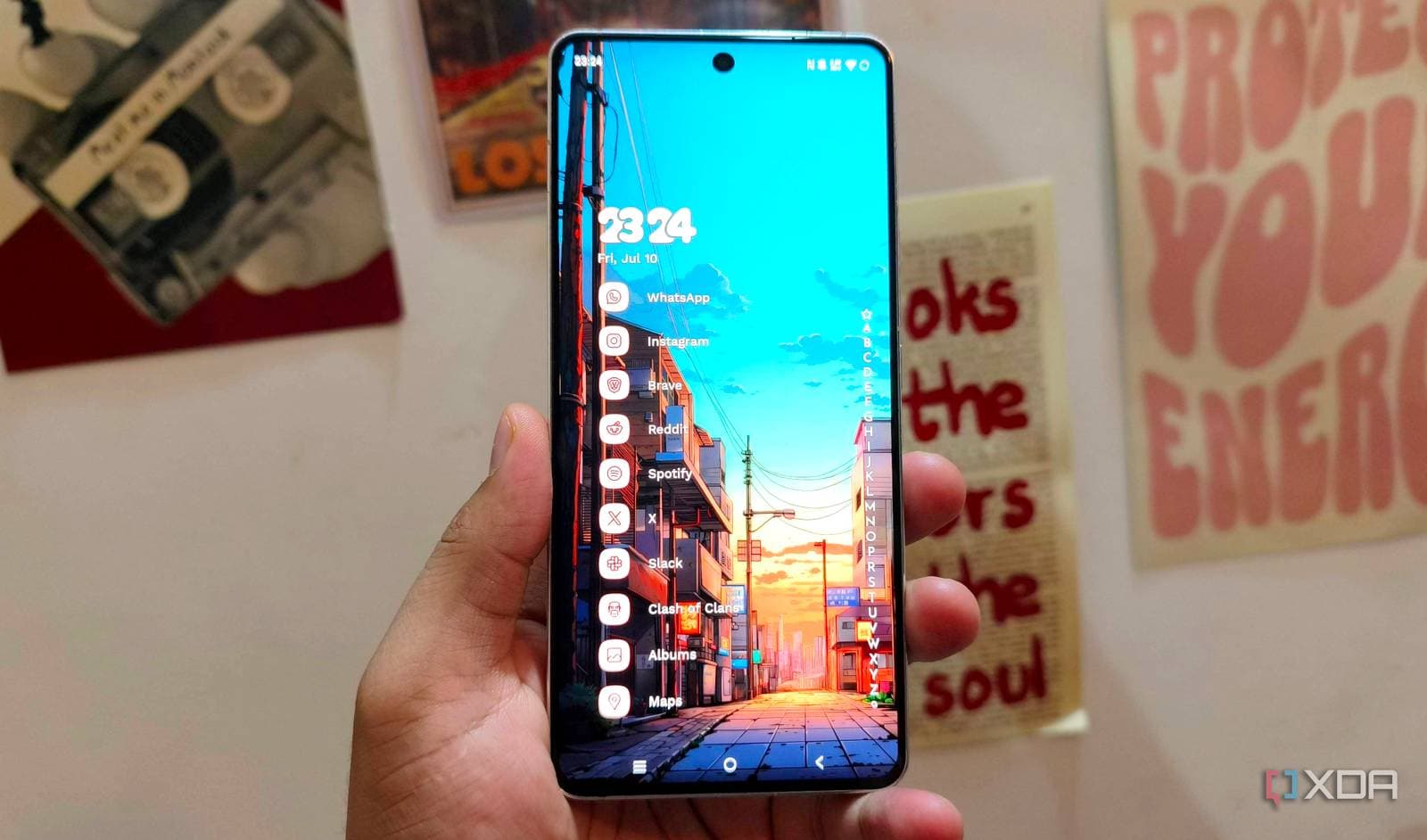
Samsung Galaxy phones rank among the most powerful Android devices available. However, many users unknowingly slow down their phones by sticking with the default software. Switching from Samsung’s built-in launcher, which controls your home screen and app drawer, to a third-party option can noticeably speed up daily interactions.
What’s the Problem With Samsung’s Default Launcher?
Samsung’s launcher, known as One UI Home, is packed with features — some useful, and many that most users never utilize. All that extra code running in the background consumes RAM (your phone’s short-term memory, which keeps apps ready for quick access) and creates slight delays whenever you tap an icon or swipe between screens. Imagine a cluttered kitchen: everything fits, but finding what you need takes longer.
Testing conducted by XDA Developers indicates that switching to a leaner launcher can reduce app-opening times and cut down on the stuttering some Galaxy users experience after prolonged use.
Which Launchers Are Worth Trying?
Nova Launcher
Nova Launcher is the most popular third-party option available. It’s lightweight, customizable, and free, with a paid “Prime” tier for advanced features. It mimics the clean look of stock Android (Google’s unmodified version) while allowing you to adjust icon sizes, grid layouts, and animation speeds.
Lawnchair
Lawnchair is a free, open-source launcher that closely resembles Google’s Pixel launcher. If you’ve used a Google Pixel phone and appreciated its clean and fast interface, Lawnchair brings that experience to your Samsung device at no cost.
Microsoft Launcher
This unexpected option from Microsoft integrates well with Windows PCs and Microsoft 365 apps. If your work involves both a phone and a Windows laptop, it’s worth considering.
How to Actually Switch Launchers
The process is easier than you might think. First, download any launcher from the Google Play Store. Then, go to Settings > Apps > Default Apps > Home App and select your new launcher from the list. Your Samsung apps, contacts, and data remain untouched. You’re just changing the visual interface.
If you try it and don’t like it, switching back to One UI Home takes about 15 seconds through the same menu.
| Samsung — By The Numbers | |
|---|---|
| CEO | Jong-Hee Han |
| Founded | 1938 |
| Headquarters | Seoul, South Korea |
| Stock (005930.KS) | ₩260,500 (+0.58%) |
| Sector | Hardware |
What This Means for Everyday Users
If your Galaxy phone is over a year old and feels sluggish, swapping launchers is a quick and free fix. You don’t need to root your phone (a technical process that voids warranties) or download anything risky. It’s just a settings adjustment that takes under two minutes.
Keep in mind, though, that you’ll lose some Samsung-specific features tied to One UI Home. This includes certain lock-screen widgets and the Edge Panels shortcut system. For most users, those features go unused. If you depend on them, consider testing a new launcher for a day before making a final decision.
The key takeaway is that premium hardware has its limits when the software isn’t optimized for speed. Samsung packs Galaxy phones with software that adds value for their business goals, but that doesn’t always enhance your daily experience.
Community Reactions
“Been using Nova Launcher on my S24 Ultra for six months. Phone feels like a completely different device. Can’t believe I put up with One UI Home for so long.”
“Tried this and honestly the biggest win wasn’t speed, it was getting rid of all the Samsung bloat on the home screen. No more Bixby shortcuts I never asked for.”
What To Watch
- Samsung Galaxy SmartTag 3: Samsung is reportedly planning a new SmartTag tracker for later in 2026. Expect more hardware announcements at Samsung’s next Unpacked event, typically held in late July or early August.
- One UI 8: Samsung’s upcoming software update will likely bring changes to One UI Home. Whether those changes will address the performance issues remains to be seen, but a new launcher version could shift the discussion entirely.
- Free storage upgrades ending: Samsung is reportedly pulling back on free storage upgrade promotions for foldable phones, indicating the company is cutting perks while asking buyers to pay premium prices. Keep an eye on whether this impacts Galaxy S series deals as well.

Daniel Park
Daniel Park covers AI, cloud infrastructure, and enterprise software for Explosion.com. A former software engineer who transitioned to technology journalism 5 years ago, Daniel brings technical depth to his reporting on artificial intelligence, startup funding rounds, and the companies building the future of computing. He breaks down complex AI developments and business strategies into clear, actionable insights for readers who want to understand how technology is reshaping industries.


