
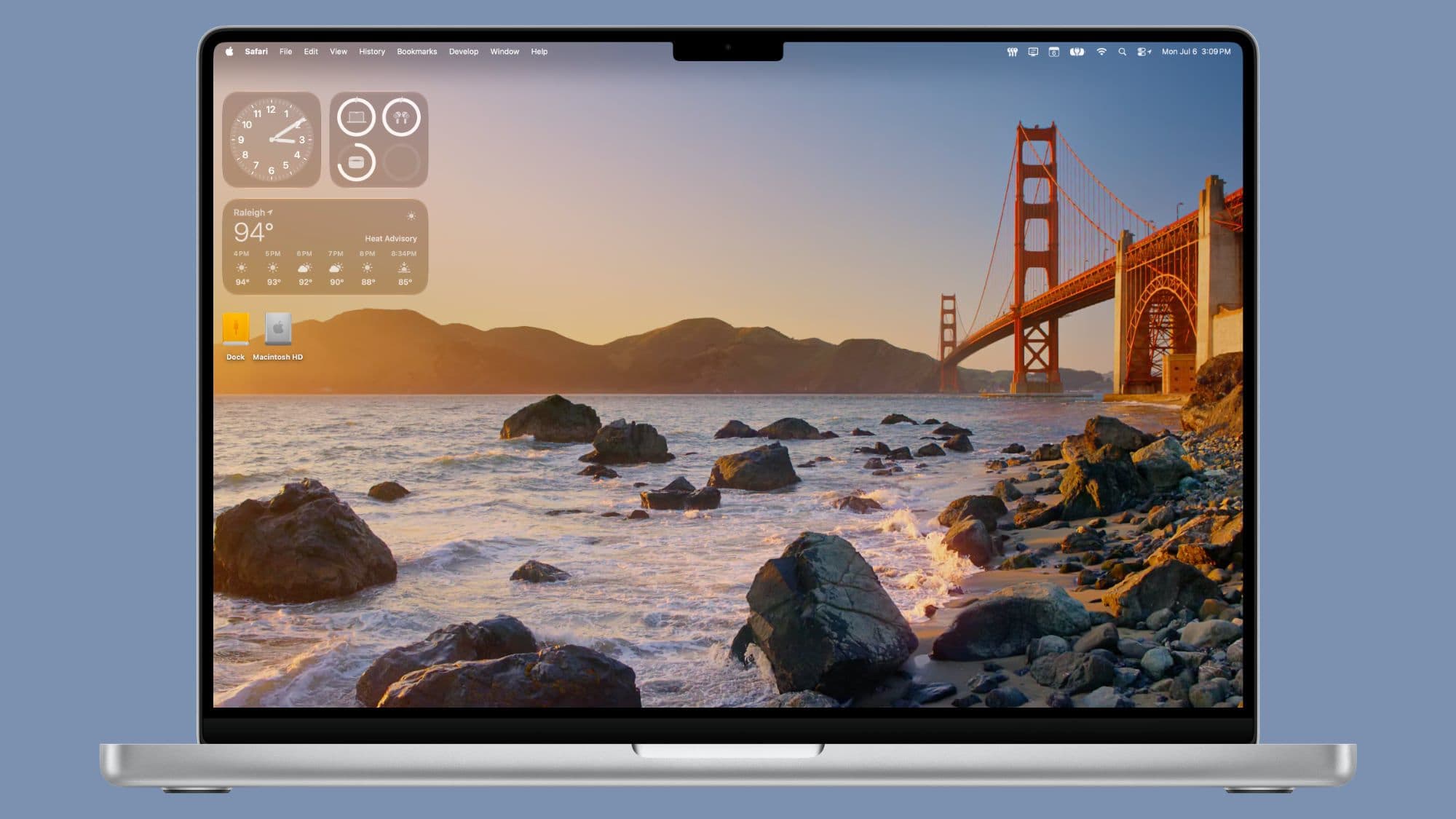
Apple’s macOS 27 Golden Gate beta 3 brings two new wallpaper and screen saver options inspired by the iconic San Francisco landmark. This update gives Mac users fresh visuals as they anticipate the software’s fall launch.
What Apple Added in Beta 3
The third beta of macOS 27 Golden Gate, released on July 6, 2026, introduces Golden Gate-themed wallpapers along with matching screen savers. Apple has a history of naming Mac operating systems after California locations, and this update continues that tradition with artwork that complements the OS’s identity. It’s like giving your desktop a fresh look that resonates with the overall theme.
The wallpapers are crafted to harmonize with the updated interface of macOS 27. Versions are likely optimized for both light and dark mode, a feature Apple has been perfecting in its recent releases. The update also includes animated screen savers that match the same theme, which activate when your Mac is idle.
Why Apple Rolls Out Wallpapers in Beta
Apple usually doesn’t include all visual elements in the initial developer beta. Instead, they introduce new wallpapers and interface features gradually as they refine the software. The arrival of new wallpapers in Beta 3 indicates that Apple is progressing into the polishing stage of macOS 27’s development.
Developers and public beta testers can access these wallpapers right now by installing the beta. For everyone else, they’ll be available once macOS 27 Golden Gate launches publicly, typically in September or October, alongside new Mac hardware.
What This Means for Everyday Mac Users
If you’re using a standard Mac and waiting for the public release, here’s the scoop: you’ll have more options when you right-click your desktop. The new wallpapers and screen savers will automatically show up after you upgrade to macOS 27. You won’t need to download anything extra or search through system settings — Apple makes these new wallpapers easy to find in the Wallpaper section of System Settings.
For those using their Macs on a desk or connected to a larger monitor, the new screen savers will be the most noticeable addition. Apple’s recent location-based screen savers have featured stunning aerial and architectural photography, making Golden Gate Bridge images a perfect match.
Community Reaction
“Every year I say I don’t care about wallpapers and every year I immediately change mine the second I install the new macOS. The Golden Gate ones actually look clean.”
— u/pacific_rim_mac, Reddit r/MacOS
“I just want them to bring back the really old macOS X space wallpapers as an option. But these are nice too.”
— YouTube comment on 9to5Mac’s macOS 27 overview video
What To Watch
macOS 27 Golden Gate is currently in developer and public beta. Here’s what to keep an eye on:
- More beta releases this summer: Apple usually conducts 8 to 12 betas before launching the final version. Each beta might introduce new features, wallpapers, or interface tweaks, so expect more visual changes.
- Public beta access: If you want to try the new wallpapers before the fall release, Apple’s public beta program allows everyday users to install pre-release macOS versions for free at beta.apple.com. However, Apple recommends not using betas on your main machine.
- Fall launch window: macOS 27 Golden Gate is likely to be available publicly in September or October 2026, probably alongside new Mac models. That’s when all users will gain access to the new wallpapers and screen savers.
Sources: MacRumors — macOS Golden Gate Gets New Wallpaper | 9to5Mac — macOS 27 Golden Gate Wallpapers and Screen Savers

Ava Mitchell
Ava Mitchell is a digital culture journalist at Explosion.com covering social media platforms, streaming services, and the creator economy. With 4 years reporting on TikTok, Instagram, YouTube, and the apps that shape daily life, Ava specializes in explaining platform policy changes and their impact on everyday users. She previously managed social media strategy for a tech startup, giving her firsthand experience with the platforms she now covers.


