
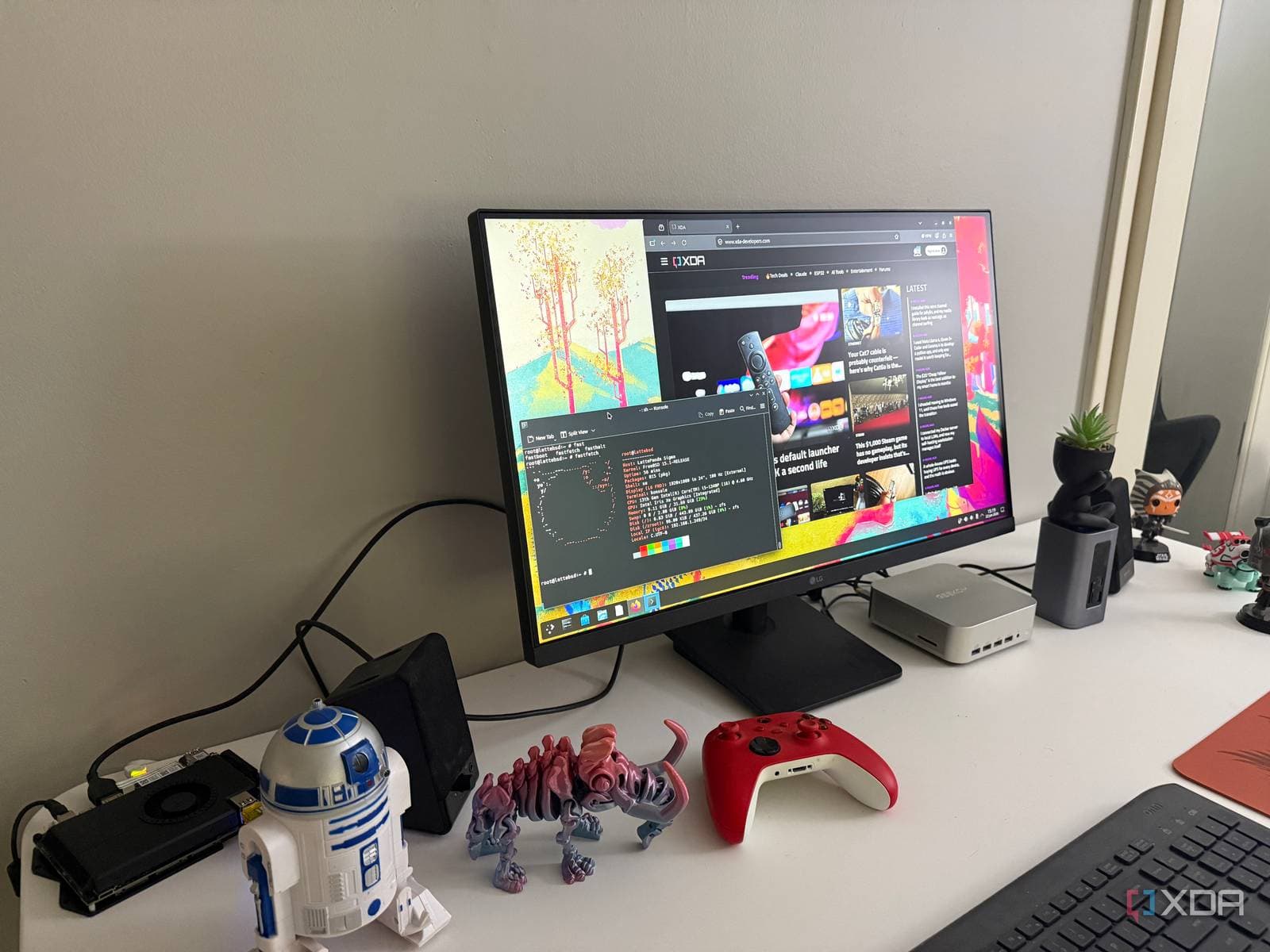
FreeBSD is an open-source operating system (the software that makes your computer work, like Windows or macOS) that powers some of the internet’s most important infrastructure. Recently, everyday tech users have started taking a closer look at it, and the feedback has been surprisingly positive.
A hands-on experiment published by XDA Developers revealed that FreeBSD, often seen as a tool only for servers and tech experts, can actually function well as a daily desktop operating system. The author was pleasantly surprised by its usability, though there are some caveats.
What Even Is FreeBSD?
First off, FreeBSD is not Linux. This distinction is crucial because many people think that any non-Windows, non-macOS system must be Linux. FreeBSD is its own operating system, featuring a unique kernel (the core software that interacts with your hardware), its own set of tools, and a development history dating back to 1993. Over the years, projects like Netflix, Sony’s PlayStation consoles, and even parts of Apple’s macOS have incorporated code from FreeBSD.
To put it simply, Linux and FreeBSD are like two different car brands that both make sedans. They might look alike on the surface and both get you from A to B, but the engineering beneath the hood differs greatly.
This operating system has a reputation for being tough to use. There’s more documentation to sift through, fewer beginner tutorials, and a software library that’s smaller compared to popular Linux distributions like Ubuntu.
What the Experiment Actually Found
The XDA Developers report highlighted that while FreeBSD can be difficult, the issue is often exaggerated. Sure, the installation process requires more manual effort than simply plugging in a Ubuntu USB drive and clicking “Next” a few times. But it’s not the overwhelming wall of text some horror stories suggest.
Once you get it set up, FreeBSD supports desktop environments (the graphical interface you interact with) like KDE Plasma and XFCE, which are also available on Linux. So if you’re familiar with a Linux desktop, FreeBSD can look and feel similar.
However, software compatibility can be a challenge. FreeBSD features its own package manager called pkg (a text-based tool for installing apps, similar to an app store). Its software library is robust for development tools, servers, and utilities, but mainstream desktop apps are often lacking. Many popular Linux applications don’t have native FreeBSD versions, though some can run through compatibility layers that translate Linux instructions into FreeBSD ones.
Historically, hardware support has been a weak point, but things are getting better. Most standard laptops and desktops work well, although cutting-edge GPU drivers for NVIDIA hardware can still be problematic.
Why Anyone Would Do This
The straightforward answer is that FreeBSD operates differently, and that difference appeals to some users. Its ZFS file system (a storage system that protects your data with built-in error checking and snapshots) is top-notch. Its network stack is so efficient that companies like Netflix have relied on it to stream video to millions of users at once.
For developers and system administrators, running FreeBSD on a personal machine isn’t just a hobby; it’s a way to prepare for professional environments.
There’s also a philosophical aspect. FreeBSD is distributed under the BSD license, which is more permissive than the GPL license typically used for Linux software. This allows companies to use BSD code in proprietary products without needing to share their changes with the public. That’s precisely why Apple adopted so much FreeBSD code for macOS.
| Detail | Info |
|---|---|
| First released | 1993 |
| Current stable version | FreeBSD 14.x |
| License | BSD License (permissive open source) |
| Notable users | Netflix, Sony PlayStation, WhatsApp (historically) |
| Default package manager | pkg |
| Supported desktop environments | KDE Plasma, XFCE, GNOME, and others |
| macOS code borrowing | Networking stack, kernel components |
Community Reactions
“FreeBSD is what I run on my NAS and it’s rock solid. As a desktop though, I always end up missing some random app and going back to Linux. The ZFS stuff alone makes it worth knowing.”
“Tried this after watching a YouTube video about it. Took me a weekend to get the desktop working properly. Once it was running though, it never crashed once in three months. Can’t say that about Windows.”
What This Means
For most folks using Windows or Mac, FreeBSD isn’t likely to replace your current setup anytime soon. The software gaps are real, and the learning curve can be steep if you’re not comfortable with terminal commands.
However, the XDA experiment reveals something interesting: the line between “server operating system” and “desktop operating system” is becoming less defined. If you’re a developer, a computer science student, or someone who’s already comfortable with Linux and wants to dive deeper, FreeBSD is a viable option that pays off.
This trend also highlights a broader shift. As more users grow frustrated with Windows 11’s hardware demands and forced updates, many tech-savvy individuals are looking for alternatives that offer more control. FreeBSD stands out as a serious contender in that space.
What To Watch
- FreeBSD 15.0 is currently in development, with a focus on improving hardware support. There’s no confirmed release date yet.
- NVIDIA driver support for FreeBSD has been hit or miss. Keep an eye on announcements from the FreeBSD Foundation for updates on GPU compatibility.
- Linux compatibility improvements in FreeBSD are ongoing, which could help bridge the software gap that new users face.
- As Microsoft tightens Windows 11 hardware requirements ahead of Windows 10’s end-of-support in October 2025, interest in alternative operating systems is likely to rise.
Sources: XDA Developers: I installed FreeBSD as my daily driver | FreeBSD Foundation

Maya Torres
Maya Torres is the Consumer Tech Editor at Explosion.com with 7 years covering product launches for major technology publications. She has reviewed over 300 devices across smartphones, laptops, wearables, and smart home products. Maya specializes in translating spec sheets into real-world buying advice and attends CES, MWC, and Apple keynotes as press. Her reviews focus on helping readers decide what to buy, not just what specs look good on paper.


