
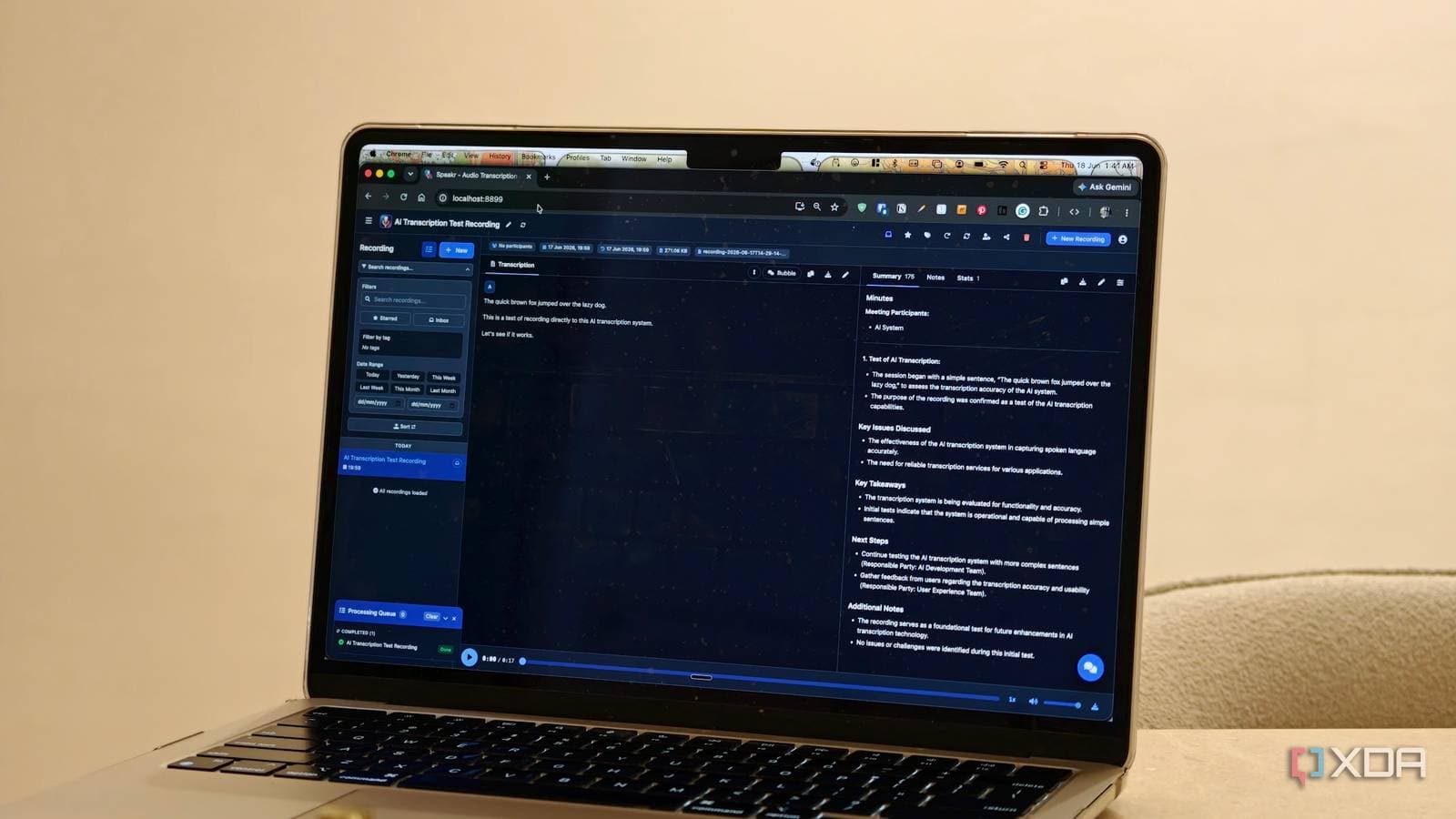
A self-hosted transcription tool called Speakr is attracting privacy-conscious users fed up with paying for services like Otter.ai. It runs entirely on your own hardware, has no subscription fees, and doesn’t send data to third-party servers.
What Is Speakr, and Why Does Self-Hosting Matter?
Speakr is an open-source transcription app that turns spoken audio into text. The main distinction from other popular options is that you run it on your own computer or home server, instead of uploading your audio to someone else’s cloud.
Self-hosting means just that: instead of signing up for a service that keeps your recordings on corporate servers, you install the software on a machine you control. It’s like keeping your diary at home rather than giving it to a stranger to store in their warehouse.
Speakr uses OpenAI’s Whisper model, a speech recognition system that OpenAI released as open-source software. Whisper is the same technology behind many commercial transcription tools, which means Speakr’s accuracy competes well with paid services, making it more than just a simplified alternative.
How It Stacks Up Against Otter.ai
Otter.ai is one of the most popular transcription services out there. People commonly use it for meeting notes, interviews, and voice memos. While it works well, many users are starting to see its downsides.
Otter.ai’s free tier limits you to 300 minutes of transcription each month. It also stores all your audio and transcripts on its servers. The Pro plan costs $16.99 per month per user. If you’re transcribing daily meetings or frequent voice notes, those limits can add up quickly.
Speakr eliminates both of those issues. There are no monthly minute caps since you’re only limited by your own hardware’s processing speed. Plus, because your audio never leaves your machine, you don’t have to worry about privacy risks.
According to the XDA Developers writeup, transcription accuracy between Speakr and Otter.ai is similar for standard English speech. Speakr holds its own in real-world meeting and voice note situations. The main trade-off is setup time: Otter.ai takes about 30 seconds to create an account, while getting Speakr up and running requires installing Docker and spending some time with the command line.
Who This Is Actually For
Speakr isn’t for everyone, and it’s important to be upfront about that. If the phrase “Docker container” makes your eyes glaze over, the setup process might be challenging. This tool targets people who are comfortable with light technical tasks or can follow a detailed guide.
The folks who’ll benefit most include remote workers who attend numerous meetings daily and hit Otter.ai’s free tier limit often. Journalists or researchers recording sensitive interviews may also prefer this option. Lastly, anyone who values their privacy and wants to keep their data off external servers should consider Speakr.
By The Numbers
| Feature | Speakr (Self-Hosted) | Otter.ai Free | Otter.ai Pro |
|---|---|---|---|
| Monthly Cost | $0 | $0 | $16.99/user |
| Minute Limit | Unlimited | 300 min/month | 1,200 min/month |
| Data Storage | Your own machine | Otter.ai servers | Otter.ai servers |
| Underlying AI Model | OpenAI Whisper (open-source) | Proprietary | Proprietary |
| Setup Difficulty | Moderate (requires Docker) | Easy (web signup) | Easy (web signup) |
| Internet Required | No (runs offline) | Yes | Yes |
What This Means For Everyday Users
If you regularly pay for transcription services, the choice is clear. At $16.99 per month, Otter.ai Pro amounts to just over $200 annually. On the other hand, Speakr costs nothing beyond the electricity to run your computer. Once it’s set up, it can handle as many recordings as you need.
The privacy aspect is crucial, especially for businesses. Transcripts often contain confidential data like client names, financial figures, and internal strategies. Keeping those recordings on your own hardware instead of a third-party cloud minimizes risks. A data breach at a transcription company won’t expose audio that was never uploaded.
For users on slower or shared internet connections, Speakr’s offline capability is another advantage. It processes everything locally, so a spotty Wi-Fi connection won’t disrupt your work.
Community Reactions
“Been running Whisper locally for months and the accuracy is wild for a free model. Never going back to paying for transcription.”
“The setup took me about 20 minutes following a guide. Now I transcribe everything. Podcast interviews, team standups, random voice memos at 2am. Zero limits.”
Further Reading
What To Watch
The self-hosting movement for AI tools is gaining momentum, and Speakr is just one of several apps benefiting from it. Here are a few things to keep an eye on:
- OpenAI Whisper updates: As OpenAI improves the Whisper model, self-hosted tools built on it will automatically receive accuracy boosts when users update their installations.
- Hardware requirements: Currently, running Whisper at full speed benefits from a dedicated GPU. As consumer hardware evolves, this barrier will likely reduce.
- Otter.ai’s response: Paid transcription services are watching the self-hosted trend. Expect changes in pricing and features as free alternatives become easier to set up.
- Easier installers: Self-hosting projects usually get friendlier over time. A one-click installer for Speakr that bypasses the Docker step could expand its audience significantly within the next year.

Maya Torres
Maya Torres is the Consumer Tech Editor at Explosion.com with 7 years covering product launches for major technology publications. She has reviewed over 300 devices across smartphones, laptops, wearables, and smart home products. Maya specializes in translating spec sheets into real-world buying advice and attends CES, MWC, and Apple keynotes as press. Her reviews focus on helping readers decide what to buy, not just what specs look good on paper.


