
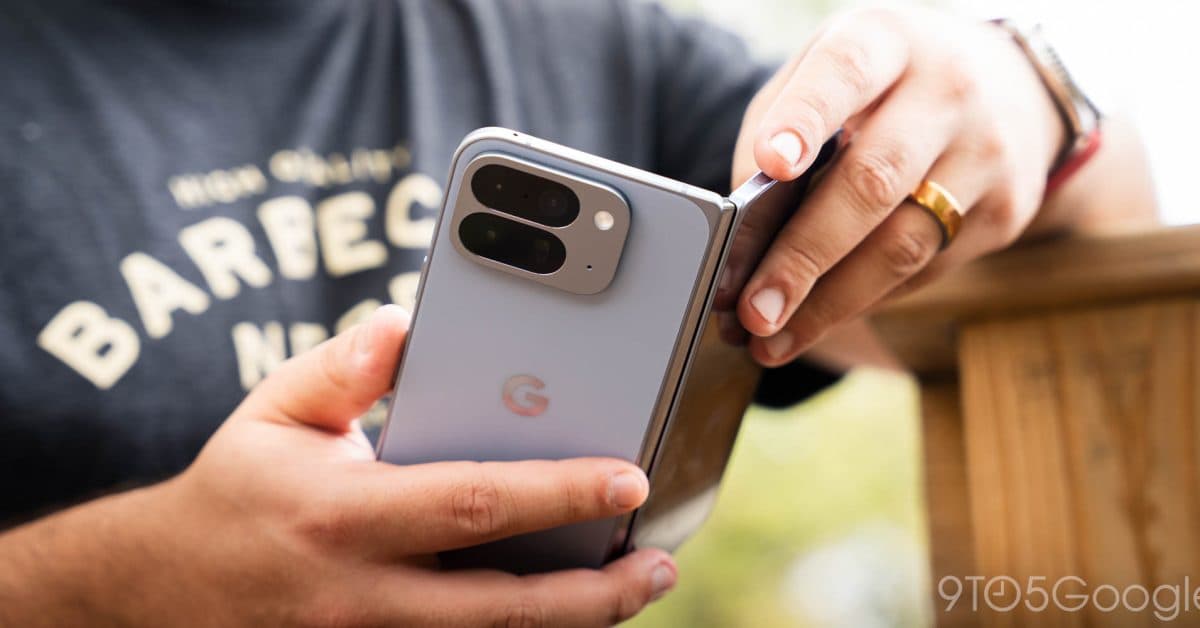
Android 17 has officially launched, bringing a handy upgrade for foldable phone users: a built-in virtual gamepad that makes the most of those large, tablet-sized inner screens.
What’s Actually New Here
Foldable phones like the Google Pixel 9 Pro Fold and Samsung Galaxy Z Fold 6 have faced a unique challenge. When you open them, the screen resembles a small tablet more than a phone. This setup is fantastic for watching videos or reading, but it can feel awkward for mobile games designed for standard phone displays. Many games simply overlay their touch controls on the big screen without any adjustments, forcing you to stretch your fingers across a large expanse of glass.
Android 17 tackles this issue head-on with a system-level virtual gamepad. This on-screen controller layout comes directly from Android, rather than relying on each game developer to create their own. It’s like having standardized road signs instead of each restaurant using their own font for menus: consistency really matters.
Why This Is Bigger Than It Sounds
The key term here is “system-level.” In the past, if a game developer wanted effective touch controls for a foldable, they had to implement that themselves. Most never did. With Android 17, the operating system manages it automatically. This means even games that haven’t been updated in years can benefit right away.
The virtual gamepad sits comfortably within thumb reach on a foldable’s wider inner display. It positions buttons and joystick-style controls where your hands naturally rest while holding the device open like a small book. This ergonomic adjustment is something foldable owners have been waiting for since these devices first hit the market.
Everything Else in Android 17
While the virtual gamepad is stealing the spotlight, Android 17 brings a host of other features, especially for photos and videos.
Camera and Creative Tools
Google introduced a green-screen selfie tool that lets you change your background in photos and videos without needing a physical green screen or a third-party app. There’s also a new “Pause Point” tool that allows you to mark specific moments in a video for easy access during editing. Both features are available right now on Google Pixel phones.
Instagram Integration
Android 17 includes photo and video enhancements designed specifically for sharing on Instagram, as reported by CNET. The details suggest that Google and Meta have collaborated on this, although neither company has revealed the precise technical arrangement.
| Android 17: By The Numbers | |
|---|---|
| Launch availability | Google Pixel phones, immediately |
| New features highlighted at launch | 5+ (gamepad, green-screen selfie, Pause Point, Instagram tools, foldable optimizations) |
| Foldable gamepad design goal | System-level support, no per-app developer update required |
| Other devices | Non-Pixel Android phones to follow on manufacturer timelines |
What This Means for Everyday Users
If you own a foldable Android phone, this update is probably the most useful thing Google has done for your device in quite some time. Mobile gaming on foldables has often felt like an afterthought, but now it’s getting the attention it deserves. You won’t have to search for games that support your screen size, and you won’t need to squint at tiny controls on a screen that’s much wider than intended.
If you have a standard (non-foldable) Android phone, the camera improvements and new creative tools are the highlights for you. The green-screen selfie tool could save many people from downloading yet another editing app.
For Pixel owners, all of this is available now as an over-the-air update (a software download that happens automatically over Wi-Fi). Everyone else on Android will need to wait for their phone manufacturer—like Samsung, OnePlus, Motorola, and others—to adapt and release their own versions of Android 17. This can take anywhere from a few months to most of a year.
Community Reaction
“Finally. I’ve had my Fold for two years, and every game I play looks like it was designed for a flip phone from 2019. If this actually works across older games, I’ll be genuinely shocked but hopeful.”
“The green screen selfie thing is lowkey the feature I didn’t know I needed. My apartment background on video calls is embarrassing.”
What To Watch
- Samsung’s One UI update timeline: Samsung usually releases its own Android version update within three to six months of Google’s launch. Galaxy Z Fold owners should look for One UI announcements in late 2026 to find out when the gamepad feature arrives for them.
- Developer adoption: Google will likely publish guidelines encouraging game developers to test against the new system gamepad. Expect major mobile game studios to announce foldable-specific support in the coming months.
- Pixel 10 Pro Fold: A new foldable Pixel is anticipated later this year, and Android 17’s foldable features suggest Google aims to position it as a serious gaming device, not just a productivity tool.
- Instagram feature details: Neither Google nor Meta has fully explained the Instagram-specific improvements. We expect more details as both companies update their developer documentation.
Sources: 9to5Google, CNET

Daniel Park
Daniel Park covers AI, cloud infrastructure, and enterprise software for Explosion.com. A former software engineer who transitioned to technology journalism 5 years ago, Daniel brings technical depth to his reporting on artificial intelligence, startup funding rounds, and the companies building the future of computing. He breaks down complex AI developments and business strategies into clear, actionable insights for readers who want to understand how technology is reshaping industries.


