
The most practical items you can create with a 3D printer aren’t fancy miniatures or elaborate gadget cases. They’re the simple organizers and cable holders that tackle the everyday problems of a PC setup.
This insight comes from a detailed analysis by XDA Developers. They point out that while the 3D printing community often celebrates flashy, complex designs, it tends to overlook genuinely useful items like cable clips, monitor risers, desk cord guides, and small trays. Anyone who’s spent 20 minutes searching for a buried USB-A cable can relate to this sentiment.
Why Simple Beats Impressive
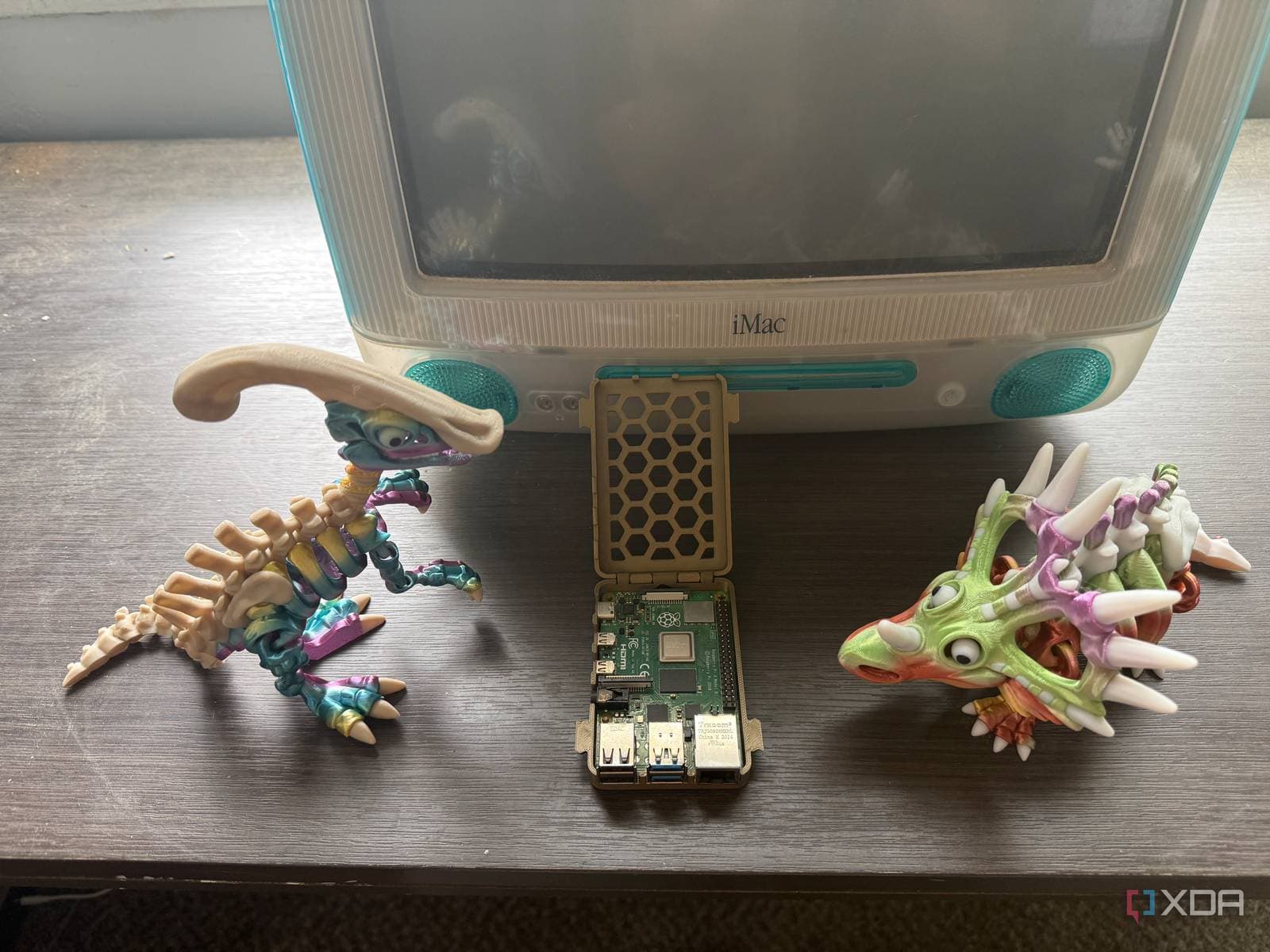
3D printing (the method of creating physical objects layer by layer from melted plastic filament) faces a visibility issue. On social media and forums, the prints that rack up thousands of upvotes are typically custom mechanical keyboards, intricate dragon sculptures, or complex PC cable management systems that take over 40 hours to create. Everyday useful prints rarely get noticed.
XDA’s point is clear: a small bracket that keeps your webcam cable attached to the back of your monitor is something you interact with multiple times a day without even thinking about it. Meanwhile, a decorative nameplate on your desk? You probably stopped noticing it after just two weeks.
Think of home renovation. A beautifully tiled feature wall impresses guests at dinner parties, but it’s the well-placed light switch and properly hung cabinet doors that truly make a home functional.
The Prints That Actually Earn Their Filament
XDA identifies several categories of impactful practical prints for a PC desk setup:
Cable Management
Simple cable clips that attach to the edge of a desk or the back of a monitor arm are essential. These clips cost almost nothing to make, usually requiring less than 10 grams of filament, which is just a few cents’ worth of plastic. They permanently solve the issue of cables sliding off the desk every time you unplug something.
Small Holders and Trays
A printed tray designed specifically for your remotes, pens, and small tools can be a game changer. Unlike store-bought organizers, a custom-printed one perfectly fits your items without wasting space. A small headphone hook that mounts under the desk edge is another classic — it’s simple, cheap to print, and genuinely useful every day.
Monitor and Device Stands
You can create a riser that elevates a secondary monitor, a small hub, or even a router to the ideal viewing height. Store-bought risers come in fixed sizes and materials, but a printed one can be customized down to the millimeter for your specific shelf or desk corner.
The Cable Organization Connection
This logic also applies outside of 3D printing. CNET’s review of the Evergoods Civic Access Pouch, a $65 flat organizer bag for cables and chargers, makes a similar point. The often-overlooked task of keeping your cables sorted and labeled pays off consistently. In contrast, the fancy tech gear you bought with those cables might not see as much use as you expected.
Whether it’s a printed cable clip or a dedicated pouch, the pattern remains the same. Small, unexciting investments in organization reduce friction in your daily routine, and these benefits accumulate over months and years.
| Factor | Detail |
|---|---|
| Average filament cost per small print | $0.05 – $0.30 |
| Print time for a cable clip | 15 – 45 minutes |
| Print time for a desk tray or riser | 2 – 6 hours |
| Budget FDM printer entry price (2025) | ~$150 – $200 |
| Free model repositories (e.g., Printables, Thingiverse) | Millions of designs available |
What This Means for You
If you own a 3D printer and mainly use it for hobby projects, consider spending an afternoon printing the practical items. A cable clip here, a small tray there, a headphone hook under the desk — none of it sounds exciting, but together, they can transform a messy workspace into a well-functioning one.
If you don’t have a printer, remember that the standard for “worth printing” is lower than many believe. You don’t need to create custom PC cases to validate your hardware. A machine that helps you stop misplacing your desk remote three times a week is definitely earning its keep.
For those without printers, the takeaway still stands: the most impactful desk accessories are often the least glamorous and cheapest. A $4 pack of cable clips from a hardware store and a $10 under-desk hook can improve your daily routine more than an $80 LED light strip.
Community Reaction
“I spent a weekend printing a super detailed GPU support bracket that looked amazing. It broke in a month. The boring flat cable clips I made in 10 minutes are still going strong two years later.”
— u/filament_regrets, r/3Dprinting
“Every time I show someone my setup, they ask about my custom keyboard. Nobody ever notices the six little printed clips holding my cables in place, but those are the things I’d print again first if I had to start over.”
— YouTube comment on a desk setup tour video, @desktherapy
Further Reading
- The boring 3D prints I make for my PC setup actually matter more than the flashy ones — XDA Developers
- This One Bag Is All I Need for My Cables and Chargers While Traveling — CNET
What To Watch
- Bambu Lab and Prusa are set to release updated mid-range FDM printers in 2026 that promise improvements in first-layer accuracy. This will make small functional prints even more reliable right out of the box.
- Printables and Makerworld (two of the largest free model repositories) have been expanding their “practical” and “organizer” categories in response to community interest. The library of ready-to-print desk accessories is growing quickly.
- Expect more content creators to shift their focus from impressive showcase prints to everyday utility builds. The XDA piece hints at a broader cultural shift in the 3D printing community regarding what defines a “good” print.

Daniel Park
Daniel Park covers AI, cloud infrastructure, and enterprise software for Explosion.com. A former software engineer who transitioned to technology journalism 5 years ago, Daniel brings technical depth to his reporting on artificial intelligence, startup funding rounds, and the companies building the future of computing. He breaks down complex AI developments and business strategies into clear, actionable insights for readers who want to understand how technology is reshaping industries.


