
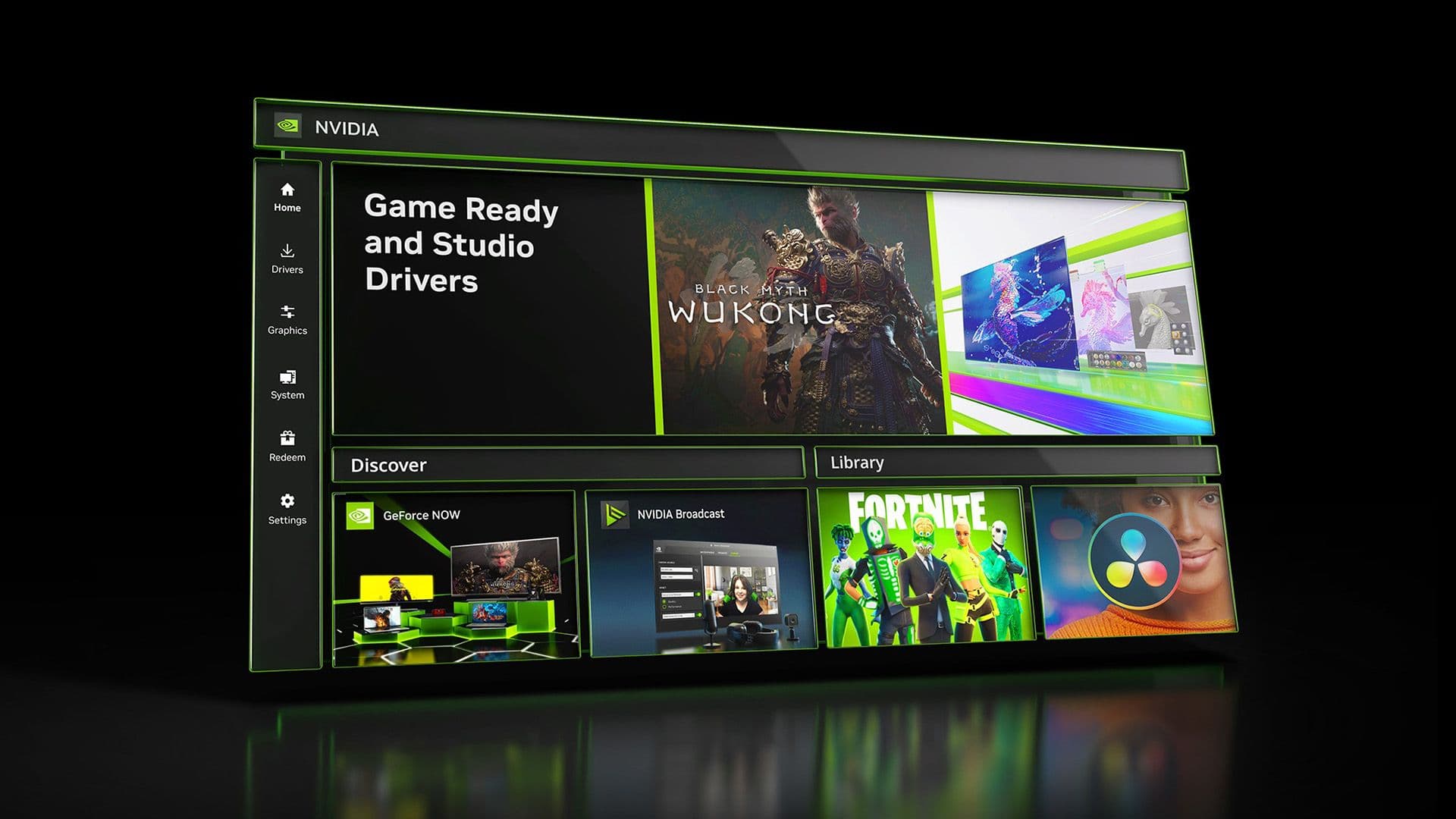
Nvidia has officially retired its GeForce Control Panel, the GPU settings hub included with every Nvidia graphics card driver since 2005. From now on, new driver updates will only come through the Nvidia App.
The company announced this change on May 26, 2026. They confirmed that the Control Panel won’t receive any new features or updates. Users can still download the old app from the Microsoft Store, but after two decades of service, it’s essentially retired.
What Was the Control Panel, Anyway?
If you’ve ever owned an Nvidia graphics card, you’ve probably seen the Control Panel. It resides in your Windows system tray (the small icons near your clock) and allows you to adjust display settings, manage anti-aliasing (which smooths jagged edges in games), control frame rates, and tweak how your GPU handles 3D graphics.
For hardcore PC gamers and professionals, it was the go-to tool for maximizing hardware performance. Casual users, however, often found it confusing and likely closed it after opening it just once.
Enter the Nvidia App
Nvidia hinted at this transition over two years ago when they started developing a replacement called the Nvidia App. This app acts as a modern version of the Control Panel, featuring a cleaner interface, game optimization tools, and driver update management all in one place.
The new app combines features that were previously spread across multiple Nvidia tools, such as GeForce Experience (used for game optimization and driver downloads) and the Control Panel itself. Instead of juggling multiple utilities, users now have one streamlined application.
Nvidia has gradually moved features from the old Control Panel to the new app over the last two years. They say the transition is now solid enough to fully retire the legacy tool.
| Nvidia — Company Snapshot | |
|---|---|
| Ticker | NVDA |
| Stock Price | $212.60 (-1.05%) |
| CEO | Jensen Huang |
| Founded | 1993 |
| Headquarters | Santa Clara, CA |
| Sector | Hardware |
| Control Panel Age | ~20 years (launched ~2005) |
What This Means for You
If you’re using an Nvidia GPU for gaming or creative tasks, here’s the key takeaway: download the Nvidia App if you haven’t done so already. That’s where all future driver updates will be available.
Driver updates are crucial, as they involve more than just bug fixes. Nvidia frequently releases performance improvements through drivers, and new games often come with day-one driver updates that can enhance frame rates by 10% to 20% in specific titles. If you rely on the old Control Panel for updates, you’ll miss out.
For most everyday users, the switch should be seamless. The Nvidia App includes the settings that regular users actually use, like resolution, refresh rate, and display color adjustments. Plus, the interface is much easier to navigate than the old Control Panel, which had accumulated menus and sub-menus over the years.
Power users and IT professionals who depended on specific Control Panel features—especially for multi-monitor setups or advanced 3D settings—might notice some changes. The Control Panel will still be available for download through the Microsoft Store, so there’s no immediate cutoff, but it won’t get any updates in the future.
Community Reaction
Reactions online have been mixed. Some long-time Nvidia users feel nostalgic but practical about the change, while others express skepticism about the new app.
“The old Control Panel was ugly as sin but it worked perfectly. Hope they didn’t break anything in the new app.”
— Commenter on r/pcgaming
“Honestly the Nvidia App is way cleaner. Control Panel looked like it was designed in 2003 because it basically was.”
— YouTube comment on Nvidia App review video
The Bigger Picture
This move fits into a broader trend among hardware companies to streamline their software ecosystems. AMD did something similar with its Radeon Software, merging multiple tools into the AMD Software: Adrenalin Edition app. Intel has adopted a similar strategy with its Arc GPU software.
For Nvidia, retiring the Control Panel also simplifies operations. Maintaining two separate driver pipelines—one for the old Control Panel and another for the new app—increases engineering overhead. By dropping the legacy tool, Nvidia can focus its resources on one codebase.
Sources from Tom’s Hardware confirm that the Control Panel won’t receive new features, while The Verge notes that Nvidia has worked toward this transition for over two years.
What To Watch
- Driver adoption rates: Keep an eye on whether users actually move to the Nvidia App or stick with the legacy Control Panel. If a lot of users remain on the old tool, Nvidia might feel pressure to support it longer than they planned.
- Feature parity: Power users will closely monitor if any niche Control Panel features are absent in the new app. If gaps appear, expect community feedback to prompt Nvidia to address them.
- Next driver release: The first major driver update released solely through the Nvidia App will test whether the transition is as smooth as Nvidia claims.

Daniel Park
Daniel Park covers AI, cloud infrastructure, and enterprise software for Explosion.com. A former software engineer who transitioned to technology journalism 5 years ago, Daniel brings technical depth to his reporting on artificial intelligence, startup funding rounds, and the companies building the future of computing. He breaks down complex AI developments and business strategies into clear, actionable insights for readers who want to understand how technology is reshaping industries.


