
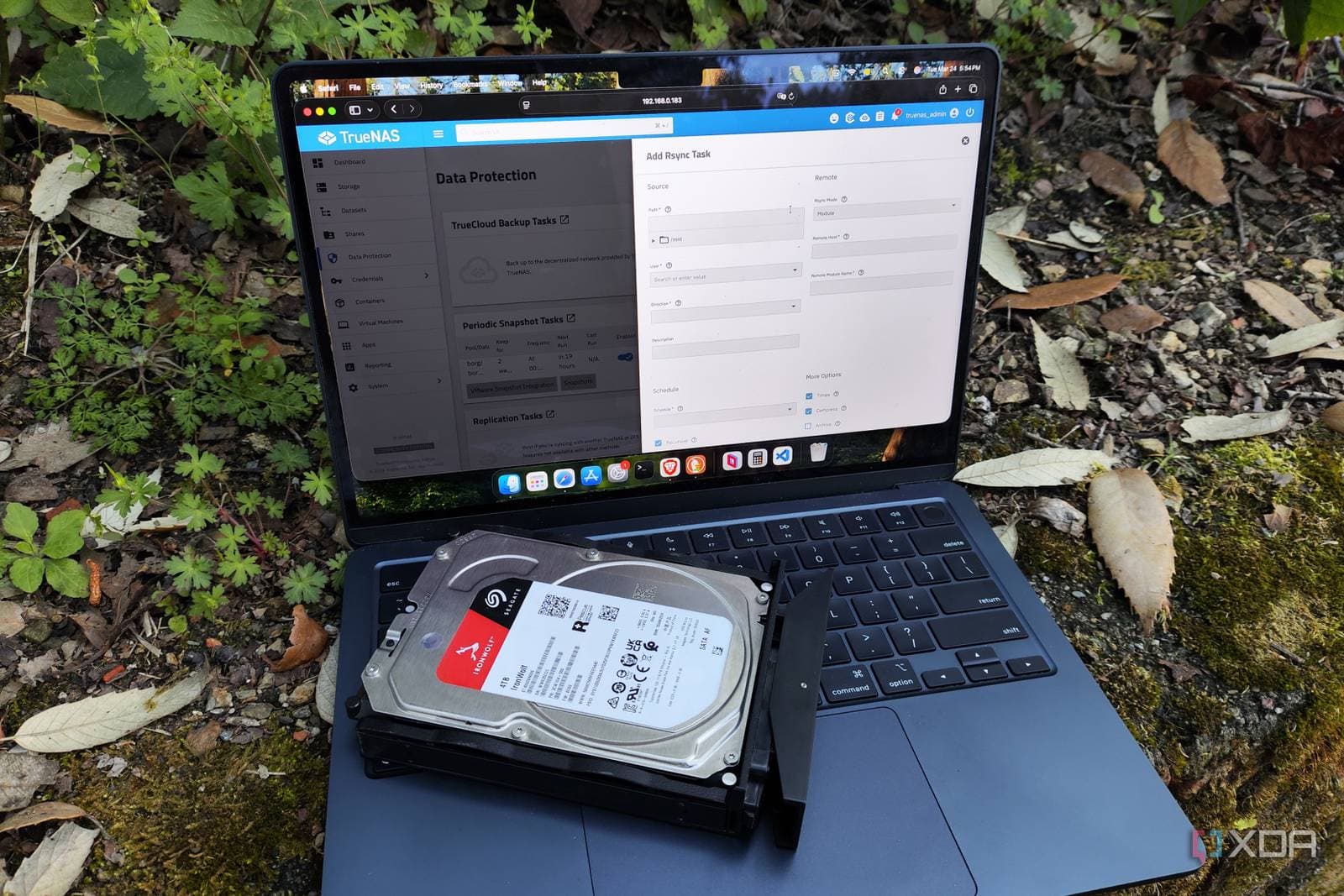
After testing the three leading home NAS operating systems—TrueNAS, Unraid, and OpenMediaVault—one clearly stands out as the best choice for most users. However, the best option really depends on your specific needs.
A NAS, or Network Attached Storage, acts like a personal cloud drive right at home. Instead of paying monthly fees for Google Drive or iCloud, you connect hard drives to a small box on your home network and access your files from anywhere. The operating system you choose for that box affects how easy it is to set up, the security of your data, and how much customization you can do.
The Three Contenders
TrueNAS: The Data Safety Champion
TrueNAS offers a free “CORE” version and a more advanced “SCALE” edition, built on a file system called ZFS. Think of ZFS like a filing cabinet that constantly checks for any damaged or corrupted documents and automatically fixes them. This makes TrueNAS a top choice for anyone serious about data safety.
However, TrueNAS comes with a bit of complexity. You’ll need to learn about “zpools” and “datasets,” which are ways to organize storage specific to ZFS. That can feel overwhelming if you’re new to it. The web interface is straightforward but dense, so making a mistake during setup can be a hassle to fix.
For those storing priceless files—like family photos, important documents, or video projects—TrueNAS’s data integrity tools are hard to match. Once it’s set up, it pretty much runs itself.
Unraid: The Flexibility King
Unraid takes a different route. While most NAS systems require all your drives to be the same size, Unraid allows you to mix and match any drives you have. Got a 4TB, a 6TB, and an 8TB drive? Unraid can use all three without any issues.
This platform has also become popular with home lab enthusiasts—those who run servers at home for learning or experimentation—because it effectively manages multiple applications at once using Docker containers, which are self-contained software packages that don’t interfere with each other.
The downside? Unraid isn’t free. A license starts at $49 for the basic “Starter” tier, and can go up to $179, depending on how many drives you want to use. That’s something to consider for a hobby project.
OpenMediaVault: The Beginner’s Entry Point
OpenMediaVault, or OMV for short, is free, lightweight, and designed to run on basic hardware, including a Raspberry Pi. If you want to explore home NAS without spending much money or needing powerful hardware, OMV is the easiest way to start.
Its interface is user-friendly, and you can set up basic file sharing across your home network in less than an hour. However, OMV has its limitations. Its plugin ecosystem is smaller than Unraid’s, and it lacks the advanced data protection features that TrueNAS provides. Think of it as a starter kit rather than a long-term solution.
So Who Wins?
According to testing by XDA Developers, TrueNAS SCALE comes out on top for users focused on data safety and reliability. Its ZFS-based protection, along with a growing library of app support in the SCALE version, makes it the most comprehensive option—provided you’re willing to put in the time to learn it.
Unraid is the go-to for users who value flexibility and have a mix of drives, or want to run a home media server alongside other applications like Plex, Jellyfin, or self-hosted cloud tools.
OpenMediaVault is perfect for complete beginners seeking a simple, low-cost way to get started, especially if you’re using older hardware.
| Platform | Cost | Best For | File System |
|---|---|---|---|
| TrueNAS CORE/SCALE | Free | Data integrity, power users | ZFS |
| Unraid | $49–$179 (one-time) | Mixed drives, home labs | Multiple supported |
| OpenMediaVault | Free | Beginners, low-power hardware | ext4, btrfs, others |
What This Means
If you’ve been shelling out $10 or more a month for cloud storage and have an old PC or spare parts lying around, a home NAS could help you eliminate that cost. The software to run one is either free or inexpensive—the bigger investment is your time spent learning how to set it up.
For most people looking for a reliable home backup without deep technical skills, TrueNAS SCALE is worth the effort to learn. If you enjoy tinkering with tech and have mismatched drives, Unraid’s flexibility makes its one-time fee worthwhile. And if you want to test the waters before going all in, OpenMediaVault on any old laptop or Raspberry Pi is an inexpensive way to experiment.
The key takeaway? Owning your own storage is easier than ever, and you don’t need to be a system administrator to make it work.
Community Reactions
“I switched from Unraid to TrueNAS SCALE last year and the data integrity features really give me peace of mind. Setup took a weekend, but I haven’t had to touch it since.”
“OMV on a Pi 4 was my gateway drug. Now I’m running Unraid on a proper server. Start simple, upgrade when you outgrow it.”
What To Watch
- TrueNAS SCALE updates: iXsystems is rolling out new versions of SCALE with better app support. Keep an eye on expanded community app options that could enhance its competitiveness with Unraid’s ecosystem.
- Unraid pricing changes: The platform switched from a one-time perpetual license to tiered pricing in 2024. How that impacts adoption among hobbyists is something to watch as the community reacts.
- OpenMediaVault 8.x development: The OMV team has been improving plugin stability. A more robust plugin ecosystem could quickly close the feature gap with its competitors.
- If you’re ready to start, XDA’s full hands-on breakdown includes detailed setup notes for each platform.

Ava Mitchell
Ava Mitchell is a digital culture journalist at Explosion.com covering social media platforms, streaming services, and the creator economy. With 4 years reporting on TikTok, Instagram, YouTube, and the apps that shape daily life, Ava specializes in explaining platform policy changes and their impact on everyday users. She previously managed social media strategy for a tech startup, giving her firsthand experience with the platforms she now covers.


