
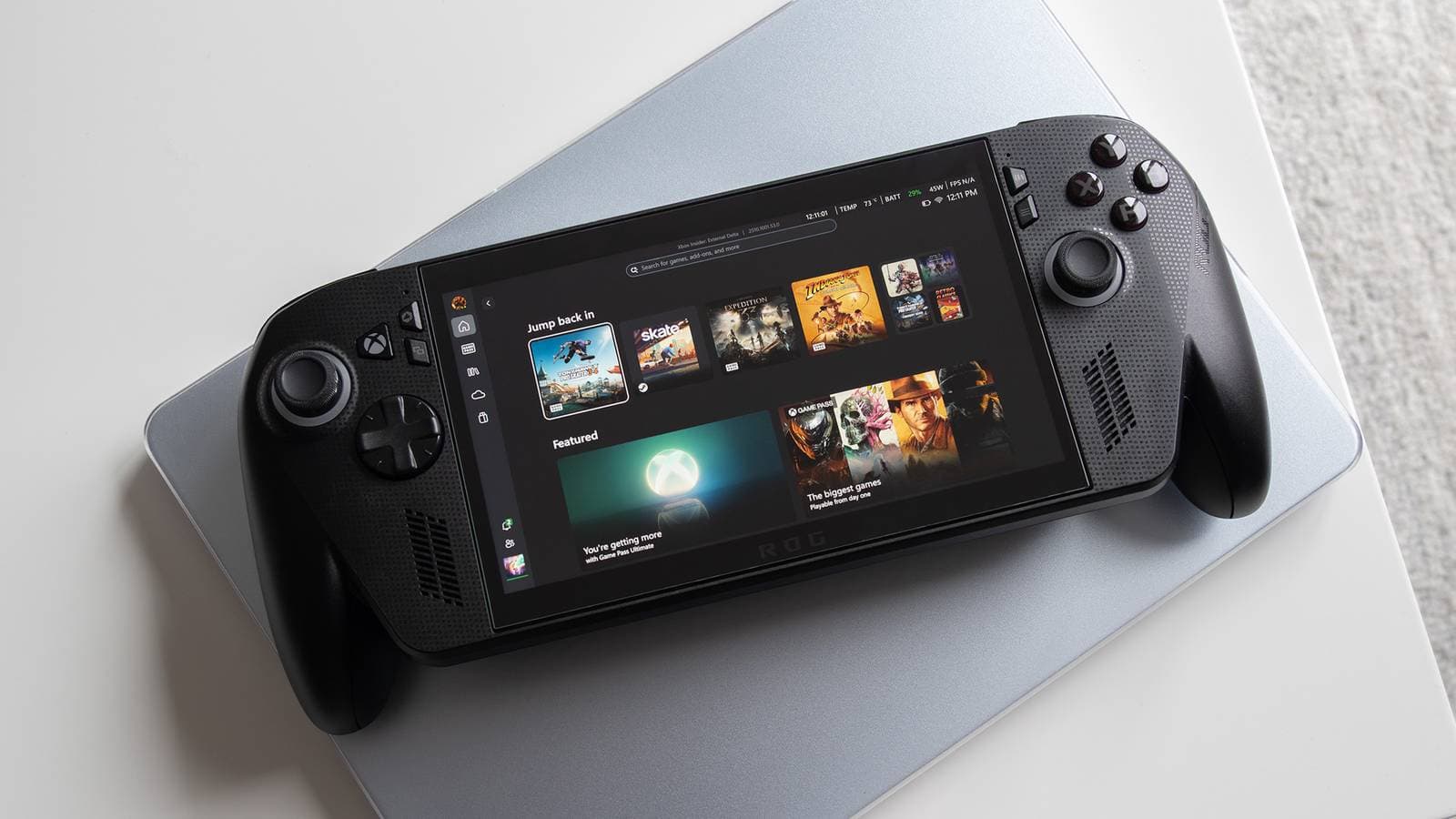
Valve’s Steam Deck continues to outperform Windows-based handhelds like the ASUS ROG Ally X in what matters most: getting you into a game quickly and without hassle.
The Out-of-Box Problem Windows Handhelds Still Haven’t Solved
When you pick up a Windows 11 gaming handheld for the first time, you face an experience similar to setting up a new laptop. You’ll encounter prompts for a Microsoft account, driver updates, bloatware, and a desktop interface that’s tough to navigate with thumbsticks. For a device meant for couch gaming, that’s a frustrating start.
In contrast, the Steam Deck takes a different route. Valve designed SteamOS, a Linux-based operating system tailored for handheld gaming, with a single goal: to get users into their games as quickly as possible. Just boot it up, connect to Wi-Fi, and your Steam library is right there. No desktop to struggle with or settings hidden under layers of menus.
According to a detailed breakdown from XDA Developers, this initial hour difference between the two platforms is one of the key reasons the Steam Deck remains popular among everyday players. This holds true even as Windows handhelds like the ROG Ally X and the ROG Xbox Ally X boast better raw processing power on paper.
What Makes the First Hour So Different
Steam Deck: Built for the Couch
SteamOS offers a default interface called Big Picture Mode, optimized for controllers. Every menu, every setting, and every game launch is designed to work with physical buttons. You won’t find yourself tapping tiny checkboxes made for a mouse. Think of it as the difference between using a TV remote and a computer keyboard — one is made for the situation, while the other is adapted for it.
Windows Handhelds: Powerful but Awkward
Windows 11 devices have a clear edge in game compatibility — nearly every PC game runs on Windows without needing extra software. However, Windows wasn’t designed for a 7-inch handheld screen. Manufacturers like ASUS add their own software layers (like ASUS Armoury Crate) to create a more console-like experience. But these solutions differ in quality and add another layer of setup between users and their games.
The ROG Xbox Ally X, a collaboration between Microsoft and ASUS, tries to address this with a more Xbox-like interface, which is a step forward. However, reviewers and users often point out that Windows still pops up at inconvenient times — during updates, driver installations, or when launching certain games.
| By The Numbers: Steam Deck vs. Windows Handhelds | ||
|---|---|---|
| Factor | Steam Deck | ROG Ally X (Windows) |
| Operating System | SteamOS (Linux-based) | Windows 11 |
| Default Interface | Controller-optimized Big Picture Mode | Windows desktop + Armoury Crate overlay |
| Time to First Game (approx.) | ~10–15 minutes | 30–60+ minutes (updates, setup) |
| Game Compatibility | Most Steam titles via Proton | Nearly all PC games natively |
| Starting Price | $399 (Steam Deck LCD) | $799 (ROG Ally X) |
What This Means for Everyday Users
If you’re looking for a gaming handheld to actually play games rather than fiddle with software, the Steam Deck’s approach is more practical for most people. The first hour with a new device sets expectations for everything that follows. A frustrating setup creates doubt, while a smooth one builds confidence.
Windows handhelds are great if you want access to games outside of Steam, rely heavily on Xbox Game Pass, or need the most powerful hardware available. But if your library is on Steam and you want to jump right in, the Deck’s software experience still sets the standard others are chasing.
By the way, Proton is Valve’s compatibility layer that translates Windows game code for Linux, allowing most Steam games to run on the Deck without any extra effort from the player.
What the Community Is Saying
“Bought an Ally X, spent the first two hours installing updates and configuring Armoury Crate. Booted up my old Steam Deck to actually play something. It’s not even close for out-of-box experience.”
— u/portable_pixels_fan, r/SteamDeck
“The ROG Ally is more powerful but the Steam Deck just gets out of your way. That matters more than people admit.”
— YouTube commenter on Dave2D’s ROG Ally X review
The Bigger Picture
Microsoft and its hardware partners clearly see the issue. The ROG Xbox Ally X shows a true attempt to bring Xbox’s console-style simplicity to Windows handhelds. But creating a user-friendly interface on top of Windows is a different challenge than what Valve did by designing the entire software experience around handhelds from scratch.
For more on this comparison, XDA Developers published a detailed first-hour walkthrough at xda-developers.com.
What To Watch
- SteamOS expansion: Valve has been testing SteamOS on third-party devices. If they open SteamOS to devices like the Ally X, the setup gap could shrink quickly. Keep an eye out for announcements at gaming trade events in mid-2025.
- Microsoft’s next move: The ROG Xbox Ally X is still fresh. Software updates could greatly enhance the out-of-box experience. Look for firmware and interface updates in the next 3–6 months.
- Steam Deck 2 rumors: Valve hasn’t confirmed a successor, but speculation is growing. An official announcement would completely change this comparison.

Maya Torres
Maya Torres is the Consumer Tech Editor at Explosion.com with 7 years covering product launches for major technology publications. She has reviewed over 300 devices across smartphones, laptops, wearables, and smart home products. Maya specializes in translating spec sheets into real-world buying advice and attends CES, MWC, and Apple keynotes as press. Her reviews focus on helping readers decide what to buy, not just what specs look good on paper.


