
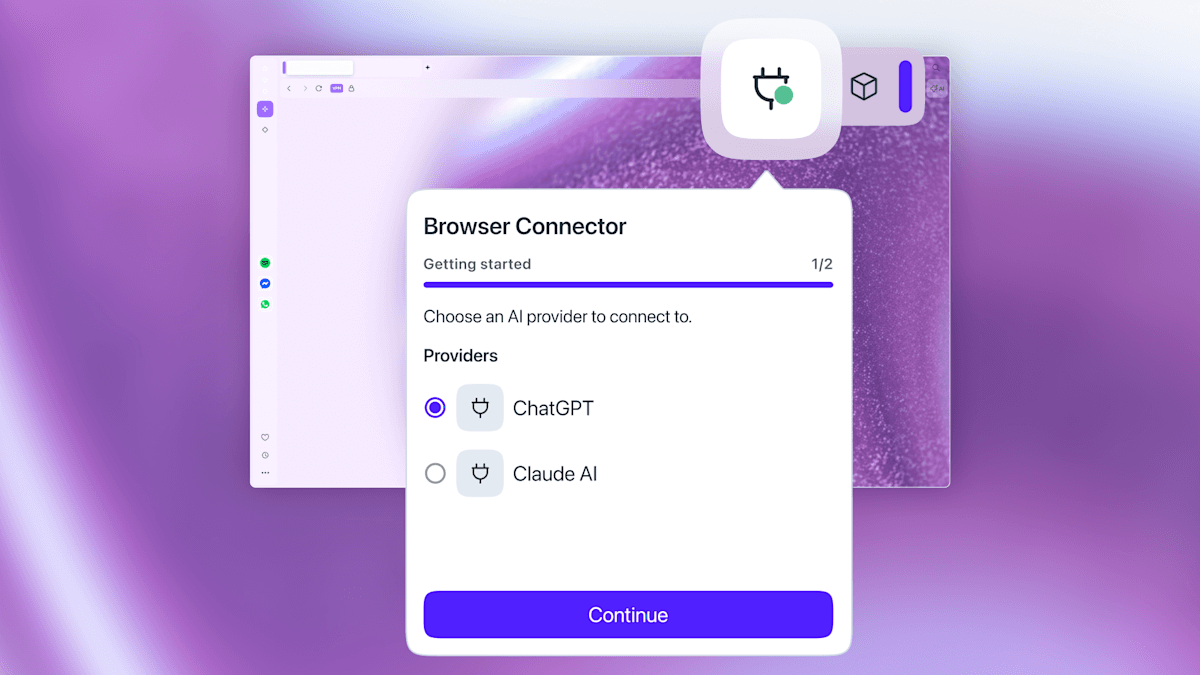
Opera is introducing its Browser Connector feature to users of Opera One and Opera GX. This lets you connect ChatGPT or Claude directly to your browsing session, allowing the AI to view and respond to whatever’s on your screen.
What Is Browser Connector?
The Browser Connector creates a live link between your browser and an external AI chatbot. Instead of copying text from a webpage into a separate ChatGPT tab, the AI reads the page you’re viewing and answers questions in real time. Imagine giving your AI assistant the ability to see what you see.
Opera initially launched this feature last month in Opera Neon, its experimental browser. There, it worked alongside MCP (Model Context Protocol), an open standard that enables AI tools to connect with external apps and data sources. Now, Opera is expanding this capability to its main browsers: Opera One, its standard desktop version, and Opera GX, designed specifically for gamers.
How It Works
Once you set up Browser Connector, you can open either ChatGPT or Claude in the sidebar and give it access to your current tab. The chatbot can then read the page content, which helps it answer your questions accurately. For instance, if you’re looking at a product page, you could ask the AI to compare specifications without switching tabs. If you’re reading a lengthy news article, you can ask it to summarize the sections that interest you.
This integration uses MCP behind the scenes, the same protocol that tools like Claude Desktop use to connect to services such as Google Drive or GitHub. Essentially, Opera acts as an MCP host, allowing your browser to serve as a data source that approved AI tools can access.
ChatGPT and Claude — Not Opera’s Own AI
Keep in mind that Browser Connector links to third-party AI services you already use, rather than Opera’s own Aria assistant. So, you’ll need a ChatGPT or Claude account. The advantage? You can use the AI you already trust and pay for, instead of being stuck with Opera’s in-house solution.
| By The Numbers: Opera Browser Connector | |
|---|---|
| Browsers supported | Opera One, Opera GX |
| AI chatbots supported at launch | 2 (ChatGPT, Claude) |
| Previous rollout | Opera Neon (March 2026) |
| Protocol used | MCP (Model Context Protocol) |
| Opera GX registered users | Over 25 million (as of 2024) |
What This Means
This feature simplifies one of the most frustrating aspects of using AI while browsing: constant tab-switching. Currently, if you want AI assistance with something on a webpage, you have to copy the text, open a new tab, paste it, and wait. Browser Connector streamlines this to just one question typed in a sidebar.
Plus, the AI can see the entire page, not just the bits you remember to copy. This is crucial for comparing products on a shopping site, researching topics in lengthy articles, or reviewing fine print in terms-of-service documents.
For Opera GX users, this opens up practical gaming applications. You could ask the AI to explain a game mechanic from a wiki page you have open or get a quick rundown of patch notes without sifting through the whole document.
However, there’s a privacy aspect to consider. Allowing an AI access to your browser tab means the content of that page goes to a third-party server, either OpenAI’s for ChatGPT or Anthropic’s for Claude. Users should think carefully about which tabs they allow the connector to access, especially those containing personal accounts or sensitive info.
Community Reactions
“Finally something that makes the sidebar actually useful. I’ve been alt-tabbing to ChatGPT constantly while reading docs. This would save me so much time.”
“GX keeps adding stuff that sounds cool on paper but I want to know how much this slows the browser down. Memory usage is already rough.”
What To Watch
- Broader AI support: At launch, only ChatGPT and Claude are available. Opera may add more AI services like Google’s Gemini if MCP adoption grows.
- MCP expansion: As more apps adopt the Model Context Protocol, Opera’s browser might evolve into a hub that connects various tools, not just chatbots.
- Mobile rollout: There’s no news yet on whether Browser Connector will come to Opera’s mobile apps. Given how much browsing is done on phones, that’s a logical next step to keep an eye on.
- Competitor response: Chrome, Firefox, and Edge are all developing their own AI features. Opera’s lead with MCP-based integration could prompt competitors to speed up similar offerings.

Daniel Park
Daniel Park covers AI, cloud infrastructure, and enterprise software for Explosion.com. A former software engineer who transitioned to technology journalism 5 years ago, Daniel brings technical depth to his reporting on artificial intelligence, startup funding rounds, and the companies building the future of computing. He breaks down complex AI developments and business strategies into clear, actionable insights for readers who want to understand how technology is reshaping industries.


