
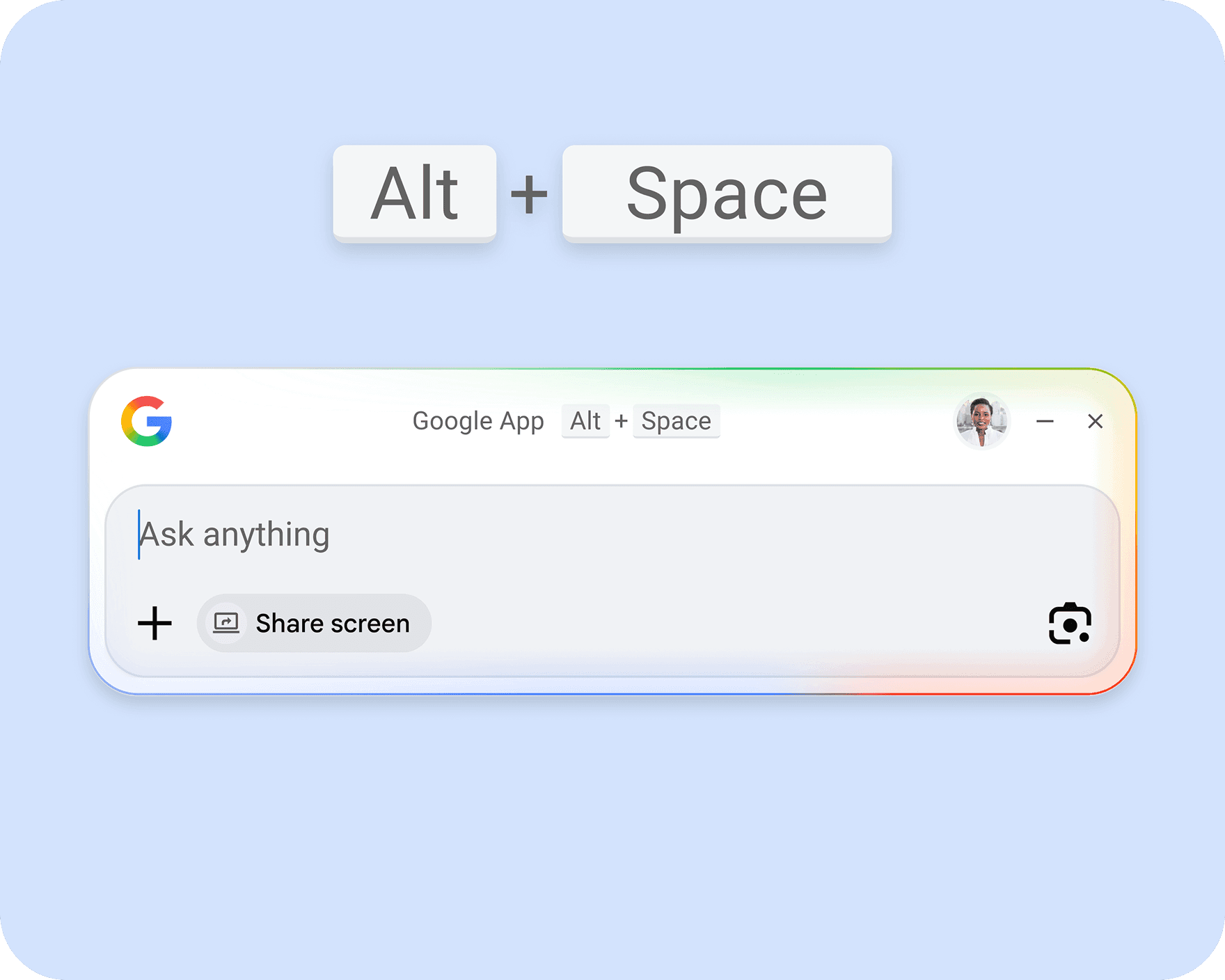
Google has launched its desktop search app for Windows, bringing a quick-search feature similar to macOS Spotlight to all Windows 10 and 11 users globally. You can download it for free from Google’s website right now.
What Is This App, Exactly?
Imagine Apple’s Spotlight on a Mac — you hit a keyboard shortcut, a search bar pops up, and you can quickly search for files, open apps, or look things up online without using your mouse or browser. Google’s new desktop app replicates this experience on Windows. Just press Alt + Space anywhere on your PC, and a Google-powered search bar will pop up, ready for action.
This app works on any PC running Windows 10 or later. Google began testing it in September 2025 with a small group of users, and after several months of tweaks, it’s now available to everyone.
What Can It Actually Do?
The app goes beyond simple web searches. It allows you to search your local files and folders directly from the search bar, so you won’t have to navigate through File Explorer to find a document. Plus, it incorporates Google’s AI-powered search features, letting you ask questions in plain English and receive summarized answers instead of just a list of links.
If you’re already using Google services like Gmail, Google Drive, or Google Calendar, the app links to those services. You can quickly access a recent document or check a meeting without switching windows.
Why Does This Matter on Windows?
Windows has its own built-in search from Microsoft, but many users find it slow and unreliable. For years, Windows users have complained that searching for files on their own computers often yields worse results than simply Googling it. Google seems to be betting that Windows users are frustrated enough to install this separate app as a replacement.
This move is also a smart tactic for Google. Microsoft has been heavily promoting its AI assistant, Copilot, which can answer questions and assist with tasks. They’ve also integrated Bing search more deeply into Windows. Google’s app serves as a direct counter, placing Google Search on Windows desktops before Microsoft can make Bing a regular part of daily tasks.
| By The Numbers: Alphabet/Google | |
|---|---|
| Stock (GOOGL) | $337.12 (+1.26%) |
| CEO | Sundar Pichai |
| Headquarters | Mountain View, CA |
| Founded | 1998 |
| Windows versions supported | Windows 10 and newer |
| Keyboard shortcut | Alt + Space |
| Availability | Global, English |
| Price | Free |
Community Reactions
Initial feedback from tech communities has varied. Some Windows users are thrilled to have a faster, more reliable search option, while others are hesitant about adding yet another Google app that runs in the background on their PC.
“Honestly if it’s faster than Windows Search, I’ll take it. Windows Search finding nothing that exists on my own hard drive is one of my biggest daily frustrations.”
— Reddit user, r/Windows
“So Google wants to live in my taskbar, my browser, my phone, and now pop up every time I hit Alt+Space. Hard pass.”
— YouTube comment, 9to5Google launch video
What This Means For You
If you’re a Windows user who often switches to a browser just to search for something — or spends time hunting through folders for files — this app could really speed things up. The Alt + Space shortcut is easy to learn and quicker to use than clicking the taskbar search box.
Keep in mind, though, that you’ll be giving Google another way to monitor your activity, including your local files if you enable that feature. If you’re concerned about privacy, take a moment to read the app’s permissions before linking it to your Google account. You can still use it without signing in for basic web searches, but you’ll miss out on the file search and Google services integration.
For casual users already in the Google ecosystem with Chrome, Gmail, and Google Drive, this integration will feel seamless. For those trying to minimize their Google presence, the app adds another layer to an already significant footprint.
What To Watch
- Language expansion: Right now, the app only supports English. Google hasn’t shared a timeline for adding other languages, but given the global rollout, more language support is likely a priority.
- Microsoft’s response: Microsoft has been steadily enhancing Windows Search and Copilot integration. Google’s launch may push Microsoft to improve its own built-in search quality.
- macOS version: Google hasn’t announced a version for Mac, where Apple’s Spotlight is already well-established. It’ll be interesting to see if Google targets that platform next.
- Feature updates: The initial release focuses on search and Google services. Expect deeper AI features in future updates, similar to what Google has been adding to its mobile search.
Sources: The Verge | 9to5Google

Maya Torres
Maya Torres is the Consumer Tech Editor at Explosion.com with 7 years covering product launches for major technology publications. She has reviewed over 300 devices across smartphones, laptops, wearables, and smart home products. Maya specializes in translating spec sheets into real-world buying advice and attends CES, MWC, and Apple keynotes as press. Her reviews focus on helping readers decide what to buy, not just what specs look good on paper.


