
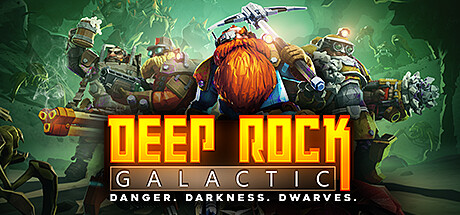
Is Deep Rock Galactic Cross Platform? Crossplay Guide 2026
 Sarah Chen|
Yes, Deep Rock Galactic supports cross-platform play between PC and PlayStation platforms. You can team up with friends regardless of whether they’re playing on Steam, PlayStation 4, or PlayStation 5.
Deep Rock Galactic Cross-Platform Support Explained
Deep Rock Galactic has full crossplay functionality, allowing miners to work together across PC (Steam) and PlayStation platforms. Your squad can include players from any supported platform without restrictions.
The crossplay system works in the background. When you join a public lobby or invite friends through the game’s friend system, you’ll automatically connect with players from other platforms. The game doesn’t separate lobbies by platform, creating a unified player base.
Voice chat works across all platforms through the game’s built-in communication system. You can also use text chat to coordinate with your team, though console players will need to use their platform’s virtual keyboard or connect a physical one for faster typing.
Which Platforms Can Play Together?
| Platform | Crossplay Supported | Notes |
|---|---|---|
| PC (Steam) | Yes | Full crossplay with PlayStation platforms |
| PlayStation 4 | Yes | Can play with PC and PS5 players |
| PlayStation 5 | Yes | Compatible with all other platforms |
All combinations work perfectly. PC players can join PlayStation lobbies, PlayStation players can host games that PC players join, and PS4/PS5 players can team up together as expected.
How to Enable Crossplay in Deep Rock Galactic
Crossplay is enabled by default in Deep Rock Galactic, so you don’t need to change any settings. However, here’s how to make sure everything’s working correctly:
- Launch Deep Rock Galactic on your platform
- Go to the Options menu from the main screen
- Navigate to the Gameplay settings tab
- Verify that “Allow Cross-Platform Play” is set to “Yes”
To invite friends from other platforms, you’ll need to use the in-game friend system rather than your platform’s native friends list. Add friends by their Deep Rock Galactic username, which appears in the game’s social menu.
When creating or joining lobbies, you’ll see players from all platforms mixed together. Platform icons appear next to usernames so you can identify which system each player uses, but this doesn’t affect gameplay in any way.
Cross-Progression and Account Features
Deep Rock Galactic doesn’t support cross-progression, meaning your save data stays locked to the platform where you created it. If you own the game on multiple platforms, you’ll need to start fresh on each one.
Your dwarf customizations, weapon upgrades, cosmetics, and mission progress won’t transfer between platforms. This includes any DLC cosmetics you’ve purchased — you’ll need to buy them again on each platform if you want access across your accounts.
The game does maintain cross-platform statistics for community events and seasonal content. When the community works together to complete major objectives, contributions from all platforms count toward the shared goals.
Limitations to Keep in Mind
While crossplay works well overall, there are some practical considerations to keep in mind when playing across platforms.
Communication can be slower with console players since typing on a gamepad takes longer than keyboard input. Consider using Discord or party chat through your platform if your group prefers voice communication over the in-game system.
PC players typically have faster loading times, especially with SSD storage. This means PC players often load into missions before console teammates, though the game waits for everyone before starting the actual mission.
Controller vs. keyboard and mouse input doesn’t create significant advantages in Deep Rock Galactic since the game focuses on cooperation rather than competitive play. Both control methods work effectively for mining, combat, and traversal.
Server regions affect all players equally regardless of platform. If you’re experiencing connection issues, check that you and your friends are set to the same server region in the options menu.
Can I play Deep Rock Galactic with friends on different consoles?
Yes, Deep Rock Galactic supports full crossplay between PC (Steam), PlayStation 4, and PlayStation 5. You can create mixed groups with friends on any of these platforms. The game automatically handles cross-platform connectivity, so you just need to add friends through the in-game system and invite them to your lobby.
Do I need a special account to play cross-platform?
No, you don’t need any special accounts or subscriptions beyond what your platform normally requires for online play. PlayStation players need PlayStation Plus for online multiplayer, but there are no additional requirements for crossplay functionality. The game handles cross-platform connections through its own servers.
Will my Deep Rock Galactic progress carry over if I switch platforms?
No, Deep Rock Galactic doesn’t support cross-progression or cross-save functionality. Your character progress, unlocked cosmetics, weapon modifications, and purchased DLC remain tied to the platform where you created them. You’ll need to start over if you switch to a different platform, though you can still play with friends from your original platform.
Related Cross-Platform Guides
Sarah Chen
Sarah Chen is the Reviews and Guides Editor at Explosion.com. With a background in game design studies and 6 years of gaming journalism, Sarah brings technical insight to her reviews and creates comprehensive guides that help players get the most out of their games. She has reviewed over 200 titles across PC, PlayStation, Xbox, and Nintendo platforms. Her current obsessions include FromSoftware titles and indie roguelikes.
