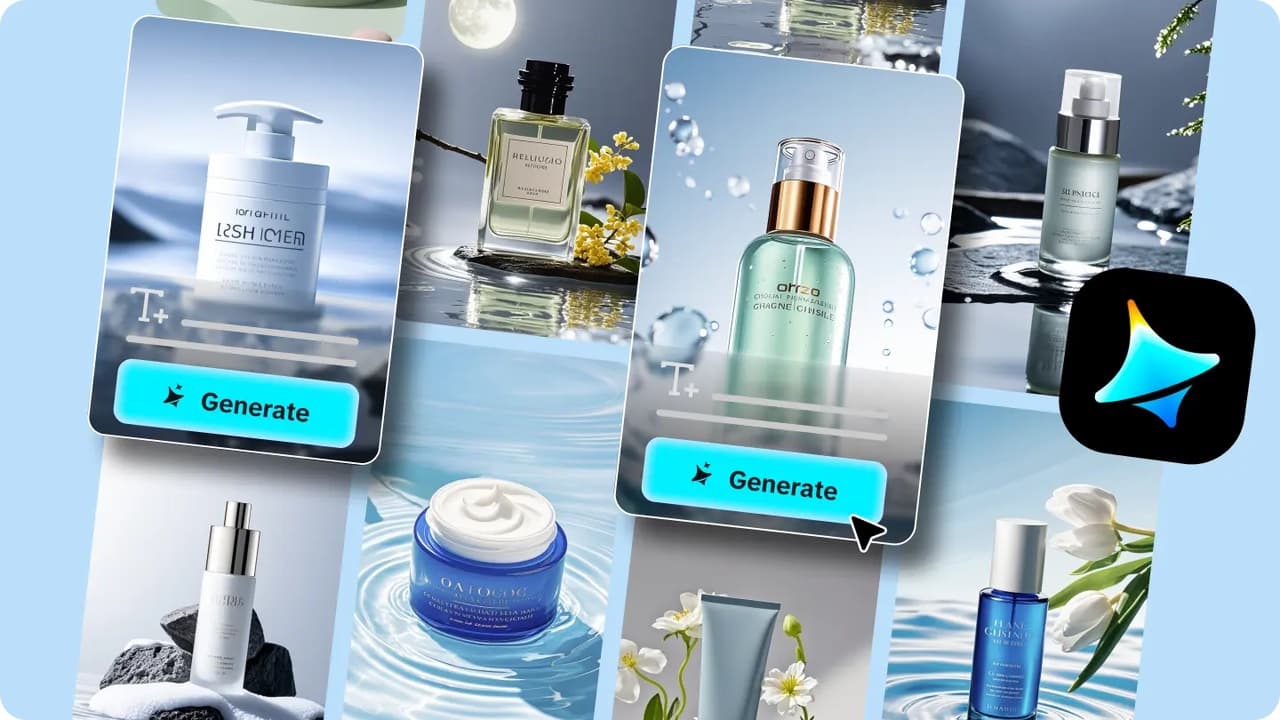
Packaging is often the very first physical touchpoint a customer has with a brand, arriving on a doorstep or pulled off a shelf, long before they’ve experienced the product itself. Photographing that packaging well, in a setting that actually sells the brand’s feeling, usually meant a dedicated shoot with props, a stylist, and a studio. An AI image generator collapses that whole process, letting a package design get placed into a fully realized, believable scene in minutes.
Dreamina, powered by its most advanced image generation model, Seedream 5.0 Pro, handles this kind of packaging visualization with genuine precision, keeping label details and box structure accurate while building an entirely new environment around it. Here’s how to actually pull it off.
Why packaging scenes need their own approach
Photographing packaging isn’t quite the same challenge as photographing the product inside it. The box or container’s exterior, its shape, texture, printed design, needs to stay completely accurate, since customers are judging the actual physical object they’ll receive. That constraint shapes everything about how this technique works, favoring precision and consistency over the looser creative flexibility that a lifestyle product shot might allow.
Choosing a scene that matches the unboxing feeling
Different products call for genuinely different unboxing atmospheres, and it’s worth choosing deliberately rather than defaulting to a generic backdrop:
- Clean marble or stone surfaces for premium, minimalist brands
- Warm wooden surfaces with natural light for organic or handmade products
- Bold colored backdrops for playful, youthful brands
- Styled desk or shelf scenes for a more lived-in, everyday context
Matching the scene to the brand’s actual personality, rather than whatever looks technically nice, keeps the packaging shot feeling authentic to the product inside it.
Getting reflections and shadows to sell the material
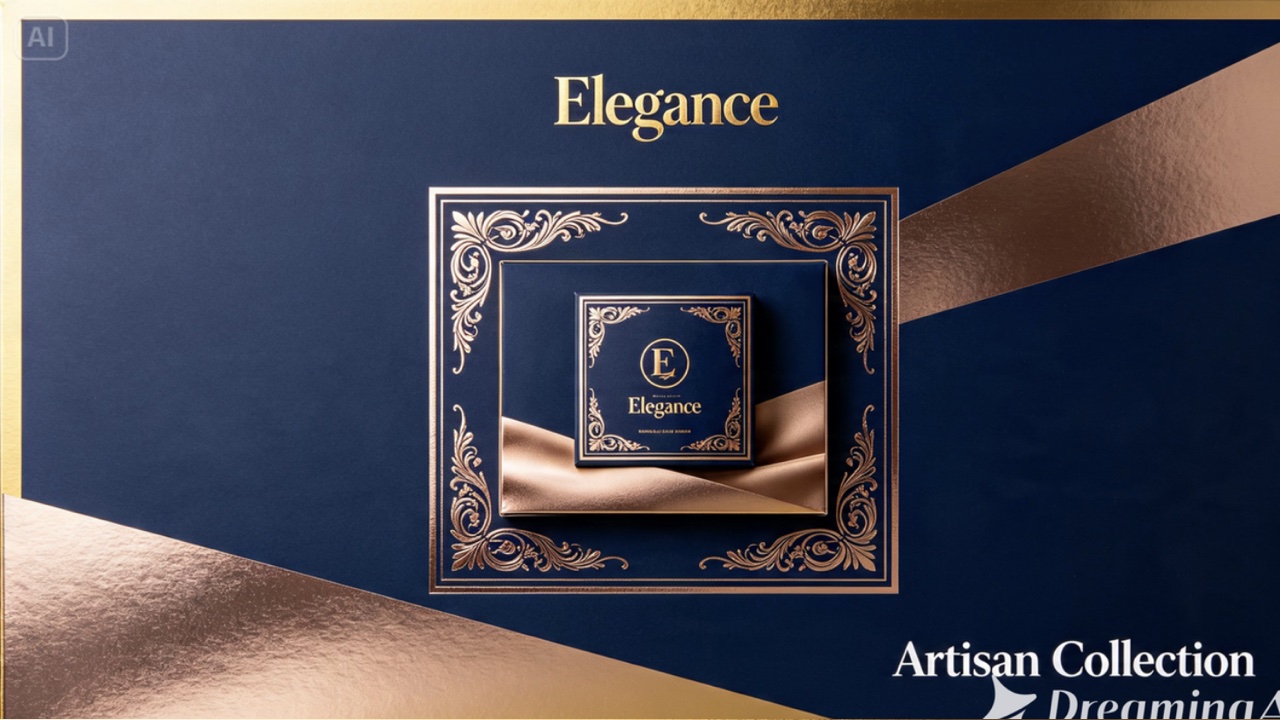
Packaging materials each interact with light differently: glossy cardboard reflects and highlights, matte kraft paper absorbs light softly, and printed foil accents catch sharp points of light.
Naming the specific material finish in your prompt, “matte kraft paper texture” or “glossy printed cardboard with foil accents“, pushes the model to render those light interactions accurately rather than defaulting to a generic surface.
Your 3-step packaging reveal with Dreamina
Once you’ve chosen your scene and understand your material’s light behavior, here’s exactly how to generate it.
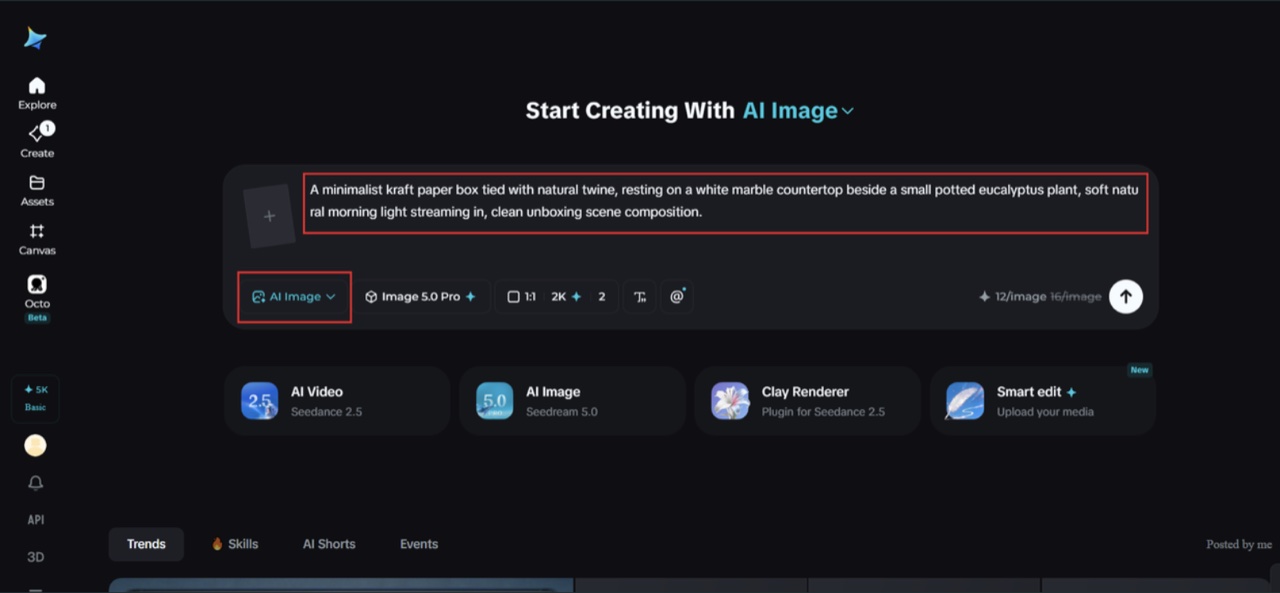
Step 1: Write a text prompt and/or add a reference image
Navigate to Dreamina and write a detailed text prompt describing a person’s hands interacting with the packaging if your scene includes them, along with the packaging itself and the surrounding setting. Upload a reference image of your actual packaging design so Dreamina preserves its exact shape, printed details, and material finish.
For instance: A minimalist kraft paper box tied with natural twine, resting on a white marble countertop beside a small potted eucalyptus plant, soft natural morning light streaming in, clean unboxing scene composition.
Keeping the packaging description precise while building the scene around it is what makes this technique reliable.
Step 2: Adjust parameters and generate
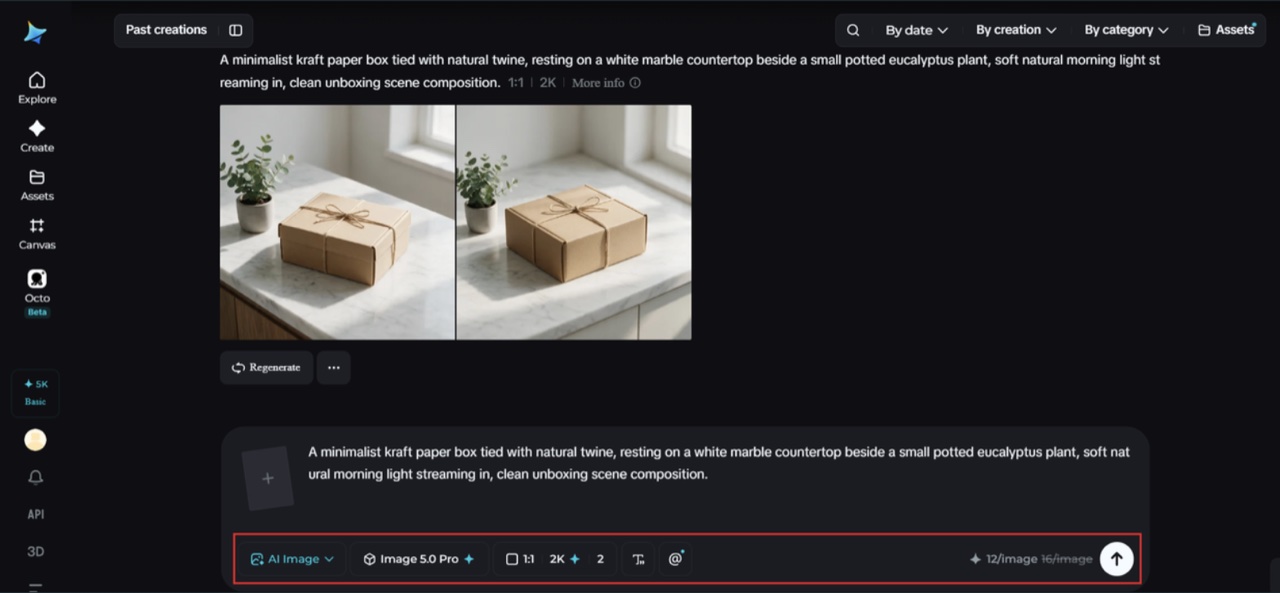
Before generating, adjust your settings. Select Image 5.0 Pro, powered by Seedream 5.0 Pro, as your model, then choose your aspect ratio, image size, and resolution, going with 1K while testing different scene concepts and 2K once you’ve settled on the final version, since packaging detail needs to be read clearly. Click Dreamina’s generate icon to produce your scene.
Step 3: Customize and download
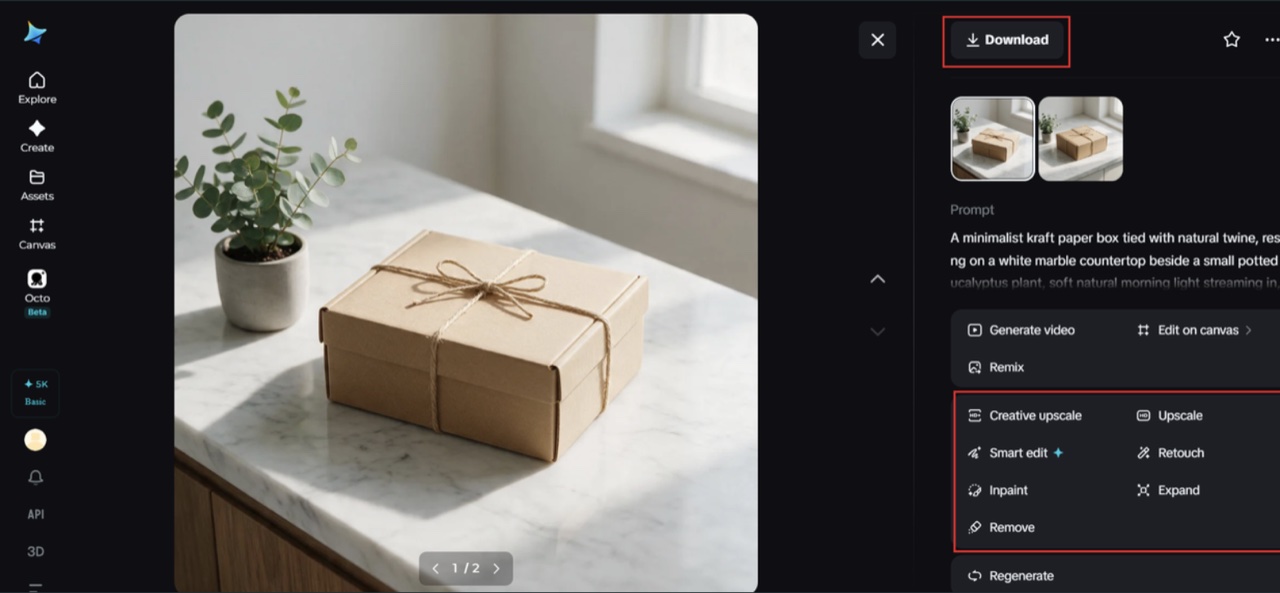
Once your scene is generated, refine it using Dreamina’s AI customization tools — inpaint to correct any inconsistency in the packaging’s printed details, expand to widen the surrounding scene, remove to clean up anything cluttering the composition, and retouch to fine-tune lighting and reflections on the packaging surface. When it looks accurate and polished, click the Download icon to save it.
Meet Seedream 5.0 Pro: precision for packaging accuracy
A handful of Seedream 5.0 Pro’s specific capabilities are especially well-suited to packaging visualization.
Pinpoint precision editing for label accuracy
With point selection, lasso, sketch guidance, and regional controls, pinpoint precision editing lets you correct any small inconsistency in printed text, logos, or design details that need to stay accurate to the real packaging.
Multi-layer visual control for scene flexibility
Multi-layer visual control separates the packaging from its surrounding scene, making it possible to test multiple different settings, marble, wood, colored backdrops, while keeping the packaging itself completely unchanged.
2K output for crisp printed detail
Since packaging design often includes fine text, logos, and printed patterns, 2K output quality ensures those details stay legible and accurate rather than blurring into an unreadable smudge.
Built-in online research for current styling trends
Built-in online research pulls in live web context, helping keep unboxing scene aesthetics feeling current with what’s actually trending in packaging photography rather than dated.
Building a full set of packaging scenes
Most brands eventually need more than one packaging shot, a flat lay, an in-hand shot, an opened unboxing moment. Reusing the same reference image and core scene styling across each variation keeps the full set feeling cohesive, like it came from one consistent shoot rather than several disconnected sessions.
A quick accuracy check before finalizing
Before calling a packaging scene finished, it’s worth comparing it directly against the real product:
- Does the box shape and proportion match accurately?
- Is all printed text legible and correctly represented?
- Do colors match the actual packaging rather than appearing shifted?
Final thoughts
A believable, on-brand packaging scene doesn’t require a full product photography setup anymore, just an accurate reference and the right AI image generator to build the world around it.
With Dreamina and its advanced Seedream 5.0 Pro model, packaging stays precisely accurate while the surrounding scene brings genuine warmth and context to the shot.
Choose a setting that fits your brand, keep the packaging details locked in, and let Dreamina create the unboxing moment your product deserves.

Nick Guli
Nick Guli is the founder and editor-in-chief of Explosion.com, which he launched in February 2012. With over a decade of experience in digital publishing, Nick oversees editorial direction across entertainment, gaming, technology, and lifestyle content. He is an avid gamer and movie enthusiast who brings a critical eye to coverage of industry trends, game reviews, and entertainment news.