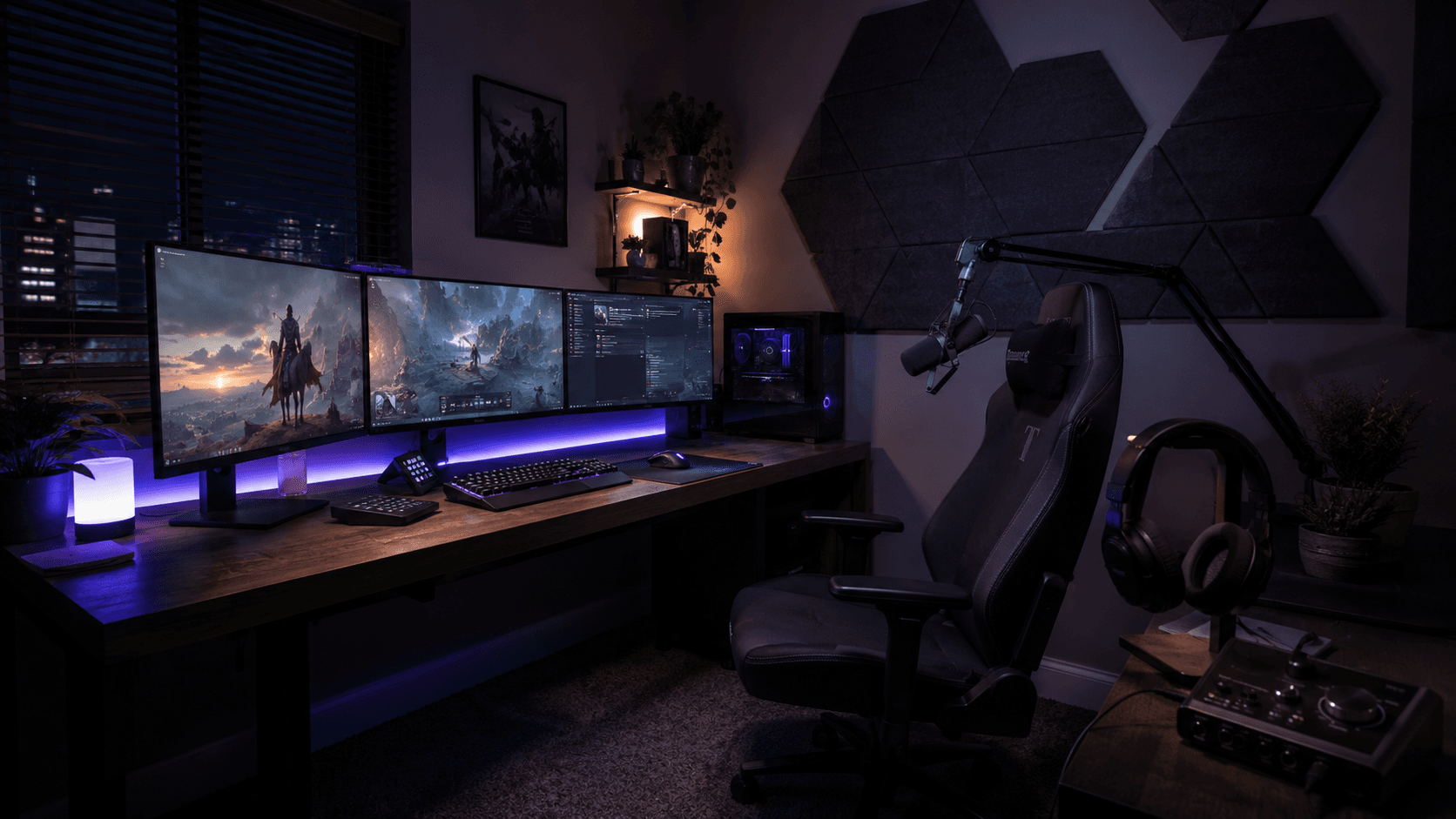
Streamers will happily spend a fortune on the visual side of their setup: RGB lighting synced to every keystroke, a mirrorless camera with a fast lens, a capture card, triple monitors, and a chair that costs more than a couch. Then the audio budget gets one line item — a microphone someone recommended on Reddit — and the checklist is considered complete. The problem is that viewers are far more forgiving of an average picture than of bad sound. A slightly soft webcam is fine. A voice drowning in echo makes people close the tab.
Great stream audio is a chain with three links: the microphone, the room, and the signal processing. Almost everyone buys the first link, tweaks the third, and skips the middle entirely. Yet the room is where most setups fall apart — and studio soundproofing panels are usually what separates "I bought a good mic" from "I sound like a professional broadcast."
This guide walks through the full audio side of a streaming setup: why sound matters more than you think, why your room is sabotaging your microphone, and how to fix it without renovating your apartment.
Why Sound Matters More Than Your Camera
A huge share of your audience isn't really watching — they're listening. Streams run in the background while people play their own games, work, or scroll on a second screen. Your camera works part-time; your voice works every second of the broadcast. That alone makes audio the highest-impact part of any setup.
Bad audio is also uniquely fatiguing. Echo, room boom, and harsh reflections force the listener's brain to work harder to separate your voice from the surrounding mess. Nobody consciously thinks "this stream has poor acoustic treatment" — they just feel tired after ten minutes and leave. Retention drops, and no overlay or transition pack fixes it.
Meanwhile, the streamers who sound "radio quality" almost never owe it to an exotic microphone. They owe it to a controlled room. Put their exact mic in an empty bedroom with bare walls, and it will sound like a webcam from 2010.
The Mic Is Only Half the Equation
Here's the trap: popular streaming microphones are sensitive by design. Condenser mics in particular pick up everything — your voice, and then your voice again a few milliseconds later as it bounces back from the desk, the wall behind the monitor, the window, and the ceiling. Your audience hears all of those copies stacked on top of each other. That's the boxy, distant, "cheap" sound that no amount of money spent on the mic itself can remove.
There's a simple test. Sit at your desk and clap once, loudly. If you hear a sharp ring or a short metallic tail after the clap, that's your room talking. Every word you say into the microphone gets the same treatment.
The typical gaming room is close to a worst-case scenario for audio: drywall, a large window, a glass desk or glossy surfaces, hard flooring, and minimalist decor. Clean for the camera, brutal for the microphone. Every hard, flat, parallel surface is a mirror for sound — and most setups are surrounded by them.
Treating Your Room: Panels, Placement, and Priorities
Acoustic panels absorb sound energy at the surfaces where it would otherwise reflect. Hang them in the right spots and the reflections die before they reach the mic. What's left is the direct sound of your voice: closer, clearer, and instantly more professional. That "podcast voice" you hear from big creators is largely this.
Placement matters more than quantity. For a streaming room, the priority zones are the wall directly behind your monitors (the surface your voice hits first), the wall behind your chair — which conveniently sits in your camera frame, where panels double as background decor — and the side-wall points roughly between your mouth and the microphone, where first reflections occur.
You're treating the zone around the microphone, not building a recording studio. A modest set of panels around your desk area removes most of the audible echo in a typical room. Full-wall coverage is for people mixing albums, not streaming ranked matches.
There's an aesthetic bonus, too. Modern studio panels come in clean geometric shapes and dark fabric finishes that fit a gaming setup as naturally as a light strip. Plenty of streamers arrange them in patterns behind the chair precisely because they look intentional on camera while doing real acoustic work.
Silencing the Machines: PC Fans, Keyboards, and Background Noise
One important distinction: panels fix echo, not noise. Absorption controls how your room reflects your voice. It won't make your PC fans, mechanical keyboard, or the street outside disappear. Those need a different set of tools.
Start with mic technique and choice. A dynamic microphone rejects background noise far better than a condenser and is the standard pick for noisy rooms — there's a reason so many full-time streamers use one. Whatever mic you have, get it close to your mouth; the closer the mic, the lower you can set the gain, and the quieter everything else becomes. A boom arm pays for itself here.
Then let software handle the rest. A noise gate cuts the signal when you're not speaking, so keyboard clatter between sentences vanishes. Noise suppression filters — built into OBS and most streaming software — handle steady sounds like fan hum. Position your PC under or beside the desk so the mic's rejection side faces it, and you've solved most of the machine-noise problem without spending anything.
The Full Audio Chain: From Voice to Viewer
Put together, a professional-sounding stream follows one chain: a treated room, a properly positioned microphone, a clean interface or mixer, and light software processing — an EQ to shape the tone and a compressor to even out volume between whispers and rage moments.
If you're upgrading on a budget, work in that order. Treat the room and fix mic positioning first; both cost little and change everything. Upgrade the microphone second. Add or refine processing last — EQ and compression polish a good signal, but they can't repair a voice recorded in an echo chamber.
Your Room Is Part of Your Setup
Viewers judge your visuals in seconds and your sound for hours. A stream that looks incredible but sounds hollow reads as amateurish; a stream that sounds tight and close feels professional even on a modest camera. The room around your desk deserves the same attention as anything on it.
If you're ready to fix the audio side, specialty suppliers like Sound Pro Solutions carry acoustic panels designed for studios and recording spaces, which makes it easy to pick treatment that fits both your room and your on-camera background. It's the one upgrade your audience will hear in the first ten seconds.

Nick Guli
Nick Guli is the founder and editor-in-chief of Explosion.com, which he launched in February 2012. With over a decade of experience in digital publishing, Nick oversees editorial direction across entertainment, gaming, technology, and lifestyle content. He is an avid gamer and movie enthusiast who brings a critical eye to coverage of industry trends, game reviews, and entertainment news.