
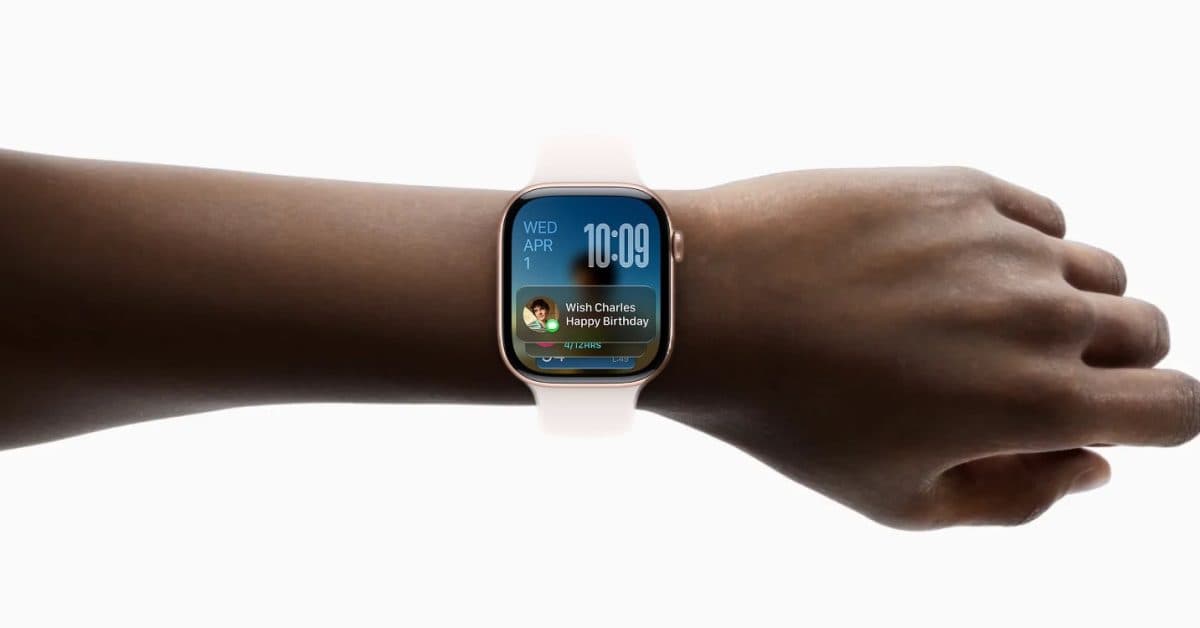
Apple Watch is becoming easier to use with one hand in watchOS 27. A new tap gesture lets you navigate your watch without needing to touch the screen with your other hand.
This feature, discovered in early developer builds of watchOS 27, allows users to perform actions by tapping the wrist near the watch instead of tapping the watch face. Think of it as knocking on a door instead of turning a doorknob. You’re activating a response without needing a precise touch.
What Is the New Tap Gesture?
The tap gesture detects a deliberate tap on your wrist near the watch, using the Apple Watch’s built-in motion sensors. This is different from the Double Tap feature introduced in watchOS 10, where users pinch their thumb and index finger together to trigger actions.
According to 9to5Mac, this gesture has proven helpful in everyday situations, especially when both hands are busy — like carrying groceries, holding a coffee, or pushing a stroller.
This feature is part of Apple’s larger effort to make the Apple Watch more functional on its own. It aims to cut down on how often you need to interact with your iPhone or use two hands to get things done.
What Else Is New in watchOS 27?
The tap gesture isn’t the only new feature in watchOS 27. According to a hands-on report from MacRumors, the update also enhances Siri AI on the Apple Watch, giving the voice assistant smarter, more context-aware responses right on your wrist.
Reviewers describe watchOS 27 as a relatively light update in terms of new features. However, it focuses on improving the overall experience rather than adding flashy tools. For users who wear their watch all day, even minor quality-of-life improvements can make a big difference.
| Apple — By The Numbers | |
|---|---|
| Ticker | AAPL |
| Stock Price | $279.18 (+1.46%) |
| CEO | Tim Cook |
| Headquarters | Cupertino, CA |
| Founded | 1976 |
| Sector | Big Tech |
What This Means
This update is a practical addition for most Apple Watch users. The watch has always been a “glanceable” device, something you check quickly. But using it while your hands are full has required some workarounds. The existing Double Tap gesture helped, but not every Apple Watch model supports it. It only works on Apple Watch Series 9 or Apple Watch Ultra 2 and newer.
If the new wrist tap gesture functions on more devices, it could provide one-handed control to a wider range of users. Apple hasn’t confirmed the full compatibility list yet, so we’ll need to keep an eye on that as the software moves through beta testing leading up to its fall release.
The smarter Siri AI is also important for users who prefer speaking commands instead of navigating menus. If the AI improvements allow Siri to handle more requests without sending you back to your iPhone, that’s a real step toward making the watch feel more independent.
Community Reactions
“The Double Tap was already great for scrolling, but a wrist tap for other actions sounds even more natural. Hoping it works on Series 9.”
“watchOS 27 feels like a maintenance release, but I’ll take any win that makes the watch more usable one-handed. That’s genuinely useful.”
What To Watch
- Beta testing continues this summer. watchOS 27 is currently in developer beta, with a public beta expected in July. Features can change before the final release.
- Fall release alongside new iPhones. Apple typically launches watchOS updates in September with new iPhone hardware. Expect a confirmed release date around then.
- Hardware compatibility details. Apple hasn’t yet shared which Apple Watch models will support the new tap gesture. That announcement will likely come closer to launch.
- Siri AI depth. We’ll see how capable the on-device Siri improvements are in the final build, especially compared to what’s available on iPhone.

Ava Mitchell
Ava Mitchell is a digital culture journalist at Explosion.com covering social media platforms, streaming services, and the creator economy. With 4 years reporting on TikTok, Instagram, YouTube, and the apps that shape daily life, Ava specializes in explaining platform policy changes and their impact on everyday users. She previously managed social media strategy for a tech startup, giving her firsthand experience with the platforms she now covers.


