
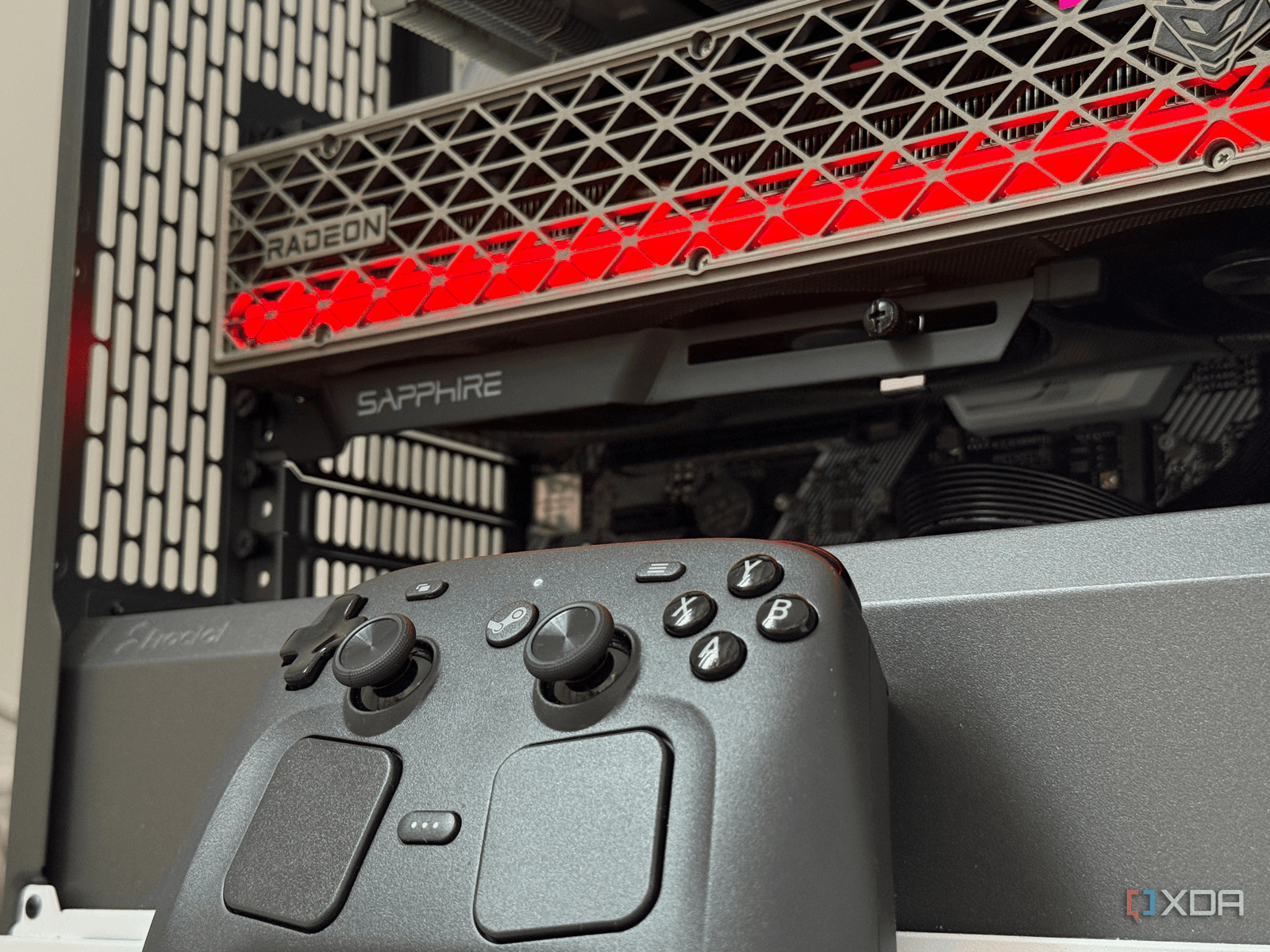
AMD’s Radeon graphics cards are the top choice for home theater PCs (HTPCs). The key factor isn’t just raw graphics power; it’s how well these cards work with Linux-based couch gaming setups.
What’s an HTPC, and Why Does the GPU Matter?
An HTPC is a compact PC that connects to your TV, allowing you to control it from the couch—usually with a game controller instead of a keyboard and mouse. Think of it as a more powerful and versatile alternative to a Roku or Apple TV. These systems often run on Linux-based operating systems like SteamOS or Kodi, which makes the choice of GPU crucial.
Graphics cards require drivers to communicate with an operating system. On Windows, both AMD and Nvidia drivers are well-developed and reliable. But on Linux, things are quite different.
The Linux Driver Gap
Nvidia has traditionally used closed-source drivers for Linux. While these have improved a lot in recent years, especially after Nvidia open-sourced portions of its driver stack in 2022, XDA Developers points out that Nvidia’s Linux support still struggles in one area: controller-first, couch gaming setups.
On the other hand, AMD’s Radeon cards utilize open-source drivers (AMDGPU) that come built into the Linux kernel—the core of the operating system. This means they work right away, update automatically with the OS, and don’t need extra setup steps. For anyone enjoying a casual gaming session on the couch, that reliability is essential.
With Nvidia on Linux, users often face issues where features like variable refresh rate (which syncs the display’s refresh rate to the GPU’s output to minimize screen tearing) or proper HDR (High Dynamic Range, which increases the range of colors and brightness a screen can display) may not function as intended without manual tweaks. This kind of configuration is tough to manage comfortably from a couch.
It’s About the Setup Experience, Not Benchmarks
The main takeaway is this: in an HTPC setting, you’re not chasing high frame rates in the latest AAA games. You’re streaming movies, playing older or indie titles, and using media apps. A mid-range Radeon card like the RX 6600 or RX 7600 can handle all of that easily. The real question is whether it does so without frustration, and on Linux, AMD definitely has the upper hand.
Think of it like choosing a car for a specific road. A sports car and a reliable sedan can both get you to your destination. But if the road is unpredictable, you’d want the car that can handle it smoothly—without needing a mechanic along the way.
Nvidia Is Getting Better — Just Not Fast Enough
To give Nvidia some credit, they’re making real progress. Their open-source kernel module (the driver part closest to the operating system) has improved significantly. Wayland support (the modern display system replacing the older X11 on most Linux distributions) has also seen advancements. For users willing to do some manual configuration via keyboard and monitor, Nvidia on Linux is more capable than it was a few years ago.
However, “better than before” and “good enough for a plug-and-play couch experience” are not the same. Right now, AMD still leads in that specific area.
| Feature | AMD Radeon | Nvidia GeForce |
|---|---|---|
| Driver model on Linux | Open-source (built into kernel) | Partially open-source (still transitioning) |
| Out-of-the-box setup | Yes | Varies by distro |
| Wayland support | Mature | Improving |
| HDR on Linux | Functional | Inconsistent |
| Controller-first usability | Strong | Can require manual setup |
| Raw gaming performance | Competitive | Competitive |
What This Means for Everyday Users
If you’re building or buying an HTPC to replace your streaming stick or game console, the GPU brand really matters. Opting for an Nvidia card to save $20 or chase slightly better benchmark scores might lead to driver headaches instead of enjoying your movies.
For most folks putting together an HTPC on SteamOS or any Linux-based media OS, an AMD Radeon card in the $150-$250 range is the straightforward, hassle-free option. Just plug it in, boot up, and it works. That’s the whole idea behind a living room PC.
If you’re building a Windows-based HTPC, things change. Both AMD and Nvidia offer reliable performance on Windows, and Nvidia’s DLSS upscaling technology (which uses AI to enhance image quality without much performance hit) might even give it an edge. But for Linux HTPC builds? AMD is the clear choice.
Community Reactions
“Been running an RX 6600 in my living room PC for two years. Zero driver drama, HDR just works, and SteamOS treats it like a first-class citizen. Tried Nvidia before and spent more time fixing things than watching them.”
“The open-source driver argument for AMD is real. I switched from a GTX 1660 Super to an RX 7600 for my HTPC and the difference in setup friction was night and day.”
What To Watch
- Nvidia’s next driver updates: Nvidia has been consistently improving its Linux performance. Keep an eye out for ongoing Wayland and HDR fixes that could eventually make it more viable for HTPC use.
- SteamOS expansion: Valve plans to continue expanding SteamOS beyond the Steam Deck to third-party handheld and living room devices. AMD’s built-in Linux driver advantage will matter more as these devices become more common.
- AMD RDNA 4 availability: New Radeon cards based on the RDNA 4 architecture will hit shelves in 2025-2026, promising better power efficiency—important for living room PCs that you don’t want humming across the room.
Sources: XDA Developers — Radeon is still the best choice for an HTPC GPU

Maya Torres
Maya Torres is the Consumer Tech Editor at Explosion.com with 7 years covering product launches for major technology publications. She has reviewed over 300 devices across smartphones, laptops, wearables, and smart home products. Maya specializes in translating spec sheets into real-world buying advice and attends CES, MWC, and Apple keynotes as press. Her reviews focus on helping readers decide what to buy, not just what specs look good on paper.


