
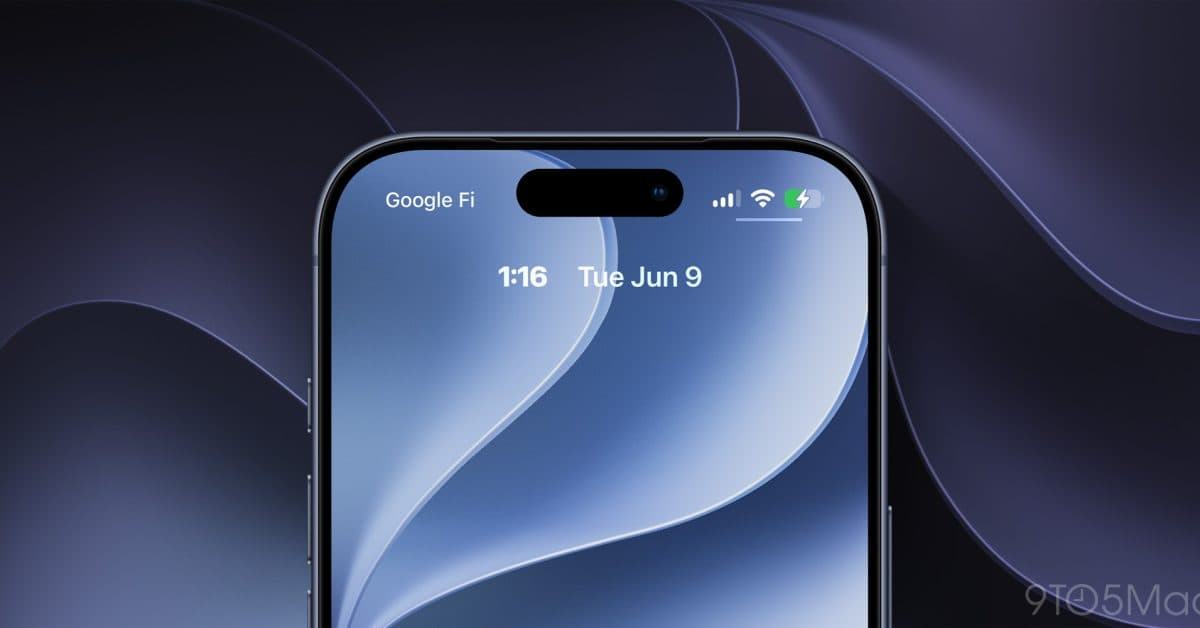
Apple’s iOS 27 introduces an exciting new Lock Screen customization option that allows users to shrink the clock display. This small change gives iPhone owners more visual space on their most-seen screen.
What’s Actually New
iOS 27, revealed at Apple’s WWDC 2026 and currently available in developer beta, adds a fresh feature in the Lock Screen editor. As reported by 9to5Mac, users can now select a smaller clock size directly from the Lock Screen customization menu — an option that wasn’t available in earlier iOS versions.
To try it out, long-press your Lock Screen to enter edit mode, tap the clock, and a new size toggle will appear next to the existing font and color settings. This simple addition has been something iPhone users have wanted for years.
Overall, iOS 27 is a big update. It also features a revamped Siri and a host of other interface changes, making this one of Apple’s most ambitious annual software updates in quite some time.
Why the Clock Size Matters More Than It Sounds
Think of your Lock Screen as the front page of a newspaper. Right now, Apple decides the size of the headline — the clock. With this new setting, you gain control over that aspect. A smaller clock allows your wallpaper to stand out more, creates additional space for Lock Screen widgets (the small info panels below the clock), or simply provides a cleaner look for those who prefer minimalism.
For users stacking multiple widgets under the clock, the current large clock can make the screen feel cluttered. A compact clock option gives your layout more breathing room.
How to Try It Now
The new feature is available in the iOS 27 developer beta, which requires an Apple Developer account to access. According to Engadget, beta versions of iOS 27, iPadOS 27, and watchOS 27 are currently accessible for developers. A public beta — open to anyone, not just developers — should follow in the next few weeks. The full public release of iOS 27 is expected in September, alongside new iPhone hardware.
If you’re not on the beta, it might be best to wait. Developer betas can have bugs that affect daily usage, and the final version will arrive soon enough.
| iOS 27 Lock Screen: By The Numbers | |
|---|---|
| New clock size options | At least 2 (standard and small) |
| iOS 27 developer beta availability | June 2026 |
| Expected public beta | July 2026 (estimated) |
| Expected full release | September 2026 (estimated) |
| Lock Screen customization first introduced | iOS 16 (2022) |
What This Means
For everyday iPhone users, this change won’t revolutionize how you use your phone, but it shows that Apple is still refining the Lock Screen customization tools it introduced in iOS 16. Small sizing options like this can turn a Lock Screen from feeling like a default template into one that feels personal. If you’ve ever thought your clock was too dominant, iOS 27 finally lets you tone it down.
This change also aligns with a broader trend in iOS 27: Apple seems to be giving users more control over the parts of the interface they interact with most.
Community Reactions
“Finally. The clock has always felt like it’s taking up half the screen. Can’t wait to actually see my wallpaper properly.”
“It’s a tiny thing but these are exactly the kinds of settings Android has had forever. Good to see Apple catching up on customization.”
What To Watch
- Public beta launch: Apple usually opens iOS public betas in July. This will allow any iPhone user to test the new clock setting without needing a developer account.
- More Lock Screen changes: Developers are still exploring the iOS 27 beta for additional hidden features. More customization options may come to light before the final release.
- Full iOS 27 release: Expected in September 2026 alongside Apple’s next iPhone lineup. That’s when all iPhone users will automatically gain access to the new clock size option.

Maya Torres
Maya Torres is the Consumer Tech Editor at Explosion.com with 7 years covering product launches for major technology publications. She has reviewed over 300 devices across smartphones, laptops, wearables, and smart home products. Maya specializes in translating spec sheets into real-world buying advice and attends CES, MWC, and Apple keynotes as press. Her reviews focus on helping readers decide what to buy, not just what specs look good on paper.


