
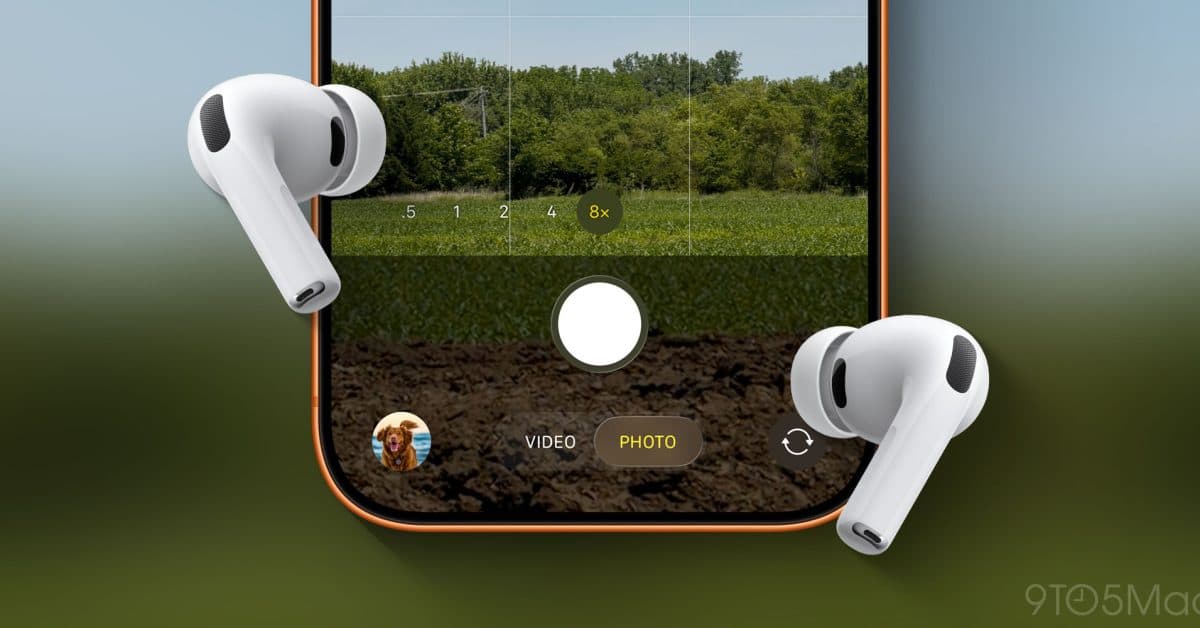
With the release of iOS 26, Apple has added a handy feature for AirPods: you can now use them as a remote shutter for your iPhone camera. This lets you take photos or start recording video without needing to touch your phone at all.
This feature, called AirPods Camera Remote, is compatible with AirPods Pro and several other AirPods models. It transforms the stem press gestures you typically use for music and calls into camera controls. So, when your iPhone is set up or held by someone else, you can easily take pictures. Imagine a wireless remote for a camera on a tripod, but instead, it’s right in your ears.
How It Works
Once your iPhone’s Camera app is open and your AirPods are connected, a new remote control interface pops up on your screen. Here, the stem controls on your AirPods correspond to various camera actions. A single press will take a shot, while different gestures let you switch between photo and video modes.
This feature is perfect for solo selfies or group photos. You won’t have to stretch to reach the shutter button or struggle with a self-timer. With AirPods in, you can stay in frame and easily control the camera.
How to Turn It On
Getting started is quick and easy, taking about 30 seconds:
- Ensure your AirPods are connected to your iPhone running iOS 26.
- Open the Camera app.
- Find the AirPods Remote icon in the camera controls and tap it to activate.
- Use the stem press on your AirPods to take pictures or start and stop video recording.
Apple has also linked this feature with the iPhone’s Action Button on Pro models, giving you even more ways to snap shots hands-free.
Which AirPods Support It
As reported by 9to5Mac, this feature works with several AirPods models that were updated alongside iOS 26. AirPods Pro (2nd generation and later) are the main focus, but compatibility also includes other recent models that received firmware updates during Apple’s November 2025 AirPods Pro feature rollout. If you’re not sure if your AirPods qualify, check Settings → Bluetooth → your AirPods → (i) button to verify your firmware version.
| Detail | Info |
|---|---|
| Feature name | AirPods Camera Remote |
| Required software | iOS 26 |
| Primary compatible hardware | AirPods Pro 2nd gen and later |
| AirPods Pro upgrades in this update cycle | 7 new features (per 9to5Mac, Nov 2025) |
| Setup time | Under 1 minute |
What This Means
This feature addresses a small but frustrating issue for many users. Self-timers can be clumsy — you set a delay, rush into position, and hope it works out. Voice commands with Siri are available, but they can be impractical in quieter settings.
AirPods Camera Remote is much closer to how photographers use actual remote shutter releases: it’s instant and silent, activated just when you want. If you’re at a birthday dinner and don’t want to shout “Hey Siri” across the table, or if you’re capturing a peaceful moment outside, a discreet tap on your ear is far more appropriate.
This feature aligns with Apple’s trend of enhancing AirPods capabilities beyond audio. Since the launch of AirPods Pro 2, Apple has introduced hearing health features, head-gesture controls (like nodding to respond to Siri), and now camera functionality. The earbuds are increasingly becoming a body-worn remote for your Apple devices.
Community Reactions
“Finally, I can do group photos without handing my phone to a stranger or using the awkward timer. This is one of those features that sounds minor but I’ll use constantly.”
“Tested this at the park this weekend — works exactly as advertised. Propped the phone against my bag and took sharp photos from 10 feet away. Impressed.”
More Reading
- Full setup guide and feature breakdown via 9to5Mac
- The seven AirPods Pro upgrades Apple added in this update cycle
What To Watch
- iOS 26 public release: The feature is now in the developer beta. The public beta usually arrives a few weeks later, with a full release expected in September 2026 alongside new iPhone models.
- Broader AirPods compatibility: Apple hasn’t confirmed if older AirPods models, like the standard AirPods 4, will receive this feature in a future firmware update. Check your device settings after the public release.
- Third-party camera apps: Currently, this feature seems limited to Apple’s built-in Camera app. Whether developers can utilize the AirPods remote API for apps like Halide or ProCamera remains unanswered by Apple.

Daniel Park
Daniel Park covers AI, cloud infrastructure, and enterprise software for Explosion.com. A former software engineer who transitioned to technology journalism 5 years ago, Daniel brings technical depth to his reporting on artificial intelligence, startup funding rounds, and the companies building the future of computing. He breaks down complex AI developments and business strategies into clear, actionable insights for readers who want to understand how technology is reshaping industries.


