
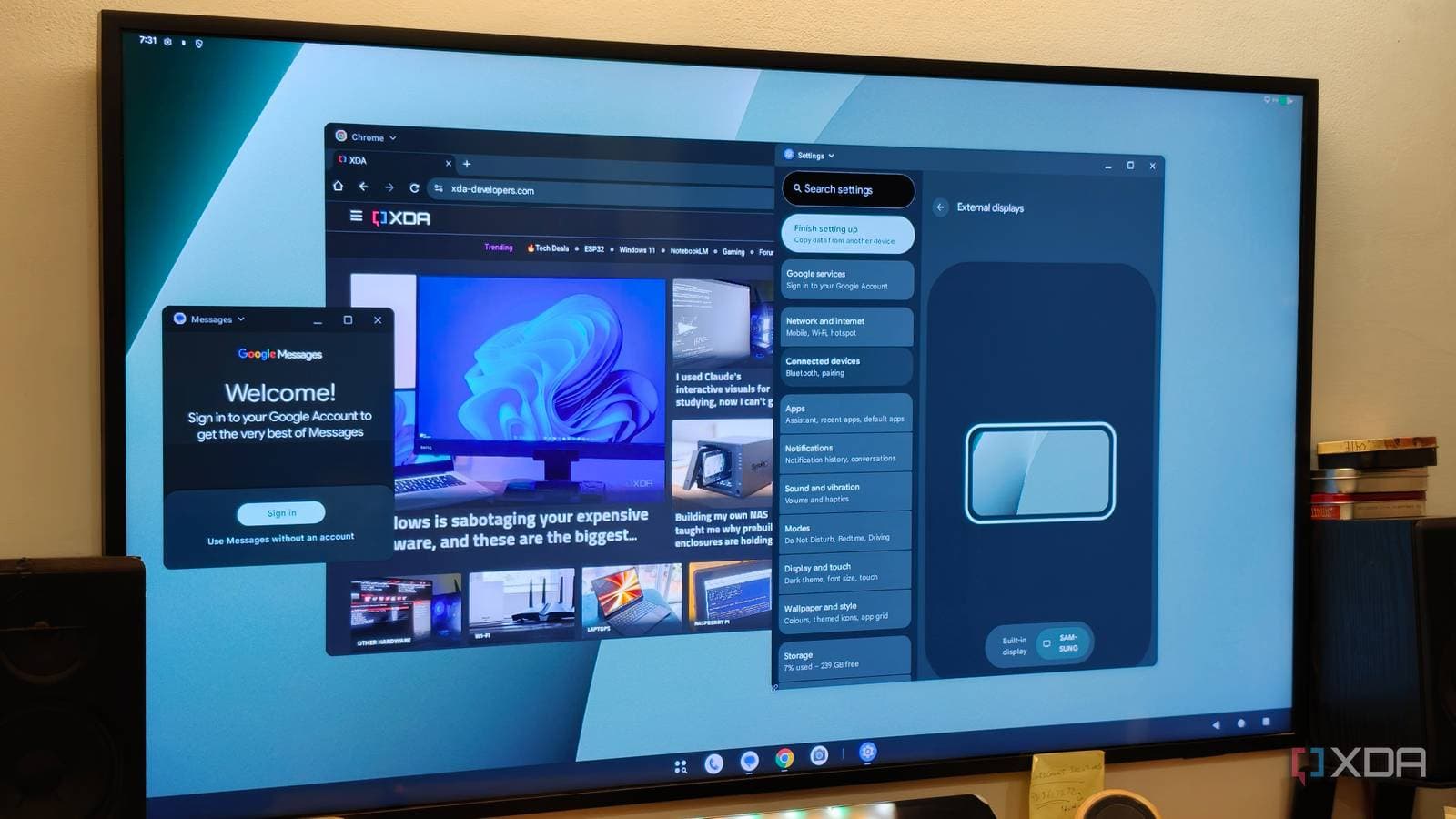
That old Android phone gathering dust in your drawer could be more helpful than you realize. Just plug it into a monitor, and it can act as a full desktop computer replacement without needing any extra hardware.
What Is a Thin Client, Exactly?
A thin client is a low-powered device that connects to a monitor, keyboard, and mouse, giving you a desktop computing experience. Picture it as a shell that leans on processing power from another source, usually a remote server or cloud service. Businesses and schools love thin clients because they’re affordable, quiet, and easy to manage. However, dedicated thin client hardware can still cost between $150 to $400, even for older models.
Your old Android phone can handle the same tasks for free. According to XDA Developers, it might actually perform better than many budget mini PCs currently available.
How It Actually Works
Most Android phones from the last five years support a feature called Desktop Mode. This mode rearranges the phone’s interface to mimic a traditional Windows or macOS desktop when you connect it to a larger screen. Samsung calls its version DeX, while other manufacturers have their own variations. You can even use a third-party app to access this feature.
Setting it up is simple: connect your phone to a monitor using a USB-C to HDMI cable (or adapter), then pair a Bluetooth or USB keyboard and mouse. Your phone will switch to the desktop layout. Additionally, your phone’s screen can either mirror the monitor or function as a touchpad.
In desktop mode, you can browse the internet, use cloud-based apps like Google Docs or Microsoft 365, stream videos, and even access remote desktop tools to control a more powerful computer elsewhere. This setup mirrors how traditional thin clients operate in office environments.
Why a Phone Beats Cheap Mini PCs Here
Budget mini PCs, those small boxes you connect to a monitor, often run on older Intel Celeron or Atom processors. These low-power chips are known for being sluggish, especially with multiple browser tabs or video calls running simultaneously.
In contrast, a flagship Android phone from 2020 comes equipped with a chip that competes with full laptop processors from its release time. Take the Samsung Galaxy S20, for example. It features a Snapdragon 865 processor, which outperforms the chips in many $150-$200 mini PCs on the market today. Some configurations even include 12GB of RAM, allowing for better multitasking than typical entry-level thin clients.
Plus, the phone has a built-in battery, so it continues to work during short power outages. A standard mini PC, on the other hand, would just shut down.
What You Actually Need to Get Started
Getting set up is minimal:
- An Android phone from 2019 or newer with USB-C output
- A USB-C to HDMI cable or adapter ($10-$20)
- A monitor with an HDMI port
- A Bluetooth keyboard and mouse, or a USB hub for wired ones
Samsung DeX works right out of the box on Galaxy S, Z, and Tab devices. Other Android phones may require an app, like a desktop mode enabler from the Google Play Store. Some phones, especially those with stock Android, may have desktop mode hidden in developer settings.
If your phone has slowed down, CNET suggests clearing cached data and turning off background apps can restore a good portion of its original speed in just 10 minutes. That’s important when you’re using it as a desktop device.
| Metric | Detail |
|---|---|
| Cost of a basic thin client | $150 – $400 |
| Cost to set up phone as thin client | $10 – $20 (cable/adapter only) |
| USB-C Android phones that support video output | Most flagships from 2019 onward |
| Samsung DeX-supported devices | Galaxy S8 and newer, select Tab and Z series |
| Typical RAM in budget mini PCs | 4 – 8 GB |
| RAM in a Samsung Galaxy S20 (2020) | 8 – 12 GB depending on variant |
What This Means for Everyday Users
If you’ve recently upgraded your phone and have an older model lying around, consider it a free second computer. Students can set it up as a homework station. Small businesses could turn old phones into low-cost reception desks. Families might create a kid-safe browsing environment without spending on new hardware.
This setup works best for tasks like web browsing, video calls, document editing, and streaming. Most people use their computers for these activities daily. While it won’t replace a workstation for video editing or gaming, it competes well with hardware that typically costs hundreds.
This approach also tackles the e-waste issue. Millions of functional Android phones are retired each year simply because their owners upgraded. Repurposing them as desktop terminals can extend their lifespan significantly.
What People Are Saying
“I’ve been using my old Note 20 Ultra as a DeX station for six months. It handles all my remote work just fine — email, Slack, browser. Can’t believe I almost sold it for $80.”
“The part they don’t mention is the app compatibility gap. Some desktop workflows just don’t exist on Android yet. But for basic stuff? Yeah, it absolutely works.”
What To Watch
- Android 16 (expected mid-2026): Google is expected to enhance desktop mode features in Android 16, making the phone-as-desktop experience smoother across all manufacturers, not just Samsung.
- Microsoft 365 and Google Workspace Android apps: Both platforms are gradually enhancing their large-screen and desktop mode layouts. Improved app support will make this more practical over the next 6-12 months.
- Samsung DeX updates: Samsung usually refines DeX with its Galaxy S series launches. Look out for enhancements linked to any Galaxy S25 software updates rolling out this year.

Ava Mitchell
Ava Mitchell is a digital culture journalist at Explosion.com covering social media platforms, streaming services, and the creator economy. With 4 years reporting on TikTok, Instagram, YouTube, and the apps that shape daily life, Ava specializes in explaining platform policy changes and their impact on everyday users. She previously managed social media strategy for a tech startup, giving her firsthand experience with the platforms she now covers.


