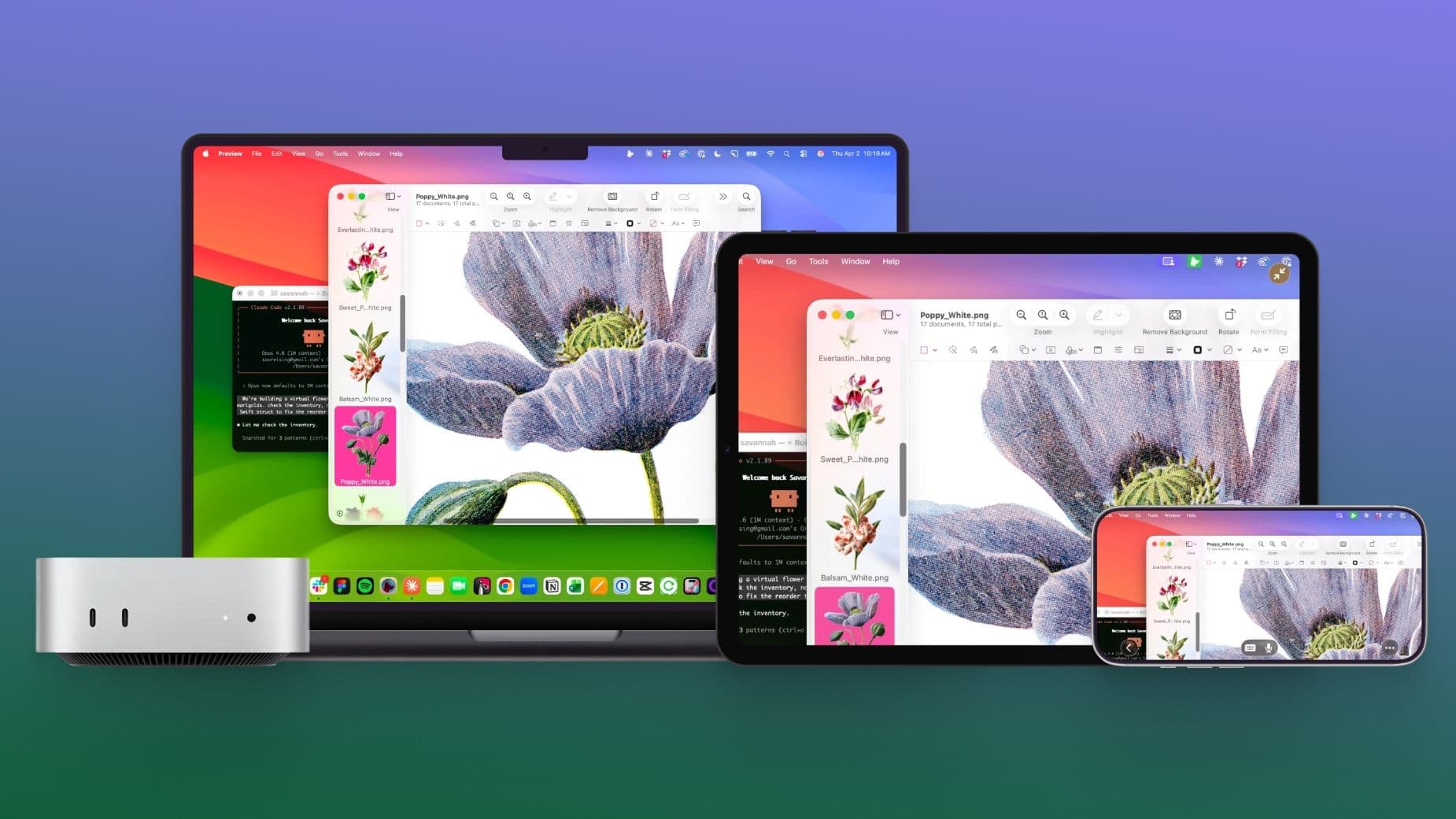
Astropad has introduced Workbench, a new app that allows you to control your Mac remotely from an iPhone or iPad. It’s designed specifically for monitoring and managing AI agents—automated software programs that perform tasks on your computer—running in the background.
What Is Astropad Workbench?
You might know Astropad from Astropad Studio, the popular app that turns your iPad into a drawing tablet for your Mac. Now, the company is venturing into a new area with Workbench, which it describes as “remote desktop made for the AI era.”
Remote desktop software enables you to see and control one computer from another device. For instance, you can view your Mac’s screen on your iPhone and interact with it as if you’re right in front of it. Such tools have been around for years, primarily used by IT teams for remote troubleshooting. Workbench takes this concept and reimagines it for a different purpose: monitoring AI agents that handle lengthy tasks on your Mac while you’re away from your desk.
Picture it like a security camera for your computer. You leave your Mac Mini at home working on an AI task, step out, and check in using your iPhone to see what’s happening. You can step in if something goes wrong or just confirm everything’s still running smoothly.
Why AI Agents Change the Remote Desktop Game
AI agents are increasingly common as of 2026. These programs, often based on tools like Claude or GPT-4, can browse the web, write code, manage files, and handle complex tasks automatically. The downside? They can run for extended periods and sometimes get stuck, make errors, or require a human to approve permissions.
Traditional remote desktop apps focused on IT support: connect, fix an issue, and disconnect. Workbench aims for ongoing, effortless monitoring. Astropad claims the app offers low-latency streaming, meaning minimal delay between your Mac’s screen and what you see on your phone. You won’t have to squint at a blurry, laggy image of your desktop.
The focus on Mac Mini is interesting. Apple’s Mac Mini has become a popular “headless” server for hobbyists and developers using local AI tools. Workbench seems tailored for this setup, where the computer is out of sight and the owner checks in remotely.
How It Works
To use Workbench, you install the app on your Mac and access it from the companion app on your iPhone or iPad. From your mobile device, you get a live view of your Mac’s screen and can interact with it directly. While Astropad hasn’t shared the full technical specs, they describe the connection as optimized for real-time responsiveness rather than just occasional remote fixes.
| Developer | Astropad |
|---|---|
| Platform | Mac (host), iPhone and iPad (remote) |
| Launch Date | April 8, 2026 |
| Primary Use Case | Remote Mac control and AI agent monitoring |
| Also Made By Astropad | Astropad Studio, Rock Paper Pencil screen protectors |
What This Means for Everyday Users
If you’ve never used an AI agent or a headless Mac Mini, Workbench might not feel immediately relevant. But the audience for this app is expanding quickly. Anyone using AI tools for long tasks—like organizing files automatically, researching topics, or generating content overnight—understands the frustration of returning to find a task failed hours ago without any idea of what went wrong.
Workbench offers a glimpse into that process, no matter where you are. For iPhone and iPad users already in the Apple ecosystem, having a slick, native option for remote Mac access is a real upgrade over juggling third-party tools.
Astropad already has a solid reputation. Their Rock Paper Pencil screen protectors, which make iPad screens feel like paper while drawing, have received consistent praise from artists and iPad power users. That credibility gives Workbench a good head start.
Community Reaction
“Finally something built for people actually running local AI stuff on a Mac Mini. Every other remote desktop app feels like it was designed in 2015 for sysadmins.”
“Astropad has been quietly making some of the best Apple ecosystem software for years. Interested to see how this compares to just using Screen Sharing.”
What To Watch
- Pricing details: Astropad hasn’t announced if Workbench will be a one-time purchase, subscription, or freemium app. Given that Astropad Studio operates on a subscription model, a similar structure seems likely.
- Competition response: Established remote desktop tools like Jump Desktop and Screens will be keeping an eye on this. If Workbench gains traction in the AI-agent monitoring space, expect competitors to add similar features.
- Apple’s own moves: Apple has been gradually expanding remote access features in macOS and iOS. Any updates at WWDC 2026 regarding remote desktop or AI agent management could influence Workbench’s market position.
- App Store availability: Workbench launched on April 8, 2026. Early user reviews in the coming weeks will show how well the low-latency streaming performs on real-world connections.
Sources: MacRumors, 9to5Mac, TechCrunch

Ava Mitchell
Ava Mitchell is a digital culture journalist at Explosion.com covering social media platforms, streaming services, and the creator economy. With 4 years reporting on TikTok, Instagram, YouTube, and the apps that shape daily life, Ava specializes in explaining platform policy changes and their impact on everyday users. She previously managed social media strategy for a tech startup, giving her firsthand experience with the platforms she now covers.