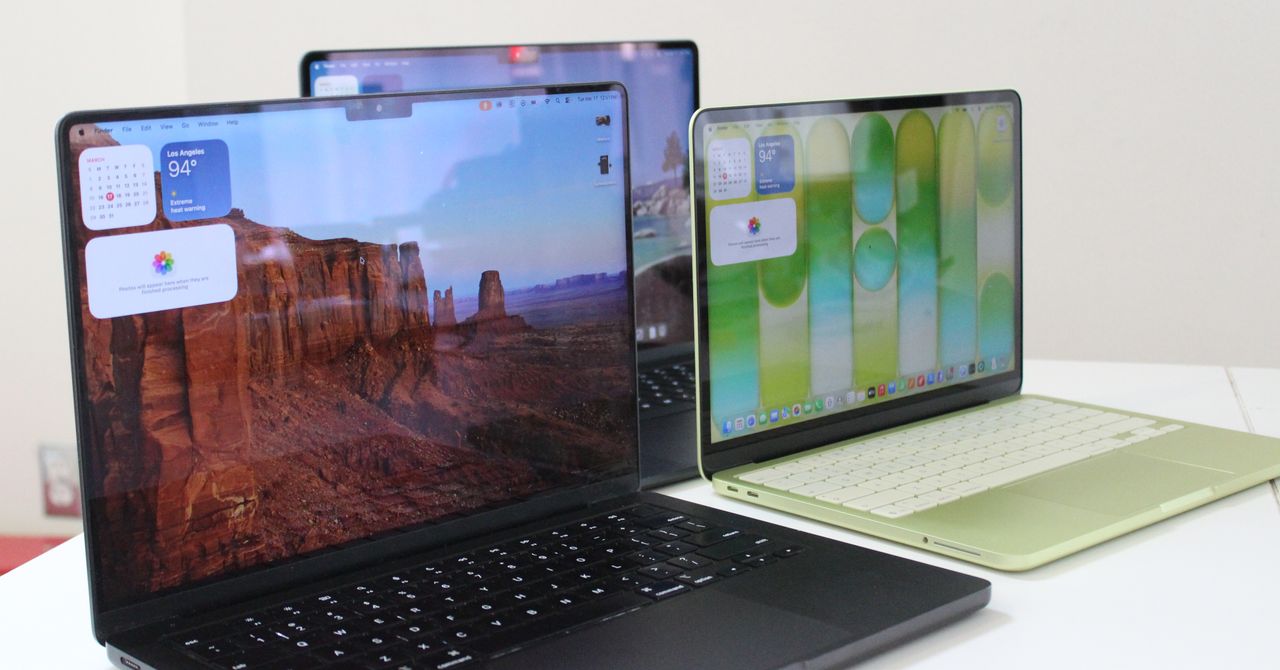
For the first time, Apple’s MacBook lineup features three distinct tiers. The new MacBook Neo joins the well-known Air and Pro models. Choosing the right one depends on your budget and what you actually do with a laptop.
Both CNET and Wired have refreshed their MacBook buying guides for April 2026, and they agree on one thing: it’s a great time to buy a Mac. However, the choices can be overwhelming. Here’s how to navigate through the options.
What’s New: The MacBook Neo Joins the Lineup
This year, the most notable addition to Apple’s laptop family is the MacBook Neo. Consider it a new entry-level option — priced lower than the Air and designed for everyday users who want the Apple experience without paying extra. Wired highlights that the Neo expands Apple’s coverage of various price points in the MacBook lineup.
However, the Neo isn’t just a simplified Air. It’s a unique product with its own set of trade-offs. Whether these trade-offs matter to you depends on how you use your computer.
Exploring the Three Tiers
MacBook Neo — The Affordable Choice
The Neo answers the question: “What’s the most affordable Mac laptop that still feels high-quality?” It features Apple silicon, the in-house chips designed by Apple, replacing the Intel processors from before 2020. You can expect the battery life and speedy performance that Apple is known for. If you mainly browse the web, work on documents, video chat, and stream shows, the Neo probably meets all your needs.
MacBook Air — The Ideal Middle Ground
The Air remains the go-to choice for most people. It’s fanless, meaning it runs silently, and it’s thin and lightweight with a current-generation Apple chip. CNET ranks it among their top picks. It handles tasks like photo editing, light video work, and everyday productivity with ease — and does so quietly.
MacBook Pro — For Heavy Users
The Pro caters to users who need more power. Video editors working with 4K or 8K footage, developers compiling large codebases, and musicians using multiple software instruments will benefit from the Pro’s capabilities. It has a fan for sustained heavy workloads, a brighter display with ProMotion (which adjusts the screen refresh rate up to 120 times per second for smoother visuals), and offers higher-end chip options with more memory.
| Model | Starting Price | Best For | Fan Cooling |
|---|---|---|---|
| MacBook Neo | Entry tier | Everyday tasks, budget buyers | No |
| MacBook Air | Mid tier | Most users, light creative work | No |
| MacBook Pro | Premium tier | Professionals, heavy workloads | Yes |
What This Means for Everyday Users
If you’ve been waiting to switch to a Mac due to cost, the Neo might finally make it feasible. Apple has generally left the sub-$1,000 laptop market primarily to Windows manufacturers. The introduction of the Neo shows a change in that approach.
For those already using a Mac and considering an upgrade, the decision is easier. If you own an Intel MacBook (pre-2020), any current model — including the Neo — will feel like a significant upgrade. Apple silicon provides much longer battery life and better performance for everyday tasks compared to the Intel models. But if you’re already on Apple silicon and your machine is running well, there’s less pressure to upgrade.
One common mistake is buying a Pro when an Air would suffice. Unless you’re regularly working with large video files or running professional audio/visual software for extended periods, you probably won’t notice much difference in daily tasks.
What People Are Saying
“I went from a 2019 Intel MacBook Pro to the new Air and can’t believe how much better the battery life is. I’ve stopped bringing my charger to work altogether.”
“The Neo is interesting, but I think Apple will quietly steer people toward the Air by keeping the price difference minimal. Classic Apple move.”
How to Decide
A straightforward way to think about it is this: if someone asks you to describe what you do on your laptop in one sentence, and your response includes “edit,” “render,” “compile,” or “produce,” then consider the Pro. If your answer is more like “emails, Spotify, and the occasional spreadsheet,” the Neo or Air will suit you well and save you hundreds of dollars.
Screen size also matters. The Air comes in 13-inch and 15-inch models, while the Pro offers 14-inch and 16-inch options. A larger screen means more weight but also gives you more space to see your work. If you spend long hours looking at documents or code, the 15-inch Air or 16-inch Pro can help reduce eye strain significantly.
Further Reading
What To Watch
- WWDC 2026 (expected June): Apple’s annual developer conference is where they usually announce new macOS features. This year’s update might affect how relevant the Neo’s chip configuration is, depending on new software capabilities.
- MacBook Pro refresh cycle: The Pro lineup typically sees updated chip options in the fall. If you’re considering a Pro now, keep an eye out for any announcements about new silicon later in 2026.
- Neo availability and pricing: Early stock and final pricing for the Neo will clarify whether it truly disrupts the entry-level laptop market or lands too close to Air pricing to make a difference.