

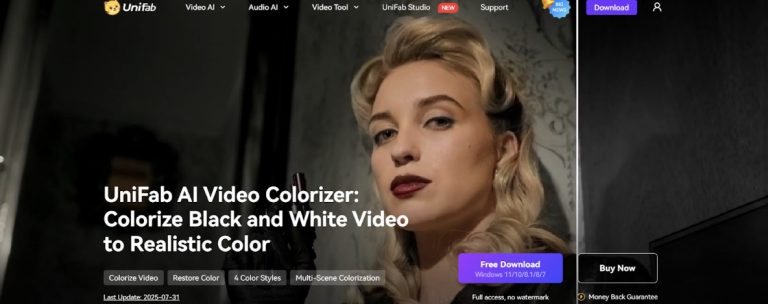

UniFab AI Video Colorizer is a tool that uses artificial intelligence to turn black-and-white videos into colorful ones. It is great for filmmakers, people who make content, those who keep old records, and fans. This software is easy to use and works well to bring old videos back to life.
Main Features
- One-Click AI Coloring
The AI Video Colorizer uses smart deep learning tools. They look at each part of black-and-white videos. Then, they add real-looking colors that fit what’s happening in the scene. This way, the colors stay natural and the same all through the video. You won’t need to fix things by hand.
- Four Different Color Styles
Users can pick from four ready-made color styles:
- Vintage: Makes videos feel like they’re from the past.
- Modern: Adds bright, new colors.
- Classic: Uses colors that never go out of style.
- Custom: Lets you change colors to your liking.
There is a preview that shows you what each style looks like right away. This helps you pick the best one for your idea.
- Coloring for Many Scenes
The newest version of the software can smartly split videos into different scenes. It finds these scenes on its own. Then, it colors each scene one by one. This keeps the colors consistent and makes the video look better overall.
- AI Help with Color Fixing
Besides adding color, the tool can also fix colors using AI. It can bring back faded colors, fix wrong colors, and balance them out. This makes the video brighter and more true to life.
- Faster with GPU
To make coloring faster, the software works with GPU acceleration. It is especially good with NVIDIA 50 Series GPUs. This makes the process much quicker, so you get your project done faster.
Good for These Uses
- Fixing Family Memories
Old family videos are special, but they might have gotten worse over time. The AI Video Colorizer gives them new life. This makes them more interesting for people today.
- Bringing Back Classic Movies
Filmmakers and historians can use the tool to fix old black-and-white films. This saves their history and makes them look better.
- Improving Cultural Heritage Videos
Places that keep cultural things can use the software to add color to old videos. This makes them easier for people now to watch and understand.
- Making Social Media Content More Interesting
People who make content can turn old videos into ones that people love to watch. This gets more people to look at and interact with them.
How to Use It
Step 1: Open the UniFab app and choose the “Colorizer” part to add your video.
Step 2: Click “Capture” and move the bar to choose an important frame from your video.
Step 3: Click “Generate” to get four different AI color styles from the frame you picked. Pick the best one to Colorize Video.
Step 4: Click “Start” to put the style on the whole video and make a fully colored version.
Price and Where to Get It
UniFab has a 30-day free trial. You get to use all features, and there are no watermarks. After the trial, you can buy the UniFab Colorizer AI or UniFab All-In-One.
Final Thoughts
UniFab AI Video Colorizer is a strong and easy-to-use tool. It turns black-and-white videos into colorful, lifelike ones. With its smart AI, different color styles, and fast processing, it’s good for many people—from casual fans to professional filmmakers. Whether you want to fix special memories or make old videos look better, this tool works well and is easy to use.

0 Comments