



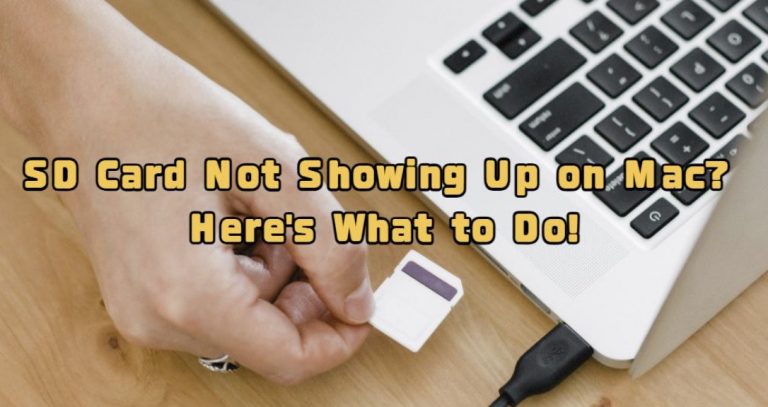


<p>When you connect an SD card to your Mac&#8217;s SD card slot or via a card reader, it is expected to appear on the desktop and in Disk Utility. However, sometimes, an <a href="https://www.easeus.com/mac-file-recovery/sd-card-not-detected-on-mac.html?utm_source=explosion&;utm_medium=article&;utm_campaign=wuliuyi-202408-drw-explosio">SD card doesn&#8217;t show up on a Mac</a> even when it&#8217;s properly inserted. You might be wondering, &#8220;Why isn&#8217;t my SD card showing up on my Mac?&#8221; In fact, you’re not alone, as many Mac users have encountered this frustrating issue before. Fret not! In this guide, we&#8217;ll talk about reasons behind this problem and provide clear, actionable solutions. Let’s get going and say goodbye to any worries about the &#8216;Macbook not reading SD card&#8217; issue!</p>
<!-- WP QUADS Content Ad Plugin v. 3.0.1 -->
<div class="quads-location quads-ad135805 " id="quads-ad135805" style="float:none;text-align:center;padding:0px 0 0px 0;" data-lazydelay="3000">

</div>

<h2>Part 1: Why Isn&#8217;t My SD Card Showing Up on My Mac?</h2>
<p>There can be many different reasons for a Mac not recognizing SD card. They include:</p>
<ul>
<li aria-level="1">Your SD card is formatted in a file system(like NTFS) that macOS cannot read.</li>
<li aria-level="1">Connection issuses or the card reader itself is faulty.</li>
<li aria-level="1">Your SD card cannot be automatically mounted due to incorrect macOS settings.</li>
<li aria-level="1">The data on your SD card is corrupted, preventing macOS from accessing it.</li>
<li aria-level="1">Your Mac or SD card is infected with malware.</li>
<li aria-level="1">There is an issue with the SD card reader&#8217;s driver.</li>
</ul>
<p>Thankfully, with the right methods and tools, you can easily fix the &#8216;Macbook not reading SD card&#8217; problem easily.</p>
<h2>Bonus: Recover Data from SD Card Not Showing Up on Mac</h2>
<p>The fact is that data corruption is a very common reason why your SD card is not showing up on Mac. If the following solutions don&#8217;t work, you may permanently lose significant data stored on that SD card. This is where Tenorshare 4DDiG comes into play.</p>
<!-- WP QUADS Content Ad Plugin v. 3.0.1 -->
<div class="quads-location quads-ad135804 " id="quads-ad135804" style="float:none;text-align:center;padding:0px 0 0px 0;" data-lazydelay="3000">

</div>

<p>It is a robust <a href="https://4ddig.tenorshare.com/sd-memory-card-recovery.html">data recovery software</a> that specializes in recovering data from formatted/inaccessible/RAW SD cards. Users just have to click only a few times to reunite with lost files again. Furthermore, 4DDiG can repair damaged video files during the recovery process, ensuring they can be played smoothly. If you&#8217;re a Windows user, 4DDiG also allows you to recover 2 GB of data without any charges.</p>
<p>Given below is a guide how to recover lost data from your SD card with the aid of 4DDiG:</p>
<p>Step 1: Once installed, connect the problematic SD card to your Mac and launch the program. From the main interface, 4DDiG will automatically detect and display a list of available drives.</p>
<p>Select the SD card. Then, click &#8220;Scan&#8221; to find all your lost files.</p>
<!-- WP QUADS Content Ad Plugin v. 3.0.1 -->
<div class="quads-location quads-ad135804 " id="quads-ad135804" style="float:none;text-align:center;padding:0px 0 0px 0;" data-lazydelay="3000">

</div>

<p>Step 2: During the scan, this tool may find hundreds or even thousands of recoverable files, including some you no longer need. To quickly locate the target files, you can switch to File View or use filters. Once you find the lost files, 4DDiG allows you to stop the scan at any time and proceed with the recovery.</p>
<p>Step 3: Retrieve your lost files by selecting them and clicking on the &#8220;Recover&#8221; button. Avoid saving them in the original SD card to prevent data overwriting.</p>
<h2>Part 2: Quick Fixes for the &#8220;Mac Not Recognizing SD Card&#8221; Issue</h2>
<h3>Option A: Perform Basic Checks</h3>
<p>Before delving into advanced solutions for the &#8216;MacBook not reading SD card&#8217; problem, it&#8217;s always a good idea to step back and perform some basic checks. These classic fixes are proven to be the go-to choice for various issues, including an unrecognized SD card. Let&#8217;s take a look:</p>
<ul>
<li aria-level="1">Make sure there’s no physical damage to both the SD card or the card reader.</li>
<li aria-level="1">Consider rebooting your Mac once or twice. Once your Mac is back on, remove and reinsert the undetected SD card.</li>
<li aria-level="1">Try using a different card reader if available.</li>
<li aria-level="1">Connect the SD card to your secondary Mac. If it appears, then the problem is with your main Mac.</li>
<li aria-level="1">Ascertain the SD card is not write-protected.</li>
</ul>
<h3>Option B: Check macOS settings</h3>
<p>Some Mac users reported that their SD card is visible in Disk Utility but not in Finder. In such situations, you’ll need to check and then, adjust the Finder settings. Here&#8217;s how:</p>
<!-- WP QUADS Content Ad Plugin v. 3.0.1 -->
<div class="quads-location quads-ad135804 " id="quads-ad135804" style="float:none;text-align:center;padding:0px 0 0px 0;" data-lazydelay="3000">

</div>

<p>Step 1: Open Finder by pressing Option + Command + Space. Then, tap Finder from top menu ribbon.</p>
<p>Step 2: Proceed by selecting &#8220;Preferences.&#8221; Now, go to the General tab. Tick the box next to &#8220;External disks.&#8221;</p>
<p>Step 3: Switch to the Sidebar tab and make certain the &#8220;External disks&#8221; option is checked.</p>
<p>Step 4: Step 3: Return to the desktop to see if the &#8216;SD card not showing up Mac Disk Utility&#8217; problem is resolved.</p>
<!-- WP QUADS Content Ad Plugin v. 3.0.1 -->
<div class="quads-location quads-ad135804 " id="quads-ad135804" style="float:none;text-align:center;padding:0px 0 0px 0;" data-lazydelay="3000">

</div>

<h3>Option C: Update macOS</h3>
<p>In case your SD card is not showing up on Mac, it’s likely you didn&#8217;t update the operating system in a long time. To do so:</p>
<p>Step 1: To begin, click on the Apple icon and select &#8220;System Settings&#8221; from the menu.</p>
<p>Step 2: From the list, click &#8220;General&#8221; followed by choosing &#8220;Software Update.&#8221;</p>
<h2>Part 3: Advanced Solutions for the &#8220;SD Card Not Showing Up Mac&#8221; Issue</h2>
<h3>Option D: Reset NVRAM/PRAM</h3>
<p>If the &#8216;Mac not recognizing SD card problem&#8217; persists, resetting NVRAM and PRAM might work wonders. This action enables you to resolve hardware recognition glitches by clearing out cached settings. To do so:</p>
<!-- WP QUADS Content Ad Plugin v. 3.0.1 -->
<div class="quads-location quads-ad135804 " id="quads-ad135804" style="float:none;text-align:center;padding:0px 0 0px 0;" data-lazydelay="3000">

</div>

<p>Step 1: Start with a shutdown of your Mac system. Then, press Power button and immediately press and hold Option + Command + P + R keys.</p>
<p>Step 2: After holding the keys for 20 seconds, release them.</p>
<h3>Option E: Repair SD Card using First Aid</h3>
<p>Another potential solution for the issue of SD card not showing up on Mac is by using First Aid. Included with macOS, this native tool is designed to repair bad sectors and fix any logical damage on your storage device. Follow below steps to use First Aid to repair your SD card:</p>
<p>Step 1: Open Spotlight and search for &#8220;Disk Utility.&#8221; Launch the app, look for the affected SD card, and click on it.</p>
<!-- WP QUADS Content Ad Plugin v. 3.0.1 -->
<div class="quads-location quads-ad135804 " id="quads-ad135804" style="float:none;text-align:center;padding:0px 0 0px 0;" data-lazydelay="3000">

</div>

<p>Step 2: After selecting your SD card from the list, hit &#8220;First Aid.&#8221;</p>
<p>Step 3: Then, a dialog box should appear. Click &#8220;Run&#8221; to start the process. Reconnect your SD card to see if it mounts on the desktop.</p>
<h3>Option F: Reformat SD Card</h3>
<p>Still searching for &#8216;SD card not showing up Mac Disk Utility&#8217; on Google? If all else fails, reformatting the undetected SD card can be your last resort. This is particularly useful when your SD card&#8217;s file system is not supported by macOS. Follow the given steps:</p>
<p>Step 1: First and foremost, launch Disk Utility and select the affected SD card.</p>
<!-- WP QUADS Content Ad Plugin v. 3.0.1 -->
<div class="quads-location quads-ad135804 " id="quads-ad135804" style="float:none;text-align:center;padding:0px 0 0px 0;" data-lazydelay="3000">

</div>

<p>Step 2: Next, click the “Erase” button in the top right corner of the window.</p>
<p>Step 3: Choose a format compatible with macOS, such as exFAT. Type a name for the SD card if needed. Finally, tap “Erase” to start formatting your problematic SD card.</p>
<h2>Final Thoughts</h2>
<p>Now, you probably have a clear idea of what action to take for an SD card not showing up on Mac. There are many effective solutions for a MacBook not reading SD card, ranging from rebooting your Mac to running First Aid. In the event, you face the same problem in the future, we highly recommend using Tenorshare 4DDiG to recover lost files first. This tool is not only suitable for common data loss scenarios but also for users of all skill levels.</p>

<div class="essb_links essb_counter_modern_right essb_displayed_bottom essb_share essb_template_default4-retina essb_899562271 print-no" id="essb_displayed_bottom_899562271" data-essb-postid="149983" data-essb-position="bottom" data-essb-button-style="button" data-essb-template="default4-retina" data-essb-counter-pos="right" data-essb-url="https://www.explosion.com/149983/sd-card-not-showing-up-on-mac/" data-essb-fullurl="https://www.explosion.com/149983/sd-card-not-showing-up-on-mac/" data-essb-instance="899562271"><ul class="essb_links_list"><li class="essb_item essb_link_facebook nolightbox essb_link_svg_icon"> <a href="https://www.facebook.com/sharer/sharer.php?u=https%3A%2F%2Fwww.explosion.com%2F149983%2Fsd-card-not-showing-up-on-mac%2F&t=SD+Card+Not+Showing+Up+on+Mac%3F+Here%5C%26%23039%3Bs+What+to+Do" title="Share on Share" onclick="essb.window(&#39;https://www.facebook.com/sharer/sharer.php?u=https%3A%2F%2Fwww.explosion.com%2F149983%2Fsd-card-not-showing-up-on-mac%2F&t=SD+Card+Not+Showing+Up+on+Mac%3F+Here%5C%26%23039%3Bs+What+to+Do&#39;,&#39;facebook&#39;,&#39;899562271&#39;); return false;" target="_blank" rel="nofollow" class="nolightbox essb-s-bg-facebook essb-s-c-light essb-s-ch-light essb-s-bgh-dark essb-s-bg-network" ><span class="essb_icon essb_icon_facebook"><svg class="essb-svg-icon essb-svg-icon-facebook" aria-hidden="true" role="img" focusable="false" xmlns="http://www.w3.org/2000/svg" width="16" height="16" viewBox="0 0 16 16"><path d="M16 8.049c0-4.446-3.582-8.05-8-8.05C3.58 0-.002 3.603-.002 8.05c0 4.017 2.926 7.347 6.75 7.951v-5.625h-2.03V8.05H6.75V6.275c0-2.017 1.195-3.131 3.022-3.131.876 0 1.791.157 1.791.157v1.98h-1.009c-.993 0-1.303.621-1.303 1.258v1.51h2.218l-.354 2.326H9.25V16c3.824-.604 6.75-3.934 6.75-7.951"></path></svg></span><span class="essb_network_name">Share</span></a></li><li class="essb_item essb_link_twitter nolightbox essb_link_twitter_x essb_link_svg_icon"> <a href="https://x.com/intent/post?text=SD%20Card%20Not%20Showing%20Up%20on%20Mac%3F%20Here%27s%20What%20to%20Do&;url=https%3A%2F%2Fwww.explosion.com%2F149983%2Fsd-card-not-showing-up-on-mac%2F" title="Share on Tweet" onclick="essb.window(&#39;https://x.com/intent/post?text=SD%20Card%20Not%20Showing%20Up%20on%20Mac%3F%20Here%27s%20What%20to%20Do&;url=https%3A%2F%2Fwww.explosion.com%2F149983%2Fsd-card-not-showing-up-on-mac%2F&#39;,&#39;twitter&#39;,&#39;899562271&#39;); return false;" target="_blank" rel="nofollow" class="nolightbox essb-s-bg-twitter essb-s-c-light essb-s-ch-light essb-s-bgh-dark essb-s-bg-network" ><span class="essb_icon essb_icon_twitter_x"><svg class="essb-svg-icon essb-svg-icon-twitter_x" aria-hidden="true" role="img" focusable="false" viewBox="0 0 24 24"><path d="M18.244 2.25h3.308l-7.227 8.26 8.502 11.24H16.17l-5.214-6.817L4.99 21.75H1.68l7.73-8.835L1.254 2.25H8.08l4.713 6.231zm-1.161 17.52h1.833L7.084 4.126H5.117z"></path></svg></span><span class="essb_network_name">Tweet</span></a></li><li class="essb_item essb_link_pinterest nolightbox essb_link_svg_icon"> <a href="#" title="Share on Pin It" onclick="essb.pinterest_picker(&#39;899562271&#39;); return false;" target="_blank" rel="nofollow" class="nolightbox essb-s-bg-pinterest essb-s-c-light essb-s-ch-light essb-s-bgh-dark essb-s-bg-network" ><span class="essb_icon essb_icon_pinterest"><svg class="essb-svg-icon essb-svg-icon-pinterest" aria-hidden="true" role="img" focusable="false" width="32" height="32" viewBox="0 0 32 32" xmlns="http://www.w3.org/2000/svg"><path d="M10.625 12.25c0-1.375 0.313-2.5 1.063-3.438 0.688-0.938 1.563-1.438 2.563-1.438 0.813 0 1.438 0.25 1.875 0.813s0.688 1.25 0.688 2.063c0 0.5-0.125 1.125-0.313 1.813-0.188 0.75-0.375 1.625-0.688 2.563-0.313 1-0.563 1.75-0.688 2.313-0.25 1-0.063 1.875 0.563 2.625 0.625 0.688 1.438 1.063 2.438 1.063 1.75 0 3.188-1 4.313-2.938 1.125-2 1.688-4.375 1.688-7.188 0-2.125-0.688-3.875-2.063-5.25-1.375-1.313-3.313-2-5.813-2-2.813 0-5.063 0.875-6.75 2.688-1.75 1.75-2.625 3.875-2.625 6.375 0 1.5 0.438 2.75 1.25 3.75 0.313 0.313 0.375 0.688 0.313 1.063-0.125 0.313-0.25 0.813-0.375 1.5-0.063 0.25-0.188 0.438-0.375 0.5s-0.375 0.063-0.563 0c-1.313-0.563-2.25-1.438-2.938-2.75s-1-2.813-1-4.5c0-1.125 0.188-2.188 0.563-3.313s0.875-2.188 1.625-3.188c0.75-1.063 1.688-1.938 2.688-2.75 1.063-0.813 2.313-1.438 3.875-1.938 1.5-0.438 3.125-0.688 4.813-0.688 1.813 0 3.438 0.313 4.938 0.938 1.5 0.563 2.813 1.375 3.813 2.375 1.063 1.063 1.813 2.188 2.438 3.5 0.563 1.313 0.875 2.688 0.875 4.063 0 3.75-0.938 6.875-2.875 9.313-1.938 2.5-4.375 3.688-7.375 3.688-1 0-1.938-0.188-2.813-0.688-0.875-0.438-1.5-1-1.875-1.688-0.688 2.938-1.125 4.688-1.313 5.25-0.375 1.438-1.25 3.188-2.688 5.25h-1.313c-0.25-2.563-0.188-4.688 0.188-6.375l2.438-10.313c-0.375-0.813-0.563-1.813-0.563-3.063z"></path></svg></span><span class="essb_network_name">Pin It</span></a></li><li class="essb_item essb_link_mail nolightbox essb_link_svg_icon"> <a href="#" title="Share on Email" onclick="essb_open_mailform(&#39;899562271&#39;); return false;" target="_blank" rel="nofollow" class="nolightbox essb-s-bg-mail essb-s-c-light essb-s-ch-light essb-s-bgh-dark essb-s-bg-network" ><span class="essb_icon essb_icon_mail"><svg class="essb-svg-icon essb-svg-icon-mail" aria-hidden="true" role="img" focusable="false" width="32" height="32" xmlns="http://www.w3.org/2000/svg" viewBox="0 0 60 60"><polygon points="60,50.234 60,9.944 39.482,30.536 " /><polygon points="0,9.941 0,50.234 20.519,30.535 " /><path d="M1.387,8.5l21.002,21.08c0.121,0.051,0.471,0.415,0.517,0.519l5.941,5.963c0.635,0.591,1.672,0.59,2.333-0.025l5.911-5.933c0.046-0.105,0.4-0.473,0.522-0.524L58.615,8.5H1.387z" /><path d="M38.07,31.954l-5.5,5.52c-0.73,0.68-1.657,1.019-2.58,1.019c-0.914,0-1.823-0.332-2.533-0.993l-5.526-5.546L1.569,51.5h56.862L38.07,31.954z" /></svg></span><span class="essb_network_name">Email</span></a></li></ul></div>



0 Comments