



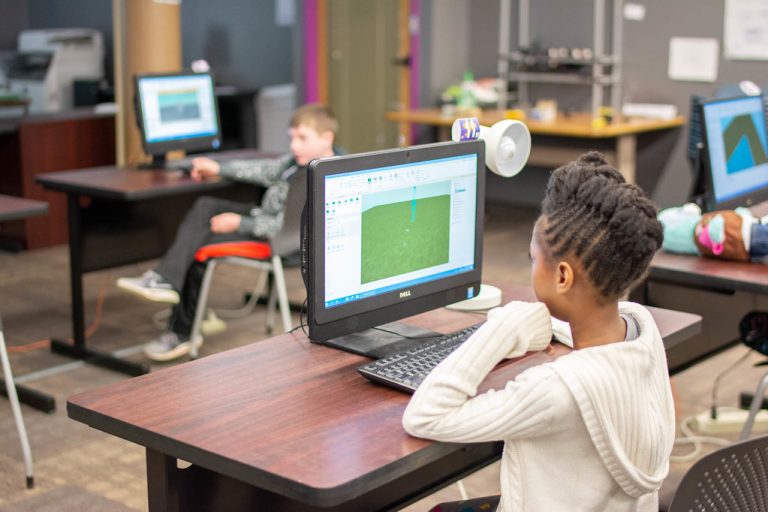


<p>Joining a group on Roblox can enhance the gaming experience by connecting players with others who share similar interests, be it fan clubs, help groups, or corporations. With a vast variety of communities to explore, finding and joining a group can be an exciting addition to one&#8217;s Roblox journey. In this article, we will discuss how to join a group on Roblox, allowing you to connect with like-minded individuals and make the most of the platform&#8217;s features.</p>
<!-- WP QUADS Content Ad Plugin v. 2.0.99 -->
<div class="quads-location quads-ad135805 " id="quads-ad135805" style="float:none;text-align:center;padding:0px 0 0px 0;" data-lazydelay="3000">

</div>

<p>To begin, we will walk you through the process of finding and selecting a group that best suits your preferences and gaming style. Whether seeking a specific group by name or browsing through the plethora of options available, it&#8217;s important to be selective and find a group that resonates with your interests.</p>
<p>Once the desired group has been identified, we will outline the steps to join and become an active member. Seamless integration, coupled with the right know-how, can open doors to a whole new realm of gaming experiences, social interactions, and opportunities within the vast universe of Roblox.</p>
<h2>Understanding the Importance of Joining Groups on Roblox</h2>
<p>Roblox is a popular online multiplayer game platform that allows players to create and play games designed by other users. Joining groups on Roblox can enhance the overall experience for players and provide numerous benefits.</p>
<!-- WP QUADS Content Ad Plugin v. 2.0.99 -->
<div class="quads-location quads-ad135804 " id="quads-ad135804" style="float:none;text-align:center;padding:0px 0 0px 0;" data-lazydelay="3000">

</div>

<p>Groups on Roblox enable players to form mini-communities with like-minded individuals. These communities serve as a platform for members to discuss their interests, share experiences, and receive support from others who share their passion for the game. By joining a group, players can make new friends, develop connections, and potentially collaborate on projects.</p>
<p>One of the main benefits of joining groups is the opportunity to participate in group-specific activities. These activities may include building projects, group battles, and engaging in discussions around various topics related to Roblox gaming. By partaking in these activities, players can gain valuable knowledge, develop their skills, and become more competitive in the Roblox environment.</p>
<p>Additionally, groups on Roblox cater to diverse interests, providing players with a chance to explore and engage in specific areas of the platform. There are groups for builders, programmers, artists, and many more categories. Joining a group that aligns with a player&#8217;s interests can create a more enjoyable and fulfilling experience within Roblox.</p>
<p>In summary, joining groups on Roblox not only allows players to connect with others but also opens doors to unique experiences, skill-building opportunities, and a sense of belonging within the vast online multiplayer game platform.</p>
<!-- WP QUADS Content Ad Plugin v. 2.0.99 -->
<div class="quads-location quads-ad135804 " id="quads-ad135804" style="float:none;text-align:center;padding:0px 0 0px 0;" data-lazydelay="3000">

</div>

<h2>Creating an Account</h2>
<p>Before joining a group on Roblox, the first step is to create an account. The process is straightforward and user-friendly, regardless of the platform used, be it a computer, mobile device, or gaming console.</p>
<p>To create a Roblox account, navigate to the official Roblox website or download the app on your mobile device. Upon opening the website or app, click or tap on the &#8220;Sign Up&#8221; button to access the registration form. Fill in the required information such as a unique username, a secure password, your date of birth, and your gender. Ensure that the username does not contain any personal information for privacy and security purposes.</p>
<p>Click or tap on the &#8220;Sign Up&#8221; or &#8220;Register&#8221; button to proceed with the account creation. The platform will prompt users to pass a simple verification test to confirm that they are not robots. Completing the verification will finalize the registration process.</p>
<p>After successfully creating an account, users can access the vast world of Roblox. Logging in enables users to explore different games, interact with fellow players, and access various features, including joining groups that align with their interests.</p>
<!-- WP QUADS Content Ad Plugin v. 2.0.99 -->
<div class="quads-location quads-ad135804 " id="quads-ad135804" style="float:none;text-align:center;padding:0px 0 0px 0;" data-lazydelay="3000">

</div>

<h2>Navigating the Roblox UI</h2>
<p>When joining a group on Roblox, it is essential to understand the platform&#8217;s user interface (UI) to navigate efficiently. The Roblox UI comprises various elements such as the side tab, settings, discover, and the search bar, which facilitate a seamless experience when trying to find and join groups. This section will discuss some key aspects of the Roblox UI that are essential for beginners.</p>
<p>The side tab is a crucial navigational element of the Roblox UI. Located on the left side of the screen, it provides quick access to essential options such as Groups, Home, Profile, and other platform features. To join a group, click on the Groups option within the side tab to access the Groups page.</p>
<p>The discover feature in the Roblox UI can also help users find and join groups. By exploring the discover section, users can find games, groups, and other content that matches their interests. By utilizing the built-in search bar, users can quickly find groups by entering relevant keywords or phrases.</p>
<p>The search bar is an integral part of the Roblox UI, making it easy to find specific content, games, or groups on the platform. Once users find the group they want to join, they can click on it to access its page, and then click the Join Group button. If the group is private, they&#8217;ll have to wait for the group admin to approve their request. Keep in mind that users can join up to 100 groups on Roblox.</p>
<!-- WP QUADS Content Ad Plugin v. 2.0.99 -->
<div class="quads-location quads-ad135804 " id="quads-ad135804" style="float:none;text-align:center;padding:0px 0 0px 0;" data-lazydelay="3000">

</div>

<p>Lastly, managing your account settings is essential in ensuring a smooth experience on Roblox. Access the settings option located at the top-right corner of the screen to configure your language, privacy, security, and other preferences. This includes options related to group notifications and membership display.</p>
<p>In summary, the Roblox UI offers essential features such as the side tab, settings, discover, and the search bar, which make the process of joining and managing groups easy and user-friendly. By familiarizing yourself with these core aspects of the UI, you&#8217;ll be able to navigate Roblox effortlessly to find and join groups that match your interests.</p>
<h2>Searching for Groups</h2>
<p>Searching for groups on Roblox is a simple and efficient process. To begin, navigate to the <strong>Groups tab</strong> on the Roblox website. This can be found on the left side of the page after logging into your account. In the Groups tab, you&#8217;ll find a search bar where you can type specific keywords or group names that you&#8217;re interested in.</p>
<p>When entering your search query, consider using specific keywords that are relevant to the type of group you&#8217;d like to join. For example, if you&#8217;re looking for a group related to ninjas, simply type &#8220;ninjas&#8221; into the search bar.</p>
<!-- WP QUADS Content Ad Plugin v. 2.0.99 -->
<div class="quads-location quads-ad135804 " id="quads-ad135804" style="float:none;text-align:center;padding:0px 0 0px 0;" data-lazydelay="3000">

</div>

<p>Roblox will then display a list of groups that match your search criteria. Each search result will include the group name, a brief description, and possibly an emblem representing their theme or purpose.</p>
<p>As you browse through the search results, pay attention to the group&#8217;s description. This can give you a clear idea of the group&#8217;s activities, interests, and goals, which will help you decide whether it&#8217;s the right group for you.</p>
<p>To refine your search, you can also use more specific keywords or phrases that relate to the group you&#8217;re looking for. This will narrow down the search results and make it easier for you to find the perfect group to join.</p>
<p>Once you&#8217;ve identified a group that interests you, simply click on its name to view its main page. From there, you can learn more about the group and even request to join if it aligns with your interests.</p>
<!-- WP QUADS Content Ad Plugin v. 2.0.99 -->
<div class="quads-location quads-ad135804 " id="quads-ad135804" style="float:none;text-align:center;padding:0px 0 0px 0;" data-lazydelay="3000">

</div>

<p>Remember that Roblox is a massive platform with a diverse range of groups to explore, so don&#8217;t hesitate to search for groups that suit your preferences.</p>
<h2>Steps to Join a Group</h2>
<p>When looking to join a group on Roblox, it&#8217;s essential to follow a few simple steps. First, log into your account and navigate to the Groups section located in the navigation panel to the left. Here, you will find a vast array of groups to explore, each with different themes and focuses.</p>
<p>To start searching for a group that interests you, type keywords into the search bar and browse the results. Once you have found a group that you want to join, simply click on its name to access its main page. On this page, there will typically be two different options for joining a group, depending on the group&#8217;s settings:</p>
<ol>
<li><strong>Anyone can join</strong>: This means that the group is open to all members, and there is no need for approval. In this case, simply click the &#8220;Join Group&#8221; button, and you will become a member instantly</li>
<li><strong>Manual approval</strong>: In this scenario, the group requires approval from the group&#8217;s administrator or owner before new members can join. To submit your request, click on the &#8220;Join Group&#8221; button, and then wait for approval. If your request is accepted, you will receive a notification informing you that you are now a member of the group</li>
</ol>
<p>Keep in mind that some groups may have specific requirements or prerequisites to join, such as owning particular items or having a certain amount of in-game currency. Make sure to read the group&#8217;s description or any other provided information before you submit a join request.</p>
<!-- WP QUADS Content Ad Plugin v. 2.0.99 -->
<div class="quads-location quads-ad135804 " id="quads-ad135804" style="float:none;text-align:center;padding:0px 0 0px 0;" data-lazydelay="3000">

</div>

<p>With these steps in mind, you are well-equipped to seek out and join groups on Roblox that align with your interests and hobbies. Enjoy connecting with like-minded individuals and participating in group activities to enhance your overall Roblox experience.</p>
<h2>Creating your Own Group</h2>
<p>Creating a group on Roblox is a simple process that allows players to establish a community around their interests. However, before starting, a one-time payment of 100 Robux is required. This fee ensures the group&#8217;s sustainability and helps manage the Roblox platform effectively.</p>
<p>To create a group, players first need to log into their Roblox account. If they have not yet registered, they should do so to gain access to all the features Roblox offers. Once logged in, players can access the group creation page either via the groups tab in the menu or by searching for a specific group directly.</p>
<p>Next, players will click on the &#8220;create&#8221; button, which initiates the group creation process. A form will appear, prompting users to input essential information such as the group&#8217;s name and description. It is crucial to choose a unique and meaningful name that reflects the group&#8217;s purpose. Additionally, the description should provide a concise overview of the group&#8217;s objectives and guidelines.</p>
<!-- WP QUADS Content Ad Plugin v. 2.0.99 -->
<div class="quads-location quads-ad135804 " id="quads-ad135804" style="float:none;text-align:center;padding:0px 0 0px 0;" data-lazydelay="3000">

</div>

<p>Once the name and description have been determined, the player must move on to payment. The 100 Robux fee can be paid using a credit card or by purchasing the in-game currency through Roblox. After the payment is made, the group will be officially formed, and the player becomes its owner.</p>
<p>In summary, creating a group on Roblox is an effortless process that involves choosing a suitable name, crafting a clear description, and paying a one-time fee of 100 Robux. By following these steps, players can establish their own organization on the platform, fostering a community centered around shared interests.</p>
<h2>Exploring Group Features</h2>
<p>Roblox groups offer a variety of features to members, making them an essential part of the overall gaming experience. Joining a group allows players to connect with like-minded individuals who share their interests, games, and activities.</p>
<p>One of the critical features of a group is the marketplace. Within the marketplace, group members can create and sell virtual items, which is an excellent opportunity for those interested in designing or trading items within the Roblox economy.</p>
<!-- WP QUADS Content Ad Plugin v. 2.0.99 -->
<div class="quads-location quads-ad135804 " id="quads-ad135804" style="float:none;text-align:center;padding:0px 0 0px 0;" data-lazydelay="3000">

</div>

<p>Another essential feature is the discussions. Members of a group can engage in conversations about their favorite games, arrange virtual events, and make friends who share their interests. This interaction creates a sense of community, enhancing the overall Roblox experience for users.</p>
<p>Group members may also have the option to edit specific elements. For example, those with the appropriate permissions can modify the group&#8217;s description or change its settings. This feature allows for greater customization and management of the community&#8217;s environment.</p>
<p>It is essential to remember that Roblox players have a limit to the number of groups they can join. The maximum number of groups a player can be a member of is up to 100 groups. This limit encourages players to select groups that best align with their interests and ensures they can adequately engage with each community they are a part of.</p>

<div class="essb_links essb_counter_modern_right essb_displayed_bottom essb_share essb_template_default4-retina essb_1726141582 print-no" id="essb_displayed_bottom_1726141582" data-essb-postid="145117" data-essb-position="bottom" data-essb-button-style="button" data-essb-template="default4-retina" data-essb-counter-pos="right" data-essb-url="https://www.explosion.com/145117/how-to-join-a-group-on-roblox/" data-essb-fullurl="https://www.explosion.com/145117/how-to-join-a-group-on-roblox/" data-essb-instance="1726141582"><ul class="essb_links_list"><li class="essb_item essb_link_facebook nolightbox essb_link_svg_icon"> <a href="https://www.facebook.com/sharer/sharer.php?u=https%3A%2F%2Fwww.explosion.com%2F145117%2Fhow-to-join-a-group-on-roblox%2F&t=Unlocking+the+Benefits%3A+How+to+Join+Roblox+Groups+and+Why+You+Should" title="Share on Share" onclick="essb.window(&#39;https://www.facebook.com/sharer/sharer.php?u=https%3A%2F%2Fwww.explosion.com%2F145117%2Fhow-to-join-a-group-on-roblox%2F&t=Unlocking+the+Benefits%3A+How+to+Join+Roblox+Groups+and+Why+You+Should&#39;,&#39;facebook&#39;,&#39;1726141582&#39;); return false;" target="_blank" rel="nofollow" class="nolightbox essb-s-bg-facebook essb-s-c-light essb-s-ch-light essb-s-bgh-dark essb-s-bg-network" ><span class="essb_icon essb_icon_facebook"><svg class="essb-svg-icon essb-svg-icon-facebook" aria-hidden="true" role="img" focusable="false" xmlns="http://www.w3.org/2000/svg" width="16" height="16" viewBox="0 0 16 16"><path d="M16 8.049c0-4.446-3.582-8.05-8-8.05C3.58 0-.002 3.603-.002 8.05c0 4.017 2.926 7.347 6.75 7.951v-5.625h-2.03V8.05H6.75V6.275c0-2.017 1.195-3.131 3.022-3.131.876 0 1.791.157 1.791.157v1.98h-1.009c-.993 0-1.303.621-1.303 1.258v1.51h2.218l-.354 2.326H9.25V16c3.824-.604 6.75-3.934 6.75-7.951"></path></svg></span><span class="essb_network_name">Share</span></a></li><li class="essb_item essb_link_twitter nolightbox essb_link_twitter_x essb_link_svg_icon"> <a href="https://x.com/intent/post?text=Unlocking%20the%20Benefits%3A%20How%20to%20Join%20Roblox%20Groups%20and%20Why%20You%20Should&;url=https%3A%2F%2Fwww.explosion.com%2F145117%2Fhow-to-join-a-group-on-roblox%2F" title="Share on Tweet" onclick="essb.window(&#39;https://x.com/intent/post?text=Unlocking%20the%20Benefits%3A%20How%20to%20Join%20Roblox%20Groups%20and%20Why%20You%20Should&;url=https%3A%2F%2Fwww.explosion.com%2F145117%2Fhow-to-join-a-group-on-roblox%2F&#39;,&#39;twitter&#39;,&#39;1726141582&#39;); return false;" target="_blank" rel="nofollow" class="nolightbox essb-s-bg-twitter essb-s-c-light essb-s-ch-light essb-s-bgh-dark essb-s-bg-network" ><span class="essb_icon essb_icon_twitter_x"><svg class="essb-svg-icon essb-svg-icon-twitter_x" aria-hidden="true" role="img" focusable="false" viewBox="0 0 24 24"><path d="M18.244 2.25h3.308l-7.227 8.26 8.502 11.24H16.17l-5.214-6.817L4.99 21.75H1.68l7.73-8.835L1.254 2.25H8.08l4.713 6.231zm-1.161 17.52h1.833L7.084 4.126H5.117z"></path></svg></span><span class="essb_network_name">Tweet</span></a></li><li class="essb_item essb_link_pinterest nolightbox essb_link_svg_icon"> <a href="#" title="Share on Pin It" onclick="essb.pinterest_picker(&#39;1726141582&#39;); return false;" target="_blank" rel="nofollow" class="nolightbox essb-s-bg-pinterest essb-s-c-light essb-s-ch-light essb-s-bgh-dark essb-s-bg-network" ><span class="essb_icon essb_icon_pinterest"><svg class="essb-svg-icon essb-svg-icon-pinterest" aria-hidden="true" role="img" focusable="false" width="32" height="32" viewBox="0 0 32 32" xmlns="http://www.w3.org/2000/svg"><path d="M10.625 12.25c0-1.375 0.313-2.5 1.063-3.438 0.688-0.938 1.563-1.438 2.563-1.438 0.813 0 1.438 0.25 1.875 0.813s0.688 1.25 0.688 2.063c0 0.5-0.125 1.125-0.313 1.813-0.188 0.75-0.375 1.625-0.688 2.563-0.313 1-0.563 1.75-0.688 2.313-0.25 1-0.063 1.875 0.563 2.625 0.625 0.688 1.438 1.063 2.438 1.063 1.75 0 3.188-1 4.313-2.938 1.125-2 1.688-4.375 1.688-7.188 0-2.125-0.688-3.875-2.063-5.25-1.375-1.313-3.313-2-5.813-2-2.813 0-5.063 0.875-6.75 2.688-1.75 1.75-2.625 3.875-2.625 6.375 0 1.5 0.438 2.75 1.25 3.75 0.313 0.313 0.375 0.688 0.313 1.063-0.125 0.313-0.25 0.813-0.375 1.5-0.063 0.25-0.188 0.438-0.375 0.5s-0.375 0.063-0.563 0c-1.313-0.563-2.25-1.438-2.938-2.75s-1-2.813-1-4.5c0-1.125 0.188-2.188 0.563-3.313s0.875-2.188 1.625-3.188c0.75-1.063 1.688-1.938 2.688-2.75 1.063-0.813 2.313-1.438 3.875-1.938 1.5-0.438 3.125-0.688 4.813-0.688 1.813 0 3.438 0.313 4.938 0.938 1.5 0.563 2.813 1.375 3.813 2.375 1.063 1.063 1.813 2.188 2.438 3.5 0.563 1.313 0.875 2.688 0.875 4.063 0 3.75-0.938 6.875-2.875 9.313-1.938 2.5-4.375 3.688-7.375 3.688-1 0-1.938-0.188-2.813-0.688-0.875-0.438-1.5-1-1.875-1.688-0.688 2.938-1.125 4.688-1.313 5.25-0.375 1.438-1.25 3.188-2.688 5.25h-1.313c-0.25-2.563-0.188-4.688 0.188-6.375l2.438-10.313c-0.375-0.813-0.563-1.813-0.563-3.063z"></path></svg></span><span class="essb_network_name">Pin It</span></a></li><li class="essb_item essb_link_mail nolightbox essb_link_svg_icon"> <a href="#" title="Share on Email" onclick="essb_open_mailform(&#39;1726141582&#39;); return false;" target="_blank" rel="nofollow" class="nolightbox essb-s-bg-mail essb-s-c-light essb-s-ch-light essb-s-bgh-dark essb-s-bg-network" ><span class="essb_icon essb_icon_mail"><svg class="essb-svg-icon essb-svg-icon-mail" aria-hidden="true" role="img" focusable="false" width="32" height="32" xmlns="http://www.w3.org/2000/svg" viewBox="0 0 60 60"><polygon points="60,50.234 60,9.944 39.482,30.536 " /><polygon points="0,9.941 0,50.234 20.519,30.535 " /><path d="M1.387,8.5l21.002,21.08c0.121,0.051,0.471,0.415,0.517,0.519l5.941,5.963c0.635,0.591,1.672,0.59,2.333-0.025l5.911-5.933c0.046-0.105,0.4-0.473,0.522-0.524L58.615,8.5H1.387z" /><path d="M38.07,31.954l-5.5,5.52c-0.73,0.68-1.657,1.019-2.58,1.019c-0.914,0-1.823-0.332-2.533-0.993l-5.526-5.546L1.569,51.5h56.862L38.07,31.954z" /></svg></span><span class="essb_network_name">Email</span></a></li></ul></div>



0 Comments