



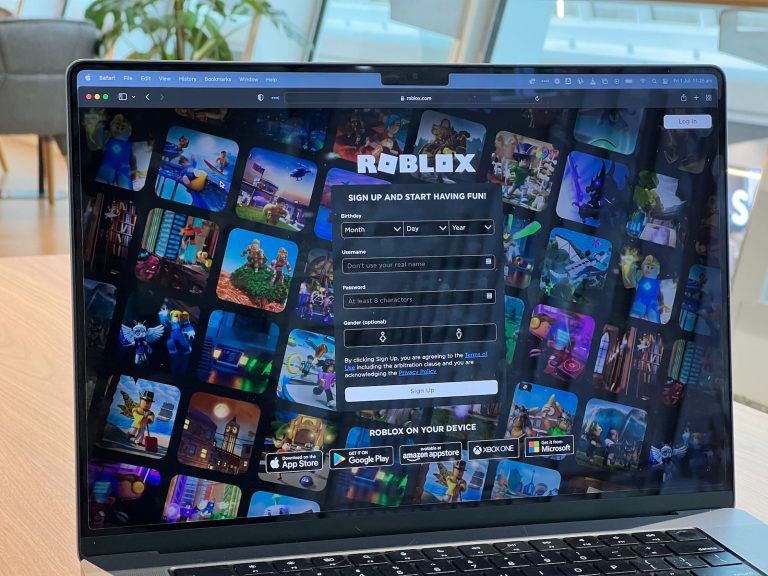


<p>Roblox is a popular online gaming platform that allows users to create and play games designed by other users. However, some players may encounter a persistent blue square appearing on their screen while playing Roblox. This issue can be quite frustrating, as it may impact gameplay and overall user experience. In this article, we will provide solutions to help you get rid of the blue square on Roblox, ensuring a seamless gaming experience. Let&#8217;s talk about how to get rid of blue square on Roblox.</p>
<!-- WP QUADS Content Ad Plugin v. 2.0.99 -->
<div class="quads-location quads-ad135805 " id="quads-ad135805" style="float:none;text-align:center;padding:0px 0 0px 0;" data-lazydelay="3000">

</div>

<p>Understanding the root cause of the blue square issue is vital to finding the right solution. It could be related to browser rendering, graphic settings, or even internet connection issues. By identifying the specific cause, users can implement targeted troubleshooting steps to eliminate the problem and enhance their gaming experience on Roblox.</p>
<p>Throughout this guide, we will explore various strategies and methods for dealing with the blue square issue on Roblox, ranging from simple steps such as refreshing your browser to more complex solutions like adjusting your graphics settings. With the help of this comprehensive guide, even non-tech-savvy users can effectively resolve the issue and return to enjoying their favorite Roblox games without interruption.</p>
<h2>Understanding the Blue Square Problem</h2>
<p>The blue square issue is a known glitch in Roblox that affects the user interface, disrupting the gaming experience for players. This problem occurs when a blue square appears on the screen, particularly on GUI buttons, and interferes with normal gameplay. In this section, we will explore the nature of this glitch and discuss factors that may contribute to its occurrence.</p>
<!-- WP QUADS Content Ad Plugin v. 2.0.99 -->
<div class="quads-location quads-ad135804 " id="quads-ad135804" style="float:none;text-align:center;padding:0px 0 0px 0;" data-lazydelay="3000">

</div>

<p>One of the primary reasons behind the blue square glitch could be temporary rendering issues or conflicts within the Roblox platform, causing the visual disturbance. It is important to note that these kinds of problems are usually temporary and should not impact the long-term performance of the game.</p>
<p>Another potential trigger for the blue square problem is related to the player&#8217;s internet connection. A slow or unstable connection might create difficulties for Roblox to function smoothly, resulting in visual glitches such as the persistent blue square.</p>
<p>Additionally, browser extensions or outdated software can also contribute to the presence of the blue square on Roblox. Some extensions might interfere with the game&#8217;s ability to render properly, while outdated browsers or graphics drivers might cause compatibility issues with the platform.</p>
<p>In summary, the blue square glitch on Roblox can negatively impact the gaming experience by obstructing the user interface. It may stem from temporary rendering issues, an unstable internet connection, or conflicting browser extensions and outdated software. By understanding its potential causes, players can take appropriate steps to troubleshoot and resolve the problem, ensuring a smooth and enjoyable gaming experience.</p>
<!-- WP QUADS Content Ad Plugin v. 2.0.99 -->
<div class="quads-location quads-ad135804 " id="quads-ad135804" style="float:none;text-align:center;padding:0px 0 0px 0;" data-lazydelay="3000">

</div>

<h2>Common Causes for the Blue Square</h2>
<p>The blue square on Roblox is most noticeably an issue that players encounter, hindering their gaming experience. Understanding the common causes behind this problem can help gamers effectively resolve it. Here are some of the primary factors that lead to the appearance of the blue square on Roblox:</p>
<ul>
<li><strong>Browser Cache and Cookies</strong>: Accumulated browser cache and cookies can cause the blue square issue, as they might disrupt the proper functioning of the game. Clearing the browser&#8217;s cache and cookies can alleviate the problem and refresh the gaming environment</li>
<li><strong>Outdated Browser and Graphics Drivers</strong>: The blue square may appear when a player&#8217;s browser or graphics drivers are outdated, leading to compatibility issues with Roblox. Keeping the browser and graphics drivers up to date can significantly mitigate this issue and maintain the smooth performance of the game</li>
<li><strong>Browser Extensions</strong>: Sometimes, certain browser extensions might interfere with Roblox, causing issues like the blue square. Disabling the browser extensions, one at a time, can help determine if an extension is likely the root of the problem. Removing or disabling the problematic extension(s) can thus solve the issue</li>
<li><strong>Accessibility Mode</strong>: In some cases, the blue square might be caused by unintentionally enabling the accessibility mode in Roblox. Turning off this mode by pressing the backslash key on the keyboard (&#8216;/&#8217;) can restore normal movement and remove the blue square from the game&#8217;s user interface</li>
<li><strong>Internet Connection</strong>: An unstable or slow internet connection might also contribute to the blue square problem. Checking the internet connection&#8217;s stability, along with restarting the router or making adjustments to improve its performance, can help eliminate the blue square issue</li>
</ul>
<p>In summary, addressing common causes like browser cache, outdated software, browser extensions, and accessibility mode, as well as maintaining a stable internet connection, can effectively help gamers get rid of the blue square on Roblox.</p>
<h2>Initial Troubleshooting Steps</h2>
<p>Before diving into more advanced solutions, it&#8217;s important to perform some initial troubleshooting steps. These basic measures should help identify and potentially resolve the issue with the blue square on Roblox for many users.</p>
<p>First, try restarting your Roblox game or the entire Roblox app. Simply close it (by pressing the X in the top-right corner or using the Alt + F4 keyboard shortcut) and then reopen it. Restarting the game or app can sometimes clear any temporary glitches or bugs that may be causing the blue square to appear.</p>
<!-- WP QUADS Content Ad Plugin v. 2.0.99 -->
<div class="quads-location quads-ad135804 " id="quads-ad135804" style="float:none;text-align:center;padding:0px 0 0px 0;" data-lazydelay="3000">

</div>

<p>If restarting the game doesn&#8217;t resolve the issue, it&#8217;s time to clear your browser cache and cookies. This can be done in your browser&#8217;s settings—look for &#8220;clear browsing data&#8221; or &#8220;clear cache and cookies&#8221; options. Follow the instructions specific to your browser to perform this action. Clearing cache and cookies will help refresh your gaming environment, potentially resolving the blue square issue.</p>
<p>While still in your browser settings, check for any available updates. Keeping your web browser up to date is an essential step in ensuring smooth gameplay on Roblox. Additionally, updating your graphics drivers can also help with performance and removing any unwanted visual glitches. Check your computer&#8217;s manufacturer website or consult their user manual for instructions on updating your graphics drivers.</p>
<p>Another step to consider is disabling any browser extensions or add-ons that might be interfering with the Roblox game. Certain extensions, especially those related to ad-blocking or performance-enhancement, can cause issues like the blue square. To troubleshoot this, disable your browser extensions one at a time and see if the problem persists.</p>
<p>Lastly, you can try disabling hardware acceleration in your browser&#8217;s settings. Although hardware acceleration is designed to improve performance, it might cause issues in some cases. Disabling it can help determine if the blue square is a result of this feature. Be sure to restart your browser or game after disabling hardware acceleration.</p>
<!-- WP QUADS Content Ad Plugin v. 2.0.99 -->
<div class="quads-location quads-ad135804 " id="quads-ad135804" style="float:none;text-align:center;padding:0px 0 0px 0;" data-lazydelay="3000">

</div>

<p>Remember to approach these troubleshooting steps with confidence and patience. By carefully following the steps and checking for results after each step, you may successfully resolve the blue square issue on Roblox.</p>
<h2>Clearing Browser Cache and Cookies</h2>
<p>Clearing your browser&#8217;s cache and cookies can effectively help in getting rid of the blue square on Roblox. The process might vary slightly depending on the browser you are using, but the basic steps remain the same.</p>
<p>For <strong>Google Chrome</strong> users, follow these simple steps:</p>
<ol>
<li>Open Chrome and click on the three-dot menu icon located at the top-right corner of the window</li>
<li>From the dropdown menu, hover over <strong>More tools</strong> and select <strong>Clear browsing data</strong></li>
<li>In the dialog box that appears, choose a time range for which you want to clear the data (e.g., last hour, last 24 hours)</li>
<li>Ensure that the boxes for <strong>Cookies and other site data</strong> and <strong>Cached images and files</strong> are checked</li>
<li>Click on the <strong>Clear data</strong> button to complete the process</li>
</ol>
<p>If you are using <strong>Microsoft Edge</strong>, do the following:</p>
<!-- WP QUADS Content Ad Plugin v. 2.0.99 -->
<div class="quads-location quads-ad135804 " id="quads-ad135804" style="float:none;text-align:center;padding:0px 0 0px 0;" data-lazydelay="3000">

</div>

<ol>
<li>Click on the three-dot menu icon in the top-right corner and select <strong>Settings</strong></li>
<li>Under the <strong>Privacy, search, and services</strong> section, click on <strong>Choose what to clear</strong></li>
<li>Select <strong>Cookies and other site data</strong> and <strong>Cached images and files</strong> checkboxes</li>
<li>Choose a time range and click on <strong>Clear now</strong></li>
</ol>
<p>For <strong>Mozilla Firefox</strong> users, follow these steps:</p>
<ol>
<li>Click on the three lines menu icon in the top-right corner and select <strong>Options</strong></li>
<li>Navigate to the <strong>Privacy &; Security</strong> tab</li>
<li>Scroll down to the <strong>Cookies and Site Data</strong> section, and click on the <strong>Clear Data</strong> button</li>
<li>Make sure to check the boxes for <strong>Cookies and Site Data</strong> and <strong>Cached Web Content</strong></li>
<li>Click on the <strong>Clear</strong> button to finish the process</li>
</ol>
<p>Once you have successfully cleared the cache and cookies in your browser, restart it, and try playing Roblox again. The issue with the blue square should be resolved. If it persists, you can explore other troubleshooting methods such as updating your browser, graphics driver, or checking your internet connection.</p>
<h2>Updating Graphics Drivers</h2>
<p>One of the potential solutions to get rid of the blue square on Roblox is updating your graphics drivers to the latest version. Outdated graphics drivers can cause compatibility issues with Roblox, resulting in various visual glitches, including the persistent blue square. By keeping the drivers up-to-date, you ensure a smoother gaming experience and avoid potential performance hindrances.</p>
<p>To update your graphics drivers, follow these steps:</p>
<!-- WP QUADS Content Ad Plugin v. 2.0.99 -->
<div class="quads-location quads-ad135804 " id="quads-ad135804" style="float:none;text-align:center;padding:0px 0 0px 0;" data-lazydelay="3000">

</div>

<ul>
<li><strong>Identify your graphics card:</strong> Before updating your drivers, it&#8217;s crucial to know what graphics card your computer has, as different manufacturers have specific drivers tailored for their cards. You can find this information by right-clicking on the Windows Start menu and selecting &#8220;Device Manager.&#8221; Then, expand the &#8220;Display adapters&#8221; section to see the name of your graphics card</li>
<li><strong>Visit the manufacturer&#8217;s website:</strong> Once you know your graphics card&#8217;s make and model, visit the manufacturer&#8217;s website (such as NVIDIA, AMD, or Intel) and navigate to their drivers download section. Locate your specific graphics card model and download the latest driver available for your operating system</li>
<li><strong>Install the graphics driver:</strong> After downloading the driver, locate the downloaded file (usually in the Downloads folder) and double-click to execute the installation process. Follow the on-screen instructions and, if prompted, restart your computer to finalize the installation</li>
</ul>
<p>Updating your graphics drivers regularly is an essential practice for optimal system performance and maintaining compatibility with the latest games and software. Remember to check for driver updates periodically to ensure the best experience when playing Roblox and other graphically-demanding applications.</p>
<h2>Checking Internet Connection</h2>
<p>A crucial step in getting rid of the blue square on Roblox is to ensure that your internet connection is stable and strong. The blue square may appear if your internet connection is unreliable or weak, which affects the gameplay and user experience. Follow these steps below to troubleshoot and optimize your internet connection.</p>
<p>First, verify the strength of the Wi-Fi signal by checking the signal bars on your device. If you notice that the signal strength is weak or inconsistent, consider moving closer to the router to improve the connection. Alternatively, you can try connecting your device to the router using an Ethernet cable for a more stable connection.</p>
<p>Next, reboot your router and modem to refresh the connection. Sometimes, a simple reset can resolve connection issues. To do this, unplug both devices, wait for at least 30 seconds, and then plug them back in. Wait for the router and modem to fully reconnect before testing your internet connection again on Roblox.</p>
<!-- WP QUADS Content Ad Plugin v. 2.0.99 -->
<div class="quads-location quads-ad135804 " id="quads-ad135804" style="float:none;text-align:center;padding:0px 0 0px 0;" data-lazydelay="3000">

</div>

<p>Additionally, ensure that your router&#8217;s firmware is up to date. An outdated firmware can result in poor connection stability and performance. To update the firmware, refer to your router&#8217;s user manual for specific instructions, as the process may vary depending on the router model.</p>
<p>If you&#8217;re still experiencing issues, it&#8217;s possible that there are too many devices connected to your network, congesting the bandwidth. To resolve this, disconnect any unnecessary devices or limit their internet usage while playing Roblox. You can also prioritize your gaming device through the router&#8217;s settings, following the user manual for guidance.</p>
<p>Finally, test your internet speed to ensure it meets the minimum requirements for playing Roblox. A slow internet connection may cause the blue square to appear during gameplay. Several websites and tools are available online to test your internet speed. If your internet speed is below the recommended level, contact your internet service provider to discuss options for improving your connection.</p>
<p>By following these steps and maintaining a strong internet connection, you can effectively get rid of the blue square on Roblox and enjoy a smoother gaming experience.</p>
<!-- WP QUADS Content Ad Plugin v. 2.0.99 -->
<div class="quads-location quads-ad135804 " id="quads-ad135804" style="float:none;text-align:center;padding:0px 0 0px 0;" data-lazydelay="3000">

</div>

<h2>Disabling Browser Extensions</h2>
<p>Disabling browser extensions can help resolve issues related to the blue square in Roblox. Some extensions may interfere with the proper functioning of the game or cause unexpected rendering issues. This section will guide users on how to disable browser extensions in a clear and confident tone, using a neutral, knowledgeable approach.</p>
<p>First, identify the browser being used. The process of disabling extensions can vary slightly depending on the specific browser. Most popular browsers like Google Chrome, Mozilla Firefox, and Microsoft Edge have similar methods for disabling extensions. The following steps will outline how to disable browser extensions:</p>
<p><strong>Google Chrome:</strong></p>
<ol>
<li>Click on the menu icon (three vertical dots) in the top right corner of the browser</li>
<li>Navigate to &#8220;More tools&#8221; and then &#8220;Extensions&#8221;</li>
<li>A list of installed extensions will appear. Find the extension that might be causing the issue in Roblox, and toggle the switch to &#8220;Off&#8221; to disable the extension</li>
</ol>
<p><strong>Mozilla Firefox:</strong></p>
<!-- WP QUADS Content Ad Plugin v. 2.0.99 -->
<div class="quads-location quads-ad135804 " id="quads-ad135804" style="float:none;text-align:center;padding:0px 0 0px 0;" data-lazydelay="3000">

</div>

<ol>
<li>Click on the menu icon (three horizontal lines) in the top right corner of the browser</li>
<li>Select the &#8220;Add-ons and Themes&#8221; option (puzzle piece icon)</li>
<li>In the &#8220;Extensions&#8221; tab, locate the potentially problematic extension. Click on the &#8220;Disable&#8221; button to disable it</li>
</ol>
<p><strong>Microsoft Edge:</strong></p>
<ol>
<li>Click the menu icon (three horizontal dots) in the top right corner of the browser</li>
<li>Choose &#8220;Extensions&#8221; from the drop-down menu</li>
<li>Find the extension that could be causing trouble with Roblox, and toggle the switch to &#8220;Off&#8221; to disable it</li>
</ol>
<p>After disabling the browser extensions, check if the blue square issue on Roblox is resolved. If the problem persists, try clearing the browser cache and cookies or updating the web browser to the latest version. Remember that not all extensions are harmful, but disabling them temporarily can help identify the root cause of the issue in the game. Once the problem is fixed, users can enable their preferred extensions again.</p>
<h2>Adjusting Roblox Settings</h2>
<p>One of the effective ways for how to get rid of blue square on Roblox is by adjusting the game settings. Players must ensure that their Roblox settings are adjusted correctly, especially for elements like the user interface and the in-game menu.</p>
<p>Players can start by accessing the Roblox main menu. From there, find and click on the <code>Settings</code> button, which will open up a new window. In this window, users will find various options related to the overall performance and appearance of the game.</p>
<!-- WP QUADS Content Ad Plugin v. 2.0.99 -->
<div class="quads-location quads-ad135804 " id="quads-ad135804" style="float:none;text-align:center;padding:0px 0 0px 0;" data-lazydelay="3000">

</div>

<p>To tackle the blue square issue specifically, focus on the customization options for the user interface. Adjust the UI scale and ensure it is set to a comfortable size for your screen. Sometimes, having a UI scale that is either too small or too large can cause issues like the blue square appearing on screen.</p>
<p>In addition, while navigating through the settings menu, users should also ensure that their Roblox graphics settings are set to automatic or to a level that their system can handle comfortably. This prevents any performance-related issues that might lead to the appearance of the blue square.</p>
<p>Here is an overview of the necessary steps to be followed in adjusting Roblox settings:</p>
<ol>
<li>Go to Roblox main menu</li>
<li>Click the <code>Settings</code> button</li>
<li>Adjust the UI scale according to your display preferences</li>
<li>Ensure graphics settings are set to automatic or an adequate level</li>
</ol>
<p>By following these steps and modifying their Roblox settings accordingly, most players should be able to eliminate the blue square issue.</p>
<!-- WP QUADS Content Ad Plugin v. 2.0.99 -->
<div class="quads-location quads-ad135804 " id="quads-ad135804" style="float:none;text-align:center;padding:0px 0 0px 0;" data-lazydelay="3000">

</div>

</p>
<div class="essb_links essb_counter_modern_right essb_displayed_bottom essb_share essb_template_default4-retina essb_1238374499 print-no" id="essb_displayed_bottom_1238374499" data-essb-postid="145113" data-essb-position="bottom" data-essb-button-style="button" data-essb-template="default4-retina" data-essb-counter-pos="right" data-essb-url="https://www.explosion.com/145113/how-to-get-rid-of-blue-square-on-roblox/" data-essb-fullurl="https://www.explosion.com/145113/how-to-get-rid-of-blue-square-on-roblox/" data-essb-instance="1238374499"><ul class="essb_links_list"><li class="essb_item essb_link_facebook nolightbox essb_link_svg_icon"> <a href="https://www.facebook.com/sharer/sharer.php?u=https%3A%2F%2Fwww.explosion.com%2F145113%2Fhow-to-get-rid-of-blue-square-on-roblox%2F&t=Getting+Rid+of+the+Blue+Square+in+Roblox%3A+Troubleshooting+Tips" title="Share on Share" onclick="essb.window(&#39;https://www.facebook.com/sharer/sharer.php?u=https%3A%2F%2Fwww.explosion.com%2F145113%2Fhow-to-get-rid-of-blue-square-on-roblox%2F&t=Getting+Rid+of+the+Blue+Square+in+Roblox%3A+Troubleshooting+Tips&#39;,&#39;facebook&#39;,&#39;1238374499&#39;); return false;" target="_blank" rel="nofollow" class="nolightbox essb-s-bg-facebook essb-s-c-light essb-s-ch-light essb-s-bgh-dark essb-s-bg-network" ><span class="essb_icon essb_icon_facebook"><svg class="essb-svg-icon essb-svg-icon-facebook" aria-hidden="true" role="img" focusable="false" xmlns="http://www.w3.org/2000/svg" width="16" height="16" viewBox="0 0 16 16"><path d="M16 8.049c0-4.446-3.582-8.05-8-8.05C3.58 0-.002 3.603-.002 8.05c0 4.017 2.926 7.347 6.75 7.951v-5.625h-2.03V8.05H6.75V6.275c0-2.017 1.195-3.131 3.022-3.131.876 0 1.791.157 1.791.157v1.98h-1.009c-.993 0-1.303.621-1.303 1.258v1.51h2.218l-.354 2.326H9.25V16c3.824-.604 6.75-3.934 6.75-7.951"></path></svg></span><span class="essb_network_name">Share</span></a></li><li class="essb_item essb_link_twitter nolightbox essb_link_twitter_x essb_link_svg_icon"> <a href="https://x.com/intent/post?text=Getting%20Rid%20of%20the%20Blue%20Square%20in%20Roblox%3A%20Troubleshooting%20Tips&;url=https%3A%2F%2Fwww.explosion.com%2F145113%2Fhow-to-get-rid-of-blue-square-on-roblox%2F" title="Share on Tweet" onclick="essb.window(&#39;https://x.com/intent/post?text=Getting%20Rid%20of%20the%20Blue%20Square%20in%20Roblox%3A%20Troubleshooting%20Tips&;url=https%3A%2F%2Fwww.explosion.com%2F145113%2Fhow-to-get-rid-of-blue-square-on-roblox%2F&#39;,&#39;twitter&#39;,&#39;1238374499&#39;); return false;" target="_blank" rel="nofollow" class="nolightbox essb-s-bg-twitter essb-s-c-light essb-s-ch-light essb-s-bgh-dark essb-s-bg-network" ><span class="essb_icon essb_icon_twitter_x"><svg class="essb-svg-icon essb-svg-icon-twitter_x" aria-hidden="true" role="img" focusable="false" viewBox="0 0 24 24"><path d="M18.244 2.25h3.308l-7.227 8.26 8.502 11.24H16.17l-5.214-6.817L4.99 21.75H1.68l7.73-8.835L1.254 2.25H8.08l4.713 6.231zm-1.161 17.52h1.833L7.084 4.126H5.117z"></path></svg></span><span class="essb_network_name">Tweet</span></a></li><li class="essb_item essb_link_pinterest nolightbox essb_link_svg_icon"> <a href="#" title="Share on Pin It" onclick="essb.pinterest_picker(&#39;1238374499&#39;); return false;" target="_blank" rel="nofollow" class="nolightbox essb-s-bg-pinterest essb-s-c-light essb-s-ch-light essb-s-bgh-dark essb-s-bg-network" ><span class="essb_icon essb_icon_pinterest"><svg class="essb-svg-icon essb-svg-icon-pinterest" aria-hidden="true" role="img" focusable="false" width="32" height="32" viewBox="0 0 32 32" xmlns="http://www.w3.org/2000/svg"><path d="M10.625 12.25c0-1.375 0.313-2.5 1.063-3.438 0.688-0.938 1.563-1.438 2.563-1.438 0.813 0 1.438 0.25 1.875 0.813s0.688 1.25 0.688 2.063c0 0.5-0.125 1.125-0.313 1.813-0.188 0.75-0.375 1.625-0.688 2.563-0.313 1-0.563 1.75-0.688 2.313-0.25 1-0.063 1.875 0.563 2.625 0.625 0.688 1.438 1.063 2.438 1.063 1.75 0 3.188-1 4.313-2.938 1.125-2 1.688-4.375 1.688-7.188 0-2.125-0.688-3.875-2.063-5.25-1.375-1.313-3.313-2-5.813-2-2.813 0-5.063 0.875-6.75 2.688-1.75 1.75-2.625 3.875-2.625 6.375 0 1.5 0.438 2.75 1.25 3.75 0.313 0.313 0.375 0.688 0.313 1.063-0.125 0.313-0.25 0.813-0.375 1.5-0.063 0.25-0.188 0.438-0.375 0.5s-0.375 0.063-0.563 0c-1.313-0.563-2.25-1.438-2.938-2.75s-1-2.813-1-4.5c0-1.125 0.188-2.188 0.563-3.313s0.875-2.188 1.625-3.188c0.75-1.063 1.688-1.938 2.688-2.75 1.063-0.813 2.313-1.438 3.875-1.938 1.5-0.438 3.125-0.688 4.813-0.688 1.813 0 3.438 0.313 4.938 0.938 1.5 0.563 2.813 1.375 3.813 2.375 1.063 1.063 1.813 2.188 2.438 3.5 0.563 1.313 0.875 2.688 0.875 4.063 0 3.75-0.938 6.875-2.875 9.313-1.938 2.5-4.375 3.688-7.375 3.688-1 0-1.938-0.188-2.813-0.688-0.875-0.438-1.5-1-1.875-1.688-0.688 2.938-1.125 4.688-1.313 5.25-0.375 1.438-1.25 3.188-2.688 5.25h-1.313c-0.25-2.563-0.188-4.688 0.188-6.375l2.438-10.313c-0.375-0.813-0.563-1.813-0.563-3.063z"></path></svg></span><span class="essb_network_name">Pin It</span></a></li><li class="essb_item essb_link_mail nolightbox essb_link_svg_icon"> <a href="#" title="Share on Email" onclick="essb_open_mailform(&#39;1238374499&#39;); return false;" target="_blank" rel="nofollow" class="nolightbox essb-s-bg-mail essb-s-c-light essb-s-ch-light essb-s-bgh-dark essb-s-bg-network" ><span class="essb_icon essb_icon_mail"><svg class="essb-svg-icon essb-svg-icon-mail" aria-hidden="true" role="img" focusable="false" width="32" height="32" xmlns="http://www.w3.org/2000/svg" viewBox="0 0 60 60"><polygon points="60,50.234 60,9.944 39.482,30.536 " /><polygon points="0,9.941 0,50.234 20.519,30.535 " /><path d="M1.387,8.5l21.002,21.08c0.121,0.051,0.471,0.415,0.517,0.519l5.941,5.963c0.635,0.591,1.672,0.59,2.333-0.025l5.911-5.933c0.046-0.105,0.4-0.473,0.522-0.524L58.615,8.5H1.387z" /><path d="M38.07,31.954l-5.5,5.52c-0.73,0.68-1.657,1.019-2.58,1.019c-0.914,0-1.823-0.332-2.533-0.993l-5.526-5.546L1.569,51.5h56.862L38.07,31.954z" /></svg></span><span class="essb_network_name">Email</span></a></li></ul></div>



0 Comments