



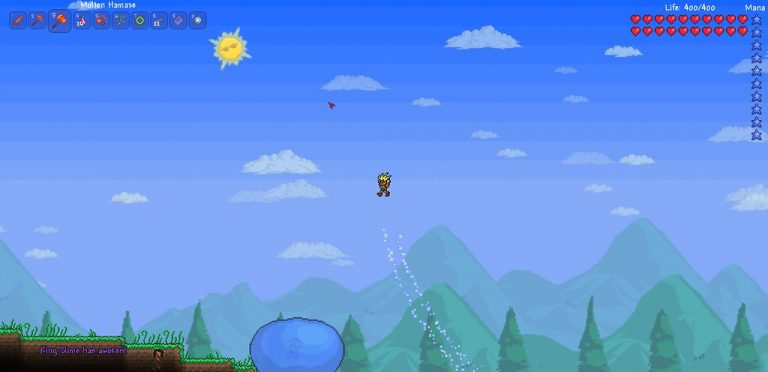


<p>As any experienced Terraria player will tell you, knowing <strong>how to set spawn in Terraria</strong> is a critical skill. This seemingly simple task has numerous nuances and complexities, and understanding them can significantly enhance your gaming experience. Whether you&#8217;re a seasoned Terraria veteran or a complete beginner, this comprehensive guide will shed light on the art of setting spawn in Terraria.</p>
<!-- WP QUADS Content Ad Plugin v. 2.0.99 -->
<div class="quads-location quads-ad135805 " id="quads-ad135805" style="float:none;text-align:center;padding:0px 0 0px 0;" data-lazydelay="3000">

</div>

<h2>Understanding Spawn Points in Terraria</h2>
<p>Before diving into <strong>how to set spawn in Terraria</strong>, it&#8217;s essential to comprehend what a spawn point is and why it matters. A spawn point is the location where players appear when they enter a new world or join a multiplayer server. A player&#8217;s initial spawn point aligns with the world&#8217;s spawn point, which is typically located in the Forest biome in the horizontal center of the world.</p>
<p>Players respawn at their designated spawn point after death, making it a strategic location. You can also teleport to your spawn point using specific items like a Magic/Ice Mirror or a Recall Potion.</p>
<p>The world&#8217;s spawn point is distinguished by a green arrow icon on the minimap, while the player&#8217;s spawn point is marked by a bed icon.</p>
<!-- WP QUADS Content Ad Plugin v. 2.0.99 -->
<div class="quads-location quads-ad135804 " id="quads-ad135804" style="float:none;text-align:center;padding:0px 0 0px 0;" data-lazydelay="3000">

</div>

<h2>Setting Spawn in Terraria: The Role of Beds</h2>
<p>Beds are a crucial component in setting your spawn point in Terraria. Crafting a bed and placing it in a house allows you to change your spawn point. Once you&#8217;ve interacted with the bed, it becomes your new spawn point.</p>
<p>However, the bed&#8217;s location is crucial. It must be placed in a room that meets specific requirements, namely, a minimum size of 7 blocks wide by 5 blocks high. The room can be built with any material except dirt and must have at least one wall.</p>
<h2>Crafting a Bed in Terraria: The Process</h2>
<p>Now that we&#8217;ve covered the basics of spawn points and the role of beds, it&#8217;s time to delve into the process of crafting a bed. Crafting a bed is a multi-step process that involves gathering materials and creating several required crafting stations.</p>
<h3>Gathering Materials</h3>
<p>To craft a bed in Terraria, you will need:</p>
<!-- WP QUADS Content Ad Plugin v. 2.0.99 -->
<div class="quads-location quads-ad135804 " id="quads-ad135804" style="float:none;text-align:center;padding:0px 0 0px 0;" data-lazydelay="3000">

</div>

<ol>
<li>15 Wood</li>
<li>5 Silk</li>
</ol>
<p>Wood is straightforward to obtain — just chop down trees. Silk, however, requires a bit more effort. You need to create a Loom and gather Cobwebs to make Silk. You can find Cobwebs underground, and you&#8217;ll need seven Cobwebs to make one Silk, giving you a total requirement of 35 Cobwebs for a single Bed.</p>
<h3>Crafting Stations</h3>
<p>Before you can build a bed, you&#8217;ll need to create five crafting stations. These stations allow you to combine ingredients to craft new items.</p>
<ul>
<li>Furnace</li>
<li>Workbench</li>
<li>Anvil</li>
<li>Sawmill</li>
<li>Loom</li>
</ul>
<p>The sequence of creating these crafting stations is as follows:</p>
<ol>
<li>Start by crafting a workbench using 10 pieces of wood</li>
<li>To create a furnace, use the workbench and combine 20 stone, 3 torches, and 5 wood</li>
<li>Smelt 15 iron ore into 5 iron bars using the furnace</li>
<li>Use the workbench and the iron bars to craft an anvil</li>
<li>Create a sawmill using 10 wood, 2 iron bars, and a chain</li>
<li>Use the sawmill and 12 wood to craft a loom</li>
</ol>
<h3>Crafting a Bed</h3>
<p>With the crafting stations in place and the materials at hand, you&#8217;re ready to craft your bed. Use the loom to transform your 35 Cobwebs into 5 Silk. Then, combine 15 Wood and 5 Silk at the Sawmill to craft a bed.</p>
<!-- WP QUADS Content Ad Plugin v. 2.0.99 -->
<div class="quads-location quads-ad135804 " id="quads-ad135804" style="float:none;text-align:center;padding:0px 0 0px 0;" data-lazydelay="3000">

</div>

<h2>Setting Spawn in Terraria: Steps</h2>
<p>The steps to set your spawn point in Terraria are as follows:</p>
<ol>
<li>Craft a bed as outlined above</li>
<li>Build a room that meets the necessary requirements (7 blocks wide by 5 blocks high, at least one wall, and built with any material other than dirt)</li>
<li>Place the bed in the room</li>
<li>Interact with the bed. This sets your spawn point to the location of the bed</li>
</ol>
<p>Remember, if the bed is destroyed or you interact with it a second time, the spawn point reverts back to the world&#8217;s initial spawning point.</p>
<h2>Setting Spawn in Terraria: Tips</h2>
<p>Setting your spawn point in Terraria can be a strategic move. Here are a few tips to help you make the most of it:</p>
<ul>
<li>Consider building a shelter over the world spawn point for safety. If your set spawn point is inadvertently reverted back to the initial world spawn point (for example, if your bed is destroyed), you&#8217;ll have at least minimal protection</li>
<li>Avoid digging directly underneath the world spawn point. If you respawn there, you&#8217;ll fall down</li>
<li>In rare cases, you might spawn on a Floating Island. In that situation, use available blocks to create a staircase to the ground. If you find a Lucky Horseshoe or Fledgling Wings in a Skyware Chest, equip them to jump down without taking fall damage</li>
</ul>
<h2>Setting Spawn in Terraria: History</h2>
<p>The ability to set a spawn point in Terraria has evolved over time. In the Desktop 1.4.0.1 version, an icon was added for the world spawning point on the minimap. Additionally, players can now spawn up to 30 tiles above their spawn point if the location is covered by blocks, rather than destroying those blocks.</p>
<!-- WP QUADS Content Ad Plugin v. 2.0.99 -->
<div class="quads-location quads-ad135804 " id="quads-ad135804" style="float:none;text-align:center;padding:0px 0 0px 0;" data-lazydelay="3000">

</div>

<p>Prior to Desktop 1.2.0.2, if a bed was placed in a location that would cause the player not to spawn without breaking through blocks, they would receive a message when trying to set the spawn point to indicate that the bed is not in a suitable position.</p>
<h2>Setting Spawn in Terraria on Different Devices</h2>
<p>The process of setting a spawn point in Terraria is consistent across all devices. You can play the video game no matter what type of device you have.</p>

<div class="essb_links essb_counter_modern_right essb_displayed_bottom essb_share essb_template_default4-retina essb_856492052 print-no" id="essb_displayed_bottom_856492052" data-essb-postid="144690" data-essb-position="bottom" data-essb-button-style="button" data-essb-template="default4-retina" data-essb-counter-pos="right" data-essb-url="https://www.explosion.com/144690/how-to-set-spawn-in-terraria/" data-essb-fullurl="https://www.explosion.com/144690/how-to-set-spawn-in-terraria/" data-essb-instance="856492052"><ul class="essb_links_list"><li class="essb_item essb_link_facebook nolightbox essb_link_svg_icon"> <a href="https://www.facebook.com/sharer/sharer.php?u=https%3A%2F%2Fwww.explosion.com%2F144690%2Fhow-to-set-spawn-in-terraria%2F&t=From+Bed+to+Base%3A+Creating+Your+Terraria+Spawn+Location" title="Share on Share" onclick="essb.window(&#39;https://www.facebook.com/sharer/sharer.php?u=https%3A%2F%2Fwww.explosion.com%2F144690%2Fhow-to-set-spawn-in-terraria%2F&t=From+Bed+to+Base%3A+Creating+Your+Terraria+Spawn+Location&#39;,&#39;facebook&#39;,&#39;856492052&#39;); return false;" target="_blank" rel="nofollow" class="nolightbox essb-s-bg-facebook essb-s-c-light essb-s-ch-light essb-s-bgh-dark essb-s-bg-network" ><span class="essb_icon essb_icon_facebook"><svg class="essb-svg-icon essb-svg-icon-facebook" aria-hidden="true" role="img" focusable="false" xmlns="http://www.w3.org/2000/svg" width="16" height="16" viewBox="0 0 16 16"><path d="M16 8.049c0-4.446-3.582-8.05-8-8.05C3.58 0-.002 3.603-.002 8.05c0 4.017 2.926 7.347 6.75 7.951v-5.625h-2.03V8.05H6.75V6.275c0-2.017 1.195-3.131 3.022-3.131.876 0 1.791.157 1.791.157v1.98h-1.009c-.993 0-1.303.621-1.303 1.258v1.51h2.218l-.354 2.326H9.25V16c3.824-.604 6.75-3.934 6.75-7.951"></path></svg></span><span class="essb_network_name">Share</span></a></li><li class="essb_item essb_link_twitter nolightbox essb_link_twitter_x essb_link_svg_icon"> <a href="https://x.com/intent/post?text=From%20Bed%20to%20Base%3A%20Creating%20Your%20Terraria%20Spawn%20Location&;url=https%3A%2F%2Fwww.explosion.com%2F144690%2Fhow-to-set-spawn-in-terraria%2F" title="Share on Tweet" onclick="essb.window(&#39;https://x.com/intent/post?text=From%20Bed%20to%20Base%3A%20Creating%20Your%20Terraria%20Spawn%20Location&;url=https%3A%2F%2Fwww.explosion.com%2F144690%2Fhow-to-set-spawn-in-terraria%2F&#39;,&#39;twitter&#39;,&#39;856492052&#39;); return false;" target="_blank" rel="nofollow" class="nolightbox essb-s-bg-twitter essb-s-c-light essb-s-ch-light essb-s-bgh-dark essb-s-bg-network" ><span class="essb_icon essb_icon_twitter_x"><svg class="essb-svg-icon essb-svg-icon-twitter_x" aria-hidden="true" role="img" focusable="false" viewBox="0 0 24 24"><path d="M18.244 2.25h3.308l-7.227 8.26 8.502 11.24H16.17l-5.214-6.817L4.99 21.75H1.68l7.73-8.835L1.254 2.25H8.08l4.713 6.231zm-1.161 17.52h1.833L7.084 4.126H5.117z"></path></svg></span><span class="essb_network_name">Tweet</span></a></li><li class="essb_item essb_link_pinterest nolightbox essb_link_svg_icon"> <a href="#" title="Share on Pin It" onclick="essb.pinterest_picker(&#39;856492052&#39;); return false;" target="_blank" rel="nofollow" class="nolightbox essb-s-bg-pinterest essb-s-c-light essb-s-ch-light essb-s-bgh-dark essb-s-bg-network" ><span class="essb_icon essb_icon_pinterest"><svg class="essb-svg-icon essb-svg-icon-pinterest" aria-hidden="true" role="img" focusable="false" width="32" height="32" viewBox="0 0 32 32" xmlns="http://www.w3.org/2000/svg"><path d="M10.625 12.25c0-1.375 0.313-2.5 1.063-3.438 0.688-0.938 1.563-1.438 2.563-1.438 0.813 0 1.438 0.25 1.875 0.813s0.688 1.25 0.688 2.063c0 0.5-0.125 1.125-0.313 1.813-0.188 0.75-0.375 1.625-0.688 2.563-0.313 1-0.563 1.75-0.688 2.313-0.25 1-0.063 1.875 0.563 2.625 0.625 0.688 1.438 1.063 2.438 1.063 1.75 0 3.188-1 4.313-2.938 1.125-2 1.688-4.375 1.688-7.188 0-2.125-0.688-3.875-2.063-5.25-1.375-1.313-3.313-2-5.813-2-2.813 0-5.063 0.875-6.75 2.688-1.75 1.75-2.625 3.875-2.625 6.375 0 1.5 0.438 2.75 1.25 3.75 0.313 0.313 0.375 0.688 0.313 1.063-0.125 0.313-0.25 0.813-0.375 1.5-0.063 0.25-0.188 0.438-0.375 0.5s-0.375 0.063-0.563 0c-1.313-0.563-2.25-1.438-2.938-2.75s-1-2.813-1-4.5c0-1.125 0.188-2.188 0.563-3.313s0.875-2.188 1.625-3.188c0.75-1.063 1.688-1.938 2.688-2.75 1.063-0.813 2.313-1.438 3.875-1.938 1.5-0.438 3.125-0.688 4.813-0.688 1.813 0 3.438 0.313 4.938 0.938 1.5 0.563 2.813 1.375 3.813 2.375 1.063 1.063 1.813 2.188 2.438 3.5 0.563 1.313 0.875 2.688 0.875 4.063 0 3.75-0.938 6.875-2.875 9.313-1.938 2.5-4.375 3.688-7.375 3.688-1 0-1.938-0.188-2.813-0.688-0.875-0.438-1.5-1-1.875-1.688-0.688 2.938-1.125 4.688-1.313 5.25-0.375 1.438-1.25 3.188-2.688 5.25h-1.313c-0.25-2.563-0.188-4.688 0.188-6.375l2.438-10.313c-0.375-0.813-0.563-1.813-0.563-3.063z"></path></svg></span><span class="essb_network_name">Pin It</span></a></li><li class="essb_item essb_link_mail nolightbox essb_link_svg_icon"> <a href="#" title="Share on Email" onclick="essb_open_mailform(&#39;856492052&#39;); return false;" target="_blank" rel="nofollow" class="nolightbox essb-s-bg-mail essb-s-c-light essb-s-ch-light essb-s-bgh-dark essb-s-bg-network" ><span class="essb_icon essb_icon_mail"><svg class="essb-svg-icon essb-svg-icon-mail" aria-hidden="true" role="img" focusable="false" width="32" height="32" xmlns="http://www.w3.org/2000/svg" viewBox="0 0 60 60"><polygon points="60,50.234 60,9.944 39.482,30.536 " /><polygon points="0,9.941 0,50.234 20.519,30.535 " /><path d="M1.387,8.5l21.002,21.08c0.121,0.051,0.471,0.415,0.517,0.519l5.941,5.963c0.635,0.591,1.672,0.59,2.333-0.025l5.911-5.933c0.046-0.105,0.4-0.473,0.522-0.524L58.615,8.5H1.387z" /><path d="M38.07,31.954l-5.5,5.52c-0.73,0.68-1.657,1.019-2.58,1.019c-0.914,0-1.823-0.332-2.533-0.993l-5.526-5.546L1.569,51.5h56.862L38.07,31.954z" /></svg></span><span class="essb_network_name">Email</span></a></li></ul></div>



0 Comments