



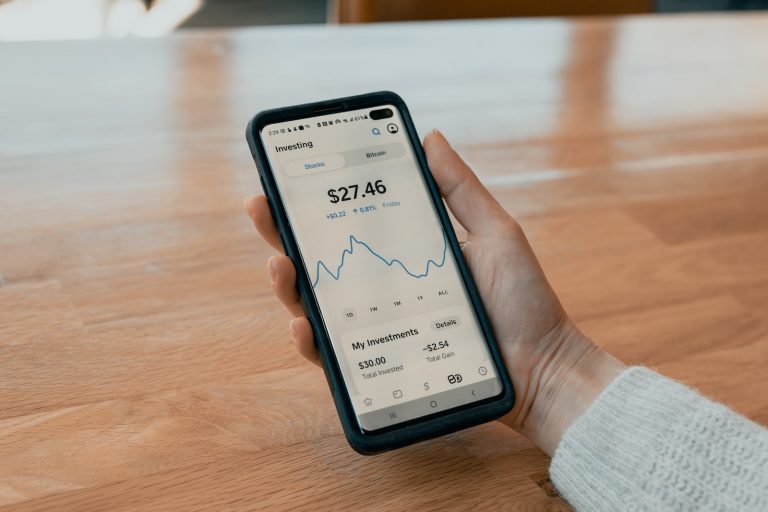


<p>In today&#8217;s digital age, mobile payment platforms have become increasingly popular. Two major players in this domain are Venmo and Apple Pay, both known for their convenience and excellent user interface. If you&#8217;re a Venmo user wondering, &#8220;how to add Venmo to wallet?&#8221;, this comprehensive guide is for you.</p>
<!-- WP QUADS Content Ad Plugin v. 2.0.99 -->
<div class="quads-location quads-ad135805 " id="quads-ad135805" style="float:none;text-align:center;padding:0px 0 0px 0;" data-lazydelay="3000">

</div>

<h2>Understanding Venmo and its Card</h2>
<p>Venmo, a mobile payment service owned by PayPal, allows users to transfer money to others via the service&#8217;s app. Venmo provides its users with a physical debit card linked to their account balance, known as the Venmo card. This card runs on the Mastercard network and can be used for transactions anywhere Mastercard is accepted in the United States and U.S. territories.</p>
<h2>Integrating Venmo Debit Card with Apple Wallet</h2>
<p>Despite the widespread usage of both Venmo app and Apple Pay, it&#8217;s important to note that there isn&#8217;t a direct integration between them as of now. However, you can still connect your Venmo debit card to Apple Wallet, giving you the ability to use your Venmo balance for Apple Pay transactions. Here are the detailed steps how to add Venmo to Wallet.</p>
<ol>
<li><strong>Finalize the Setup:</strong> Once the verification process is done, your Venmo card should successfully be added to your Apple Wallet. You can now use it for secure in-app purchases, online transactions, or at any store that accepts Apple Pay.</li>
<li><strong>Verification Process:</strong> Depending on the card issuer, you may need to verify your card information. This process can include receiving a verification code via text message or email.</li>
<li><strong>Add the Venmo Card:</strong> Tap the &#8216;+&#8217; sign in the upper right corner of the Wallet app, then select &#8216;Credit or Debit Card&#8217;. Scan your Venmo card with your device&#8217;s camera or manually enter your card information.</li>
<li><strong>Open the Apple Wallet App:</strong> Find the Wallet app on your iPhone, pre-installed on every device, and open it.</li>
<li><strong>Apply for the Venmo Debit Card:</strong> Open the Venmo app on your phone, navigate to the &#8216;Venmo Card&#8217; section, and follow the instructions to apply for the card. It might take a few business days for the card to arrive in the mail.</li>
</ol>
<h2>Venmo Credit Card and Apple Wallet Integration</h2>
<p>While Venmo offers both a credit card and a debit card, it&#8217;s worth noting that as of now, Apple Wallet only supports the Venmo debit card, and not the credit card<a href="https://app.writesonic.com/template/a7f9b56e-fc8b-4b6b-9aad-e1f7bbbb1b4d/ai-article-writer-v5/de48bc1c-0c3a-4157-9b63-d3fe6cf33826?step=2#user-content-fn-9%5E" target="_blank" rel="noopener"><sup>9</sup></a>. However, if you are a Venmo credit card holder, you can still enjoy benefits like cash back and rewards while making purchases.</p>
<!-- WP QUADS Content Ad Plugin v. 2.0.99 -->
<div class="quads-location quads-ad135804 " id="quads-ad135804" style="float:none;text-align:center;padding:0px 0 0px 0;" data-lazydelay="3000">

</div>

<h2>Can You Use Venmo for Apple Store Purchases?</h2>
<p>Yes, once your Venmo card is added to your Apple Wallet, you can use it to make purchases within apps or at the Apple Store. Just make sure Venmo is your selected method of payment during checkout.</p>
<h2>Transferring Money from Venmo to Apple Cash</h2>
<p>Though there&#8217;s no direct way to transfer money from Venmo to Apple Cash, you can move funds from Venmo to your linked bank account, and then from your bank account to Apple Cash. Here&#8217;s how you can do it:</p>
<ol>
<li><strong>Transfer Money from Bank Account to Apple Cash:</strong> Open the Apple Wallet app on your iPhone, tap on the Apple Cash card, then tap &#8216;Transfer to Bank&#8217;. Enter the amount you&#8217;d like to transfer, choose the speed (Instant or 1-3 Business Days), and complete the transfer.</li>
<li><strong>Transfer Money from Venmo to Bank Account:</strong> Log in to your Venmo account on the app, tap on the &#8216;Transfer Money&#8217; button, enter the amount you want to transfer, and select your preferred transfer speed (Instant or 3 Business Days).</li>
</ol>
<h2>Using Venmo for Payments</h2>
<p>Venmo is not just for peer-to-peer transactions. You can also use it to pay for goods and services, both in-store and online. Here&#8217;s how you can do it:</p>
<ol>
<li><strong>Using Venmo App:</strong> If you don&#8217;t have a Venmo card, you can still use the Venmo app to make a purchase. Venmo provides a QR code that you can show to the business owner to make your purchase.</li>
<li><strong>Using Venmo Card:</strong> If you have a Venmo card, you can use it just like any other debit card. You can swipe it, use the chip functionality, or add the card to your digital wallet and pay contactlessly.</li>
</ol>
<h2>Venmo Credit Card Merchant Authorization</h2>
<p>When you use Venmo, you authorize the merchant to use your Venmo credit card to make purchases. The transaction appears as a pending charge on your transaction history. Venmo operates on the honor system, so it&#8217;s crucial to trust the seller to deliver the goods or services.</p>
<!-- WP QUADS Content Ad Plugin v. 2.0.99 -->
<div class="quads-location quads-ad135804 " id="quads-ad135804" style="float:none;text-align:center;padding:0px 0 0px 0;" data-lazydelay="3000">

</div>

<h2>Transferring Money from Venmo to Apple Pay</h2>
<p>While you can&#8217;t make a direct transfer from Venmo to Apple Pay, you can add a common bank account or debit card to both platforms, using it as a medium to transfer funds. However, note that there&#8217;s a weekly limit of $2,500 for such transfers.</p>
<h2>Conclusion</h2>
<p>While there is no direct integration between Venmo cash app and Apple Pay as of now, this guide provides a comprehensive solution on how to add Venmo to wallet. By following the outlined steps, you can leverage the convenience of both platforms for a seamless financial management experience. We hope this guide helps you in effectively using your Venmo balance for Apple Pay transactions.</p>

<div class="essb_links essb_counter_modern_right essb_displayed_bottom essb_share essb_template_default4-retina essb_334960222 print-no" id="essb_displayed_bottom_334960222" data-essb-postid="143816" data-essb-position="bottom" data-essb-button-style="button" data-essb-template="default4-retina" data-essb-counter-pos="right" data-essb-url="https://www.explosion.com/143816/how-to-add-venmo-to-wallet/" data-essb-fullurl="https://www.explosion.com/143816/how-to-add-venmo-to-wallet/" data-essb-instance="334960222"><ul class="essb_links_list"><li class="essb_item essb_link_facebook nolightbox essb_link_svg_icon"> <a href="https://www.facebook.com/sharer/sharer.php?u=https%3A%2F%2Fwww.explosion.com%2F143816%2Fhow-to-add-venmo-to-wallet%2F&t=Going+Cashless%3A+Adding+Venmo+to+Your+Digital+Wallet+for+Convenient+Payments" title="Share on Share" onclick="essb.window(&#39;https://www.facebook.com/sharer/sharer.php?u=https%3A%2F%2Fwww.explosion.com%2F143816%2Fhow-to-add-venmo-to-wallet%2F&t=Going+Cashless%3A+Adding+Venmo+to+Your+Digital+Wallet+for+Convenient+Payments&#39;,&#39;facebook&#39;,&#39;334960222&#39;); return false;" target="_blank" rel="nofollow" class="nolightbox essb-s-bg-facebook essb-s-c-light essb-s-ch-light essb-s-bgh-dark essb-s-bg-network" ><span class="essb_icon essb_icon_facebook"><svg class="essb-svg-icon essb-svg-icon-facebook" aria-hidden="true" role="img" focusable="false" xmlns="http://www.w3.org/2000/svg" width="16" height="16" viewBox="0 0 16 16"><path d="M16 8.049c0-4.446-3.582-8.05-8-8.05C3.58 0-.002 3.603-.002 8.05c0 4.017 2.926 7.347 6.75 7.951v-5.625h-2.03V8.05H6.75V6.275c0-2.017 1.195-3.131 3.022-3.131.876 0 1.791.157 1.791.157v1.98h-1.009c-.993 0-1.303.621-1.303 1.258v1.51h2.218l-.354 2.326H9.25V16c3.824-.604 6.75-3.934 6.75-7.951"></path></svg></span><span class="essb_network_name">Share</span></a></li><li class="essb_item essb_link_twitter nolightbox essb_link_twitter_x essb_link_svg_icon"> <a href="https://x.com/intent/post?text=Going%20Cashless%3A%20Adding%20Venmo%20to%20Your%20Digital%20Wallet%20for%20Convenient%20Payments&;url=https%3A%2F%2Fwww.explosion.com%2F143816%2Fhow-to-add-venmo-to-wallet%2F" title="Share on Tweet" onclick="essb.window(&#39;https://x.com/intent/post?text=Going%20Cashless%3A%20Adding%20Venmo%20to%20Your%20Digital%20Wallet%20for%20Convenient%20Payments&;url=https%3A%2F%2Fwww.explosion.com%2F143816%2Fhow-to-add-venmo-to-wallet%2F&#39;,&#39;twitter&#39;,&#39;334960222&#39;); return false;" target="_blank" rel="nofollow" class="nolightbox essb-s-bg-twitter essb-s-c-light essb-s-ch-light essb-s-bgh-dark essb-s-bg-network" ><span class="essb_icon essb_icon_twitter_x"><svg class="essb-svg-icon essb-svg-icon-twitter_x" aria-hidden="true" role="img" focusable="false" viewBox="0 0 24 24"><path d="M18.244 2.25h3.308l-7.227 8.26 8.502 11.24H16.17l-5.214-6.817L4.99 21.75H1.68l7.73-8.835L1.254 2.25H8.08l4.713 6.231zm-1.161 17.52h1.833L7.084 4.126H5.117z"></path></svg></span><span class="essb_network_name">Tweet</span></a></li><li class="essb_item essb_link_pinterest nolightbox essb_link_svg_icon"> <a href="#" title="Share on Pin It" onclick="essb.pinterest_picker(&#39;334960222&#39;); return false;" target="_blank" rel="nofollow" class="nolightbox essb-s-bg-pinterest essb-s-c-light essb-s-ch-light essb-s-bgh-dark essb-s-bg-network" ><span class="essb_icon essb_icon_pinterest"><svg class="essb-svg-icon essb-svg-icon-pinterest" aria-hidden="true" role="img" focusable="false" width="32" height="32" viewBox="0 0 32 32" xmlns="http://www.w3.org/2000/svg"><path d="M10.625 12.25c0-1.375 0.313-2.5 1.063-3.438 0.688-0.938 1.563-1.438 2.563-1.438 0.813 0 1.438 0.25 1.875 0.813s0.688 1.25 0.688 2.063c0 0.5-0.125 1.125-0.313 1.813-0.188 0.75-0.375 1.625-0.688 2.563-0.313 1-0.563 1.75-0.688 2.313-0.25 1-0.063 1.875 0.563 2.625 0.625 0.688 1.438 1.063 2.438 1.063 1.75 0 3.188-1 4.313-2.938 1.125-2 1.688-4.375 1.688-7.188 0-2.125-0.688-3.875-2.063-5.25-1.375-1.313-3.313-2-5.813-2-2.813 0-5.063 0.875-6.75 2.688-1.75 1.75-2.625 3.875-2.625 6.375 0 1.5 0.438 2.75 1.25 3.75 0.313 0.313 0.375 0.688 0.313 1.063-0.125 0.313-0.25 0.813-0.375 1.5-0.063 0.25-0.188 0.438-0.375 0.5s-0.375 0.063-0.563 0c-1.313-0.563-2.25-1.438-2.938-2.75s-1-2.813-1-4.5c0-1.125 0.188-2.188 0.563-3.313s0.875-2.188 1.625-3.188c0.75-1.063 1.688-1.938 2.688-2.75 1.063-0.813 2.313-1.438 3.875-1.938 1.5-0.438 3.125-0.688 4.813-0.688 1.813 0 3.438 0.313 4.938 0.938 1.5 0.563 2.813 1.375 3.813 2.375 1.063 1.063 1.813 2.188 2.438 3.5 0.563 1.313 0.875 2.688 0.875 4.063 0 3.75-0.938 6.875-2.875 9.313-1.938 2.5-4.375 3.688-7.375 3.688-1 0-1.938-0.188-2.813-0.688-0.875-0.438-1.5-1-1.875-1.688-0.688 2.938-1.125 4.688-1.313 5.25-0.375 1.438-1.25 3.188-2.688 5.25h-1.313c-0.25-2.563-0.188-4.688 0.188-6.375l2.438-10.313c-0.375-0.813-0.563-1.813-0.563-3.063z"></path></svg></span><span class="essb_network_name">Pin It</span></a></li><li class="essb_item essb_link_mail nolightbox essb_link_svg_icon"> <a href="#" title="Share on Email" onclick="essb_open_mailform(&#39;334960222&#39;); return false;" target="_blank" rel="nofollow" class="nolightbox essb-s-bg-mail essb-s-c-light essb-s-ch-light essb-s-bgh-dark essb-s-bg-network" ><span class="essb_icon essb_icon_mail"><svg class="essb-svg-icon essb-svg-icon-mail" aria-hidden="true" role="img" focusable="false" width="32" height="32" xmlns="http://www.w3.org/2000/svg" viewBox="0 0 60 60"><polygon points="60,50.234 60,9.944 39.482,30.536 " /><polygon points="0,9.941 0,50.234 20.519,30.535 " /><path d="M1.387,8.5l21.002,21.08c0.121,0.051,0.471,0.415,0.517,0.519l5.941,5.963c0.635,0.591,1.672,0.59,2.333-0.025l5.911-5.933c0.046-0.105,0.4-0.473,0.522-0.524L58.615,8.5H1.387z" /><path d="M38.07,31.954l-5.5,5.52c-0.73,0.68-1.657,1.019-2.58,1.019c-0.914,0-1.823-0.332-2.533-0.993l-5.526-5.546L1.569,51.5h56.862L38.07,31.954z" /></svg></span><span class="essb_network_name">Email</span></a></li></ul></div>



0 Comments