



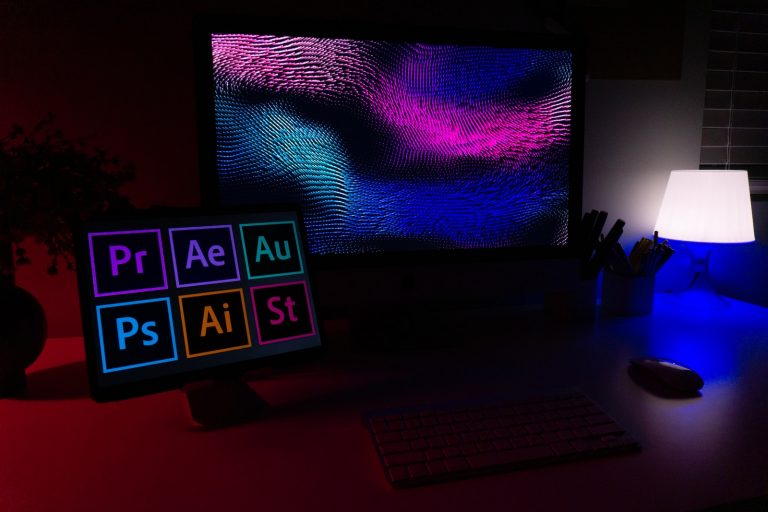


<p>In the world of filmmaking and video editing, the ability to seamlessly integrate text elements into your projects is essential. This skill can elevate your storytelling, provide crucial information to your viewers, and add a layer of professionalism to your work. Adobe Premiere Pro, one of the industry&#8217;s leading video editing software, provides a robust platform for adding, editing, and customizing text. If you&#8217;re wondering how to add text in Premiere, this comprehensive guide will walk you through every step, offering tips and tricks to help you become a pro.</p>
<!-- WP QUADS Content Ad Plugin v. 2.0.99 -->
<div class="quads-location quads-ad135805 " id="quads-ad135805" style="float:none;text-align:center;padding:0px 0 0px 0;" data-lazydelay="3000">

</div>

<h2>Why Is Text Crucial in Video Editing?</h2>
<p>Before we dive into <strong>how to add text in Premiere</strong>, it&#8217;s essential to understand the importance of text in video editing. Text plays a vital role in:</p>
<ul>
<li><strong>Title Sequences</strong>: These introduce the film or video in a creative way, setting the tone for what&#8217;s to come.</li>
<li><strong>Opening and Closing Credits</strong>: Text is used to acknowledge the creative team, cast, and crew behind the production.</li>
<li><strong>Time &; Place Indicators</strong>: Text can help viewers navigate the narrative by introducing locations and timestamps.</li>
<li><strong>Dialogue</strong>: Text can highlight off-screen conversations or dialogues that are challenging to depict visually, like text messaging sequences.</li>
<li><strong>Subtitles and Captions</strong>: These are crucial for accessibility and for viewers who watch videos with the sound off.</li>
</ul>
<h2>Getting Started: The Basics of Adding Text in Premiere Pro</h2>
<p>Adding text in Adobe Premiere Pro CC is a straightforward process, offering a plethora of options for customization. Here&#8217;s how you can start:</p>
<h3>Step 1: Launch the Type Tool</h3>
<p>The Type Tool is your go-to function for adding text. You can find it in the <strong>Essential Graphics</strong> panel. Alternatively, you can hit <strong>Ctrl+T</strong> or <strong>Cmd+T</strong> to open a new text box. If you wish to customize the text further, the Essential Graphics panel is your best bet.</p>
<!-- WP QUADS Content Ad Plugin v. 2.0.99 -->
<div class="quads-location quads-ad135804 " id="quads-ad135804" style="float:none;text-align:center;padding:0px 0 0px 0;" data-lazydelay="3000">

</div>

<h3>Step 2: Insert a Text Box</h3>
<p>To add text using the Type Tool, navigate to the toolbar and select the <strong>Type Tool</strong>. Click anywhere in your program panel and start typing. For more text, create a larger text box by clicking and dragging with the Type Tool.</p>
<h3>Step 3: Customize Your Text</h3>
<p>Customization is key when learning how to add text in Premiere. You can modify everything from shape, size, color, and font in the <strong>Essential Graphics</strong> panel. Make sure you highlight the specific text layer you want to change.</p>
<h3>Step 4: Opt for a Custom Font</h3>
<p>Adobe Premiere Pro offers a variety of font styles, but there may be occasions where you want to use a unique font. In these cases, navigate to <strong>Add Adobe Fonts</strong> (formerly Typekit) at the top right-hand corner of the drop-down font menu. This opens a new tab in your browser and brings up Adobe Fonts, the central font database. Pick the desired font, activate it, and it will show up in the font options inside Adobe Premiere.</p>
<h2>Adding Titles in Premiere Pro: A Step-by-Step Guide</h2>
<p>Titles are similar to text elements, but they usually have more flair, often featuring animations, 3D effects, or unique coloring. Here&#8217;s how you can add titles in Premiere Pro:</p>
<!-- WP QUADS Content Ad Plugin v. 2.0.99 -->
<div class="quads-location quads-ad135804 " id="quads-ad135804" style="float:none;text-align:center;padding:0px 0 0px 0;" data-lazydelay="3000">

</div>

<h3>Step 1: Navigate to the Essential Graphics Panel</h3>
<p>Go to the <strong>Essential Graphics</strong> panel or the main menu and choose <strong>Windows >; Workspaces >; Graphics</strong>.</p>
<h3>Step 2: Choose a Title Template</h3>
<p>Here, you can browse pre-made title templates, both still and animated. Or you can use one of the Motion Array <a href="https://motionarray.com/browse/premiere-pro-templates/titles" target="_blank" rel="noopener">Premiere Pro title templates</a>.</p>
<h3>Step 3: Customize Your Title</h3>
<p>This is where you can edit and customize the title, working in the <strong>Edit</strong> tab, which can be found right next to the <strong>Browse</strong> tab. Here, you can edit text, or try different Adobe fonts.</p>
<h2>Create Text Templates for Future Use</h2>
<p>If you&#8217;ve created a piece of text that you&#8217;d like to reuse in the future, you can save it as a motion graphics template. Simply select the text and navigate to <strong>Graphics >; Export As Motion Graphics Template</strong>, then name and save your file. To import this template file later, navigate to <strong>File >; Import</strong> and choose your template.</p>
<!-- WP QUADS Content Ad Plugin v. 2.0.99 -->
<div class="quads-location quads-ad135804 " id="quads-ad135804" style="float:none;text-align:center;padding:0px 0 0px 0;" data-lazydelay="3000">

</div>

<h2>Adding Text in Premiere Pro: Tips and Tricks</h2>
<p>Here are a few additional tips to keep in mind when adding text in Premiere:</p>
<ul>
<li><strong>Browse Templates</strong>: The <strong>Essential Graphics</strong> panel offers a variety of pre-made text templates and motion graphics to choose from. These templates can save you time and effort in customizing your text.</li>
<li><strong>Use Submix for Professional Results</strong>: Apart from adding text, using a submix can make your video look more professional. It helps balance the audio levels of various clips, leading to a more cohesive sound.</li>
<li><strong>Animate Your Text</strong>: Animation can add a dynamic element to your text. You can animate your text right within Premiere Pro CC by setting keyframes for properties like position, scale, and opacity.</li>
<li><strong>Take Advantage of Adobe Stock</strong>: Adobe Stock offers a multitude of both free and paid graphics. These resources can help enhance your video with high-quality graphics and text.</li>
</ul>
<h2>Conclusion</h2>
<p>Mastering how to add text in Premiere Pro is a crucial skill for any video editor. Whether you&#8217;re crafting opening credits for a film, adding dialogue to a video, or creating flashy subtitles for social media videos, the ability to add and customize text can significantly enhance your final product.</p>
<p>Remember, it&#8217;s not just about adding text — it&#8217;s about making your text work for your video. Customizing your text to fit your video&#8217;s style and tone, using animation to make your text more dynamic, and saving text templates for future use can all help you create videos that captivate your audience.</p>
<p>So, get creative, experiment with different fonts and styles, and make your text a standout feature of your videos. With practice and patience, you&#8217;ll soon become a pro at adding text in Premiere Pro.</p>
<!-- WP QUADS Content Ad Plugin v. 2.0.99 -->
<div class="quads-location quads-ad135804 " id="quads-ad135804" style="float:none;text-align:center;padding:0px 0 0px 0;" data-lazydelay="3000">

</div>

</p>
<div class="essb_links essb_counter_modern_right essb_displayed_bottom essb_share essb_template_default4-retina essb_1442314074 print-no" id="essb_displayed_bottom_1442314074" data-essb-postid="143813" data-essb-position="bottom" data-essb-button-style="button" data-essb-template="default4-retina" data-essb-counter-pos="right" data-essb-url="https://www.explosion.com/143813/how-to-add-text-in-premiere/" data-essb-fullurl="https://www.explosion.com/143813/how-to-add-text-in-premiere/" data-essb-instance="1442314074"><ul class="essb_links_list"><li class="essb_item essb_link_facebook nolightbox essb_link_svg_icon"> <a href="https://www.facebook.com/sharer/sharer.php?u=https%3A%2F%2Fwww.explosion.com%2F143813%2Fhow-to-add-text-in-premiere%2F&t=Unleashing+Your+Creativity%3A+Adding+Custom+Text+in+Premiere+for+Impactful+Videos" title="Share on Share" onclick="essb.window(&#39;https://www.facebook.com/sharer/sharer.php?u=https%3A%2F%2Fwww.explosion.com%2F143813%2Fhow-to-add-text-in-premiere%2F&t=Unleashing+Your+Creativity%3A+Adding+Custom+Text+in+Premiere+for+Impactful+Videos&#39;,&#39;facebook&#39;,&#39;1442314074&#39;); return false;" target="_blank" rel="nofollow" class="nolightbox essb-s-bg-facebook essb-s-c-light essb-s-ch-light essb-s-bgh-dark essb-s-bg-network" ><span class="essb_icon essb_icon_facebook"><svg class="essb-svg-icon essb-svg-icon-facebook" aria-hidden="true" role="img" focusable="false" xmlns="http://www.w3.org/2000/svg" width="16" height="16" viewBox="0 0 16 16"><path d="M16 8.049c0-4.446-3.582-8.05-8-8.05C3.58 0-.002 3.603-.002 8.05c0 4.017 2.926 7.347 6.75 7.951v-5.625h-2.03V8.05H6.75V6.275c0-2.017 1.195-3.131 3.022-3.131.876 0 1.791.157 1.791.157v1.98h-1.009c-.993 0-1.303.621-1.303 1.258v1.51h2.218l-.354 2.326H9.25V16c3.824-.604 6.75-3.934 6.75-7.951"></path></svg></span><span class="essb_network_name">Share</span></a></li><li class="essb_item essb_link_twitter nolightbox essb_link_twitter_x essb_link_svg_icon"> <a href="https://x.com/intent/post?text=Unleashing%20Your%20Creativity%3A%20Adding%20Custom%20Text%20in%20Premiere%20for%20Impactful%20Videos&;url=https%3A%2F%2Fwww.explosion.com%2F143813%2Fhow-to-add-text-in-premiere%2F" title="Share on Tweet" onclick="essb.window(&#39;https://x.com/intent/post?text=Unleashing%20Your%20Creativity%3A%20Adding%20Custom%20Text%20in%20Premiere%20for%20Impactful%20Videos&;url=https%3A%2F%2Fwww.explosion.com%2F143813%2Fhow-to-add-text-in-premiere%2F&#39;,&#39;twitter&#39;,&#39;1442314074&#39;); return false;" target="_blank" rel="nofollow" class="nolightbox essb-s-bg-twitter essb-s-c-light essb-s-ch-light essb-s-bgh-dark essb-s-bg-network" ><span class="essb_icon essb_icon_twitter_x"><svg class="essb-svg-icon essb-svg-icon-twitter_x" aria-hidden="true" role="img" focusable="false" viewBox="0 0 24 24"><path d="M18.244 2.25h3.308l-7.227 8.26 8.502 11.24H16.17l-5.214-6.817L4.99 21.75H1.68l7.73-8.835L1.254 2.25H8.08l4.713 6.231zm-1.161 17.52h1.833L7.084 4.126H5.117z"></path></svg></span><span class="essb_network_name">Tweet</span></a></li><li class="essb_item essb_link_pinterest nolightbox essb_link_svg_icon"> <a href="#" title="Share on Pin It" onclick="essb.pinterest_picker(&#39;1442314074&#39;); return false;" target="_blank" rel="nofollow" class="nolightbox essb-s-bg-pinterest essb-s-c-light essb-s-ch-light essb-s-bgh-dark essb-s-bg-network" ><span class="essb_icon essb_icon_pinterest"><svg class="essb-svg-icon essb-svg-icon-pinterest" aria-hidden="true" role="img" focusable="false" width="32" height="32" viewBox="0 0 32 32" xmlns="http://www.w3.org/2000/svg"><path d="M10.625 12.25c0-1.375 0.313-2.5 1.063-3.438 0.688-0.938 1.563-1.438 2.563-1.438 0.813 0 1.438 0.25 1.875 0.813s0.688 1.25 0.688 2.063c0 0.5-0.125 1.125-0.313 1.813-0.188 0.75-0.375 1.625-0.688 2.563-0.313 1-0.563 1.75-0.688 2.313-0.25 1-0.063 1.875 0.563 2.625 0.625 0.688 1.438 1.063 2.438 1.063 1.75 0 3.188-1 4.313-2.938 1.125-2 1.688-4.375 1.688-7.188 0-2.125-0.688-3.875-2.063-5.25-1.375-1.313-3.313-2-5.813-2-2.813 0-5.063 0.875-6.75 2.688-1.75 1.75-2.625 3.875-2.625 6.375 0 1.5 0.438 2.75 1.25 3.75 0.313 0.313 0.375 0.688 0.313 1.063-0.125 0.313-0.25 0.813-0.375 1.5-0.063 0.25-0.188 0.438-0.375 0.5s-0.375 0.063-0.563 0c-1.313-0.563-2.25-1.438-2.938-2.75s-1-2.813-1-4.5c0-1.125 0.188-2.188 0.563-3.313s0.875-2.188 1.625-3.188c0.75-1.063 1.688-1.938 2.688-2.75 1.063-0.813 2.313-1.438 3.875-1.938 1.5-0.438 3.125-0.688 4.813-0.688 1.813 0 3.438 0.313 4.938 0.938 1.5 0.563 2.813 1.375 3.813 2.375 1.063 1.063 1.813 2.188 2.438 3.5 0.563 1.313 0.875 2.688 0.875 4.063 0 3.75-0.938 6.875-2.875 9.313-1.938 2.5-4.375 3.688-7.375 3.688-1 0-1.938-0.188-2.813-0.688-0.875-0.438-1.5-1-1.875-1.688-0.688 2.938-1.125 4.688-1.313 5.25-0.375 1.438-1.25 3.188-2.688 5.25h-1.313c-0.25-2.563-0.188-4.688 0.188-6.375l2.438-10.313c-0.375-0.813-0.563-1.813-0.563-3.063z"></path></svg></span><span class="essb_network_name">Pin It</span></a></li><li class="essb_item essb_link_mail nolightbox essb_link_svg_icon"> <a href="#" title="Share on Email" onclick="essb_open_mailform(&#39;1442314074&#39;); return false;" target="_blank" rel="nofollow" class="nolightbox essb-s-bg-mail essb-s-c-light essb-s-ch-light essb-s-bgh-dark essb-s-bg-network" ><span class="essb_icon essb_icon_mail"><svg class="essb-svg-icon essb-svg-icon-mail" aria-hidden="true" role="img" focusable="false" width="32" height="32" xmlns="http://www.w3.org/2000/svg" viewBox="0 0 60 60"><polygon points="60,50.234 60,9.944 39.482,30.536 " /><polygon points="0,9.941 0,50.234 20.519,30.535 " /><path d="M1.387,8.5l21.002,21.08c0.121,0.051,0.471,0.415,0.517,0.519l5.941,5.963c0.635,0.591,1.672,0.59,2.333-0.025l5.911-5.933c0.046-0.105,0.4-0.473,0.522-0.524L58.615,8.5H1.387z" /><path d="M38.07,31.954l-5.5,5.52c-0.73,0.68-1.657,1.019-2.58,1.019c-0.914,0-1.823-0.332-2.533-0.993l-5.526-5.546L1.569,51.5h56.862L38.07,31.954z" /></svg></span><span class="essb_network_name">Email</span></a></li></ul></div>



0 Comments