



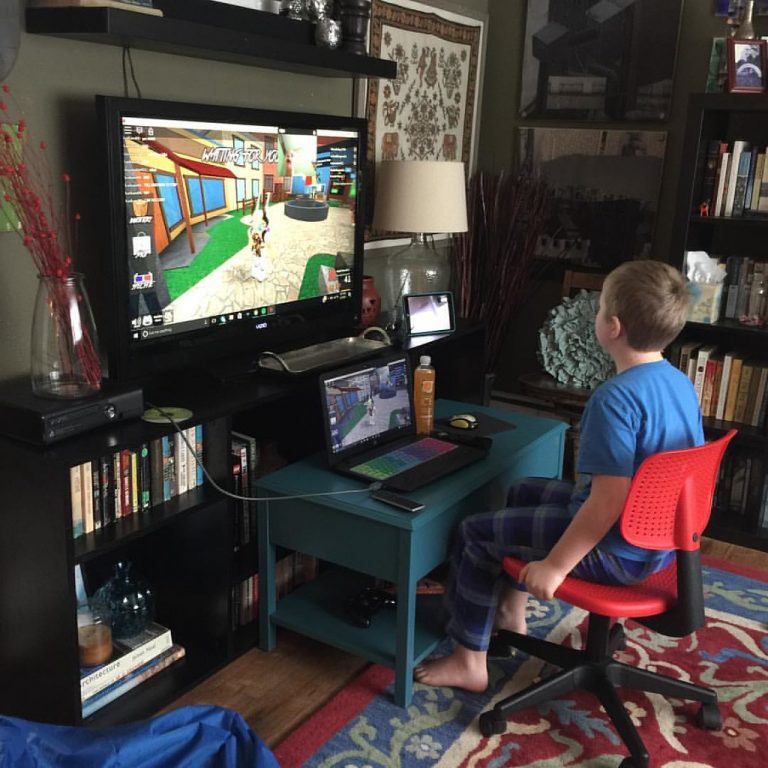


<p>Roblox is a popular online gaming platform that allows users to explore different worlds, play games, and interact with other players. The platform offers a chat feature that allows users to communicate with each other while playing games. However, sometimes you may want to have a more private conversation, and that&#8217;s where private chat comes in. In this article, we will discuss how to privately chat in Roblox and share some tips on how to do it like a pro.</p>
<!-- WP QUADS Content Ad Plugin v. 3.0.1 -->
<div class="quads-location quads-ad135805 " id="quads-ad135805" style="float:none;text-align:center;padding:0px 0 0px 0;" data-lazydelay="3000">

</div>

<h2>Introduction to Private Chatting in Roblox</h2>
<p>Private chat is a feature in Roblox that allows users to have a one-on-one conversation with another user or a group of users. Private chat is useful when you want to have a more personal conversation without the distraction of other players. Users can also use private chat to discuss game strategies, share tips and tricks, or even just catch up with friends.</p>
<h2>Why Private Chat is Important in Roblox</h2>
<p>Private chat is important in Roblox because it allows users to have a more personal conversation without the distraction of other players. It also allows users to discuss game strategies, share tips and tricks, or even just catch up with friends. Private chat is a great way to build relationships with other players and make new friends on the platform.</p>
<h2>How to Enable Private Chat in Roblox</h2>
<p>To enable private chat in Roblox, you need to have a verified email address. Here&#8217;s how to do it:</p>
<!-- WP QUADS Content Ad Plugin v. 3.0.1 -->
<div class="quads-location quads-ad135804 " id="quads-ad135804" style="float:none;text-align:center;padding:0px 0 0px 0;" data-lazydelay="3000">

</div>

<ol>
<li>Log in to your Roblox account.</li>
<li>Click on the gear icon on the top right corner of the screen.</li>
<li>Select &#8220;Settings&#8221; from the drop-down menu.</li>
<li>Scroll down to the &#8220;Privacy&#8221; section.</li>
<li>Under &#8220;Who can chat with me in game?&#8221;, select &#8220;All Users&#8221; or &#8220;Friends&#8221;.</li>
<li>Click on the &#8220;Update&#8221; button to save your changes.</li>
</ol>
<p>Once you have enabled private chat, you can start a private chat with another user.</p>
<h2>How to Start a Private Chat in Roblox</h2>
<p>Starting a private chat in Roblox is easy. Here&#8217;s how to do it:</p>
<ol>
<li>Click on the user&#8217;s profile that you want to chat with.</li>
<li>Click on the three dots on the top right corner of the screen.</li>
<li>Select &#8220;Private Chat&#8221; from the drop-down menu.</li>
<li>A new window will open, and you can start chatting with the user.</li>
</ol>
<h2>How to Add Friends to Your Private Chat</h2>
<p>Adding friends to your private chat is easy. Here&#8217;s how to do it:</p>
<ol>
<li>Click on the &#8220;Friends&#8221; tab on the left side of the screen.</li>
<li>Select the friends that you want to add to your private chat.</li>
<li>Click on the chat icon on the bottom right corner of the screen.</li>
<li>A new window will open, and you can start chatting with your friends.</li>
</ol>
<h2>Roblox Private Chat Etiquette</h2>
<p>When using private chat in Roblox, it&#8217;s essential to follow some basic etiquette rules. Here are some tips to keep in mind:</p>
<!-- WP QUADS Content Ad Plugin v. 3.0.1 -->
<div class="quads-location quads-ad135804 " id="quads-ad135804" style="float:none;text-align:center;padding:0px 0 0px 0;" data-lazydelay="3000">

</div>

<ol>
<li>Be respectful: Remember that you are talking to another person, and they deserve your respect. Don&#8217;t use offensive language or make fun of others.</li>
<li>Keep it clean: Avoid using inappropriate language or discussing topics that are not appropriate for all ages.</li>
<li>Don&#8217;t spam: Avoid sending the same message repeatedly or sending too many messages at once.</li>
<li>Don&#8217;t share personal information: Never share personal information, such as your full name, address, or phone number, with others.</li>
</ol>
<h2>Top Tips for Private Chatting Like a Pro in Roblox</h2>
<p>Here are some top tips for private chatting like a pro in Roblox:</p>
<ol>
<li>Use emojis: Emojis can help convey your emotions and make your messages more fun and engaging.</li>
<li>Be creative: Use your imagination and come up with unique ways to communicate with other players.</li>
<li>Be responsive: Respond to messages promptly and keep the conversation flowing.</li>
<li>Don&#8217;t be afraid to be yourself: Don&#8217;t try to be someone you&#8217;re not. Be yourself, and you&#8217;ll attract like-minded players who share your interests.</li>
</ol>
<h2>Common Issues with Private Chat in Roblox and How to Fix Them</h2>
<p>Here are some common issues with private chat in Roblox and how to fix them:</p>
<ol>
<li>&#8220;This user is not accepting private messages&#8221;: This message appears when the user has disabled private chat. You can&#8217;t send them a private message until they enable it.</li>
<li>&#8220;This user is not your friend&#8221;: You can only start a private chat with users who are your friends. If the user is not your friend, you need to send them a friend request first.</li>
<li>&#8220;This chat has been closed&#8221;: This message appears when a user closes the private chat window. You can&#8217;t send them messages until they open the chat window again.</li>
</ol>
<h2>Private Chat Alternatives in Roblox</h2>
<p>In addition to private chat, there are other ways to communicate with other players in Roblox. Here are some alternatives:</p>
<ol>
<li>Group chat: Group chat allows you to chat with multiple players at the same time.</li>
<li>Game chat: Game chat allows you to communicate with other players in the game you are playing.</li>
<li>Forum: The Roblox forum is a great place to discuss different topics with other players.</li>
</ol>
<h2>Conclusion</h2>
<p>Private chat is an essential feature in Roblox that allows users to have a more personal conversation without the distraction of other players. By following the tips in this article, you can start private chatting like a pro and build stronger relationships with other players on the platform. Remember to always follow the etiquette rules and stay safe by not sharing personal information. Enjoy chatting!</p>
<!-- WP QUADS Content Ad Plugin v. 3.0.1 -->
<div class="quads-location quads-ad135804 " id="quads-ad135804" style="float:none;text-align:center;padding:0px 0 0px 0;" data-lazydelay="3000">

</div>

</p>
<div class="essb_links essb_counter_modern_right essb_displayed_bottom essb_share essb_template_default4-retina essb_564230484 print-no" id="essb_displayed_bottom_564230484" data-essb-postid="143028" data-essb-position="bottom" data-essb-button-style="button" data-essb-template="default4-retina" data-essb-counter-pos="right" data-essb-url="https://www.explosion.com/143028/how-to-privately-chat-in-roblox/" data-essb-fullurl="https://www.explosion.com/143028/how-to-privately-chat-in-roblox/" data-essb-instance="564230484"><ul class="essb_links_list"><li class="essb_item essb_link_facebook nolightbox essb_link_svg_icon"> <a href="https://www.facebook.com/sharer/sharer.php?u=https%3A%2F%2Fwww.explosion.com%2F143028%2Fhow-to-privately-chat-in-roblox%2F&t=Ready+to+Take+Your+Roblox+Chats+to+the+Next+Level%3F+Discover+How+to+Privately+Chat+Like+a+Pro%21" title="Share on Share" onclick="essb.window(&#39;https://www.facebook.com/sharer/sharer.php?u=https%3A%2F%2Fwww.explosion.com%2F143028%2Fhow-to-privately-chat-in-roblox%2F&t=Ready+to+Take+Your+Roblox+Chats+to+the+Next+Level%3F+Discover+How+to+Privately+Chat+Like+a+Pro%21&#39;,&#39;facebook&#39;,&#39;564230484&#39;); return false;" target="_blank" rel="nofollow" class="nolightbox essb-s-bg-facebook essb-s-c-light essb-s-ch-light essb-s-bgh-dark essb-s-bg-network" ><span class="essb_icon essb_icon_facebook"><svg class="essb-svg-icon essb-svg-icon-facebook" aria-hidden="true" role="img" focusable="false" xmlns="http://www.w3.org/2000/svg" width="16" height="16" viewBox="0 0 16 16"><path d="M16 8.049c0-4.446-3.582-8.05-8-8.05C3.58 0-.002 3.603-.002 8.05c0 4.017 2.926 7.347 6.75 7.951v-5.625h-2.03V8.05H6.75V6.275c0-2.017 1.195-3.131 3.022-3.131.876 0 1.791.157 1.791.157v1.98h-1.009c-.993 0-1.303.621-1.303 1.258v1.51h2.218l-.354 2.326H9.25V16c3.824-.604 6.75-3.934 6.75-7.951"></path></svg></span><span class="essb_network_name">Share</span></a></li><li class="essb_item essb_link_twitter nolightbox essb_link_twitter_x essb_link_svg_icon"> <a href="https://x.com/intent/post?text=Ready%20to%20Take%20Your%20Roblox%20Chats%20to%20the%20Next%20Level%3F%20Discover%20How%20to%20Privately%20Chat%20Like%20a%20Pro!&;url=https%3A%2F%2Fwww.explosion.com%2F143028%2Fhow-to-privately-chat-in-roblox%2F" title="Share on Tweet" onclick="essb.window(&#39;https://x.com/intent/post?text=Ready%20to%20Take%20Your%20Roblox%20Chats%20to%20the%20Next%20Level%3F%20Discover%20How%20to%20Privately%20Chat%20Like%20a%20Pro!&;url=https%3A%2F%2Fwww.explosion.com%2F143028%2Fhow-to-privately-chat-in-roblox%2F&#39;,&#39;twitter&#39;,&#39;564230484&#39;); return false;" target="_blank" rel="nofollow" class="nolightbox essb-s-bg-twitter essb-s-c-light essb-s-ch-light essb-s-bgh-dark essb-s-bg-network" ><span class="essb_icon essb_icon_twitter_x"><svg class="essb-svg-icon essb-svg-icon-twitter_x" aria-hidden="true" role="img" focusable="false" viewBox="0 0 24 24"><path d="M18.244 2.25h3.308l-7.227 8.26 8.502 11.24H16.17l-5.214-6.817L4.99 21.75H1.68l7.73-8.835L1.254 2.25H8.08l4.713 6.231zm-1.161 17.52h1.833L7.084 4.126H5.117z"></path></svg></span><span class="essb_network_name">Tweet</span></a></li><li class="essb_item essb_link_pinterest nolightbox essb_link_svg_icon"> <a href="#" title="Share on Pin It" onclick="essb.pinterest_picker(&#39;564230484&#39;); return false;" target="_blank" rel="nofollow" class="nolightbox essb-s-bg-pinterest essb-s-c-light essb-s-ch-light essb-s-bgh-dark essb-s-bg-network" ><span class="essb_icon essb_icon_pinterest"><svg class="essb-svg-icon essb-svg-icon-pinterest" aria-hidden="true" role="img" focusable="false" width="32" height="32" viewBox="0 0 32 32" xmlns="http://www.w3.org/2000/svg"><path d="M10.625 12.25c0-1.375 0.313-2.5 1.063-3.438 0.688-0.938 1.563-1.438 2.563-1.438 0.813 0 1.438 0.25 1.875 0.813s0.688 1.25 0.688 2.063c0 0.5-0.125 1.125-0.313 1.813-0.188 0.75-0.375 1.625-0.688 2.563-0.313 1-0.563 1.75-0.688 2.313-0.25 1-0.063 1.875 0.563 2.625 0.625 0.688 1.438 1.063 2.438 1.063 1.75 0 3.188-1 4.313-2.938 1.125-2 1.688-4.375 1.688-7.188 0-2.125-0.688-3.875-2.063-5.25-1.375-1.313-3.313-2-5.813-2-2.813 0-5.063 0.875-6.75 2.688-1.75 1.75-2.625 3.875-2.625 6.375 0 1.5 0.438 2.75 1.25 3.75 0.313 0.313 0.375 0.688 0.313 1.063-0.125 0.313-0.25 0.813-0.375 1.5-0.063 0.25-0.188 0.438-0.375 0.5s-0.375 0.063-0.563 0c-1.313-0.563-2.25-1.438-2.938-2.75s-1-2.813-1-4.5c0-1.125 0.188-2.188 0.563-3.313s0.875-2.188 1.625-3.188c0.75-1.063 1.688-1.938 2.688-2.75 1.063-0.813 2.313-1.438 3.875-1.938 1.5-0.438 3.125-0.688 4.813-0.688 1.813 0 3.438 0.313 4.938 0.938 1.5 0.563 2.813 1.375 3.813 2.375 1.063 1.063 1.813 2.188 2.438 3.5 0.563 1.313 0.875 2.688 0.875 4.063 0 3.75-0.938 6.875-2.875 9.313-1.938 2.5-4.375 3.688-7.375 3.688-1 0-1.938-0.188-2.813-0.688-0.875-0.438-1.5-1-1.875-1.688-0.688 2.938-1.125 4.688-1.313 5.25-0.375 1.438-1.25 3.188-2.688 5.25h-1.313c-0.25-2.563-0.188-4.688 0.188-6.375l2.438-10.313c-0.375-0.813-0.563-1.813-0.563-3.063z"></path></svg></span><span class="essb_network_name">Pin It</span></a></li><li class="essb_item essb_link_mail nolightbox essb_link_svg_icon"> <a href="#" title="Share on Email" onclick="essb_open_mailform(&#39;564230484&#39;); return false;" target="_blank" rel="nofollow" class="nolightbox essb-s-bg-mail essb-s-c-light essb-s-ch-light essb-s-bgh-dark essb-s-bg-network" ><span class="essb_icon essb_icon_mail"><svg class="essb-svg-icon essb-svg-icon-mail" aria-hidden="true" role="img" focusable="false" width="32" height="32" xmlns="http://www.w3.org/2000/svg" viewBox="0 0 60 60"><polygon points="60,50.234 60,9.944 39.482,30.536 " /><polygon points="0,9.941 0,50.234 20.519,30.535 " /><path d="M1.387,8.5l21.002,21.08c0.121,0.051,0.471,0.415,0.517,0.519l5.941,5.963c0.635,0.591,1.672,0.59,2.333-0.025l5.911-5.933c0.046-0.105,0.4-0.473,0.522-0.524L58.615,8.5H1.387z" /><path d="M38.07,31.954l-5.5,5.52c-0.73,0.68-1.657,1.019-2.58,1.019c-0.914,0-1.823-0.332-2.533-0.993l-5.526-5.546L1.569,51.5h56.862L38.07,31.954z" /></svg></span><span class="essb_network_name">Email</span></a></li></ul></div>



0 Comments