



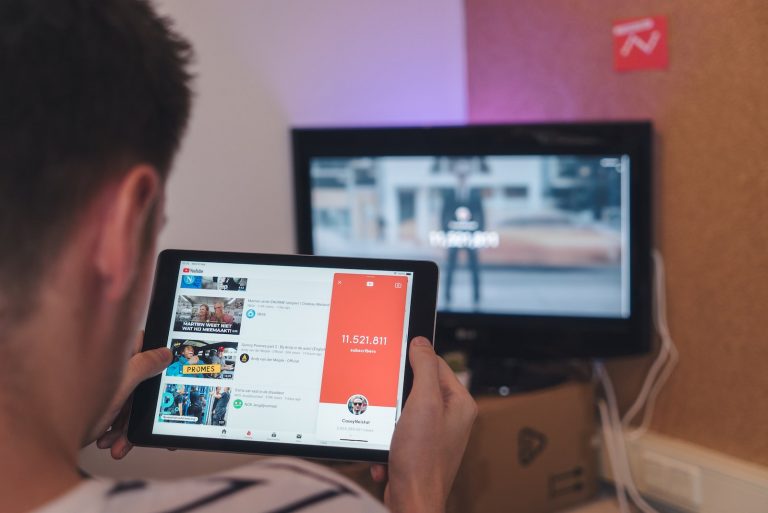


<p>YouTube Shorts are short, vertical videos that usually last up to 60 seconds, designed for easy consumption on mobile devices. They are similar to other popular short video formats on platforms like TikTok and Instagram Reels. YouTube introduced Shorts to keep users engaged and provide creators with a new way to share content.</p>
<!-- WP QUADS Content Ad Plugin v. 2.0.99 -->
<div class="quads-location quads-ad135805 " id="quads-ad135805" style="float:none;text-align:center;padding:0px 0 0px 0;" data-lazydelay="3000">

</div>

<h2>Why people want to turn them off</h2>
<p>While YouTube Shorts can be entertaining and engaging, some users find them distracting or irrelevant to their interests. They may not enjoy the format or might prefer to see more traditional content on their YouTube feed. That&#8217;s why they look for ways to disable or turn off YouTube Shorts.</p>
<h2>Turning Off YouTube Shorts</h2>
<p>There isn&#8217;t a direct setting to completely disable YouTube Shorts, but there are several methods to reduce their visibility and impact on your YouTube experience.</p>
<h3>For viewers</h3>
<p><strong>On the app</strong></p>
<!-- WP QUADS Content Ad Plugin v. 2.0.99 -->
<div class="quads-location quads-ad135804 " id="quads-ad135804" style="float:none;text-align:center;padding:0px 0 0px 0;" data-lazydelay="3000">

</div>

<ol>
<li>Open the YouTube app on your mobile device.</li>
<li>Scroll down the home feed until you see a YouTube Short.</li>
<li>Tap the three-dot menu icon on the top right corner of the short.</li>
<li>Select &#8220;Not interested&#8221; or &#8220;Don&#8217;t recommend channel.&#8221;</li>
<li>Repeat this process for other Shorts you come across.</li>
</ol>
<p>This method helps train the YouTube algorithm to understand your preferences and reduces the likelihood of Shorts appearing in your feed.</p>
<h3>On the website</h3>
<p>Unfortunately, YouTube Shorts are not available on the desktop version of the website. If you&#8217;re using a mobile browser and want to avoid Shorts, consider switching to the desktop version of the site.</p>
<h2>For creators</h2>
<h3>Disable shorts on your channel</h3>
<p>As a content creator, you can choose not to participate in YouTube Shorts by simply not creating or uploading short videos to your channel.</p>
<h3>Remove existing shorts</h3>
<p>If you already have Shorts on your channel and want to remove them, follow these steps:</p>
<!-- WP QUADS Content Ad Plugin v. 2.0.99 -->
<div class="quads-location quads-ad135804 " id="quads-ad135804" style="float:none;text-align:center;padding:0px 0 0px 0;" data-lazydelay="3000">

</div>

<ol>
<li>Go to YouTube Studio.</li>
<li>Click on &#8220;Content&#8221; in the left-hand menu.</li>
<li>Locate the Short video you want to remove.</li>
<li>Click on the three-dot menu icon next to the video and select &#8220;Delete forever.&#8221;</li>
</ol>
<h2>Alternative Solutions</h2>
<h3>Adjusting YouTube algorithm</h3>
<p>As mentioned earlier, marking Shorts as &#8220;Not interested&#8221; or &#8220;Don&#8217;t recommend channel&#8221; helps YouTube understand your preferences better. Over time, the algorithm should adjust and show you fewer Shorts.</p>
<h3>Using browser extensions</h3>
<p>There are browser extensions, such as &#8220;Remove YouTube Shorts,&#8221; available for Google Chrome and Firefox that can help hide Shorts from your YouTube feed while using the desktop version of the site.</p>
<h3>YouTube Premium</h3>
<p>Subscribing to YouTube Premium allows you to enjoy an ad-free experience, and it may reduce the frequency of Shorts appearing on your feed.</p>
<h2>Conclusion</h2>
<p>While there isn&#8217;t a direct way to completely turn off YouTube Shorts, the methods discussed in this article can help reduce their visibility and impact on your YouTube experience. By adjusting your preferences and using alternative solutions, you can customize your YouTube feed to better suit your interests and viewing habits.</p>
<!-- WP QUADS Content Ad Plugin v. 2.0.99 -->
<div class="quads-location quads-ad135804 " id="quads-ad135804" style="float:none;text-align:center;padding:0px 0 0px 0;" data-lazydelay="3000">

</div>

<h2>FAQs</h2>
<p><strong>1. Can I completely disable YouTube Shorts from my feed?</strong></p>
<p>There isn&#8217;t a direct option to completely disable YouTube Shorts, but by marking them as &#8220;Not interested&#8221; or &#8220;Don&#8217;t recommend channel,&#8221; adjusting the algorithm, and using alternative methods, you can significantly reduce their presence in your feed.</p>
<p><strong>2. Can I remove YouTube Shorts from my channel?</strong></p>
<p>Yes, if you have Shorts on your channel, you can delete them by going to YouTube Studio, clicking on &#8220;Content,&#8221; finding the Short video, and selecting &#8220;Delete forever&#8221; from the three-dot menu.</p>
<!-- WP QUADS Content Ad Plugin v. 2.0.99 -->
<div class="quads-location quads-ad135804 " id="quads-ad135804" style="float:none;text-align:center;padding:0px 0 0px 0;" data-lazydelay="3000">

</div>

<p><strong>3. Do browser extensions work on mobile devices?</strong></p>
<p>Browser extensions like &#8220;Remove YouTube Shorts&#8221; are primarily designed for desktop browsers like Google Chrome and Firefox. They may not be available or function on mobile browsers.</p>
<p><strong>4. Will YouTube Premium completely remove Shorts from my feed?</strong></p>
<p>YouTube Premium can reduce the frequency of Shorts appearing on your feed, but it doesn&#8217;t guarantee that they&#8217;ll be completely removed.</p>
<!-- WP QUADS Content Ad Plugin v. 2.0.99 -->
<div class="quads-location quads-ad135804 " id="quads-ad135804" style="float:none;text-align:center;padding:0px 0 0px 0;" data-lazydelay="3000">

</div>

<p><strong>5. Are there any other ways to avoid YouTube Shorts?</strong></p>
<p>In addition to the methods mentioned in the article, you can also try to focus on watching longer videos, as the YouTube algorithm may prioritize them in your feed. This can help minimize the presence of Shorts in your recommendations.</p>

<div class="essb_links essb_counter_modern_right essb_displayed_bottom essb_share essb_template_default4-retina essb_217669905 print-no" id="essb_displayed_bottom_217669905" data-essb-postid="142855" data-essb-position="bottom" data-essb-button-style="button" data-essb-template="default4-retina" data-essb-counter-pos="right" data-essb-url="https://www.explosion.com/142855/how-to-turn-off-youtube-shorts/" data-essb-fullurl="https://www.explosion.com/142855/how-to-turn-off-youtube-shorts/" data-essb-instance="217669905"><ul class="essb_links_list"><li class="essb_item essb_link_facebook nolightbox essb_link_svg_icon"> <a href="https://www.facebook.com/sharer/sharer.php?u=https%3A%2F%2Fwww.explosion.com%2F142855%2Fhow-to-turn-off-youtube-shorts%2F&t=How+to+Turn+Off+YouTube+Shorts" title="Share on Share" onclick="essb.window(&#39;https://www.facebook.com/sharer/sharer.php?u=https%3A%2F%2Fwww.explosion.com%2F142855%2Fhow-to-turn-off-youtube-shorts%2F&t=How+to+Turn+Off+YouTube+Shorts&#39;,&#39;facebook&#39;,&#39;217669905&#39;); return false;" target="_blank" rel="nofollow" class="nolightbox essb-s-bg-facebook essb-s-c-light essb-s-ch-light essb-s-bgh-dark essb-s-bg-network" ><span class="essb_icon essb_icon_facebook"><svg class="essb-svg-icon essb-svg-icon-facebook" aria-hidden="true" role="img" focusable="false" xmlns="http://www.w3.org/2000/svg" width="16" height="16" viewBox="0 0 16 16"><path d="M16 8.049c0-4.446-3.582-8.05-8-8.05C3.58 0-.002 3.603-.002 8.05c0 4.017 2.926 7.347 6.75 7.951v-5.625h-2.03V8.05H6.75V6.275c0-2.017 1.195-3.131 3.022-3.131.876 0 1.791.157 1.791.157v1.98h-1.009c-.993 0-1.303.621-1.303 1.258v1.51h2.218l-.354 2.326H9.25V16c3.824-.604 6.75-3.934 6.75-7.951"></path></svg></span><span class="essb_network_name">Share</span></a></li><li class="essb_item essb_link_twitter nolightbox essb_link_twitter_x essb_link_svg_icon"> <a href="https://x.com/intent/post?text=How%20to%20Turn%20Off%20YouTube%20Shorts&;url=https%3A%2F%2Fwww.explosion.com%2F142855%2Fhow-to-turn-off-youtube-shorts%2F" title="Share on Tweet" onclick="essb.window(&#39;https://x.com/intent/post?text=How%20to%20Turn%20Off%20YouTube%20Shorts&;url=https%3A%2F%2Fwww.explosion.com%2F142855%2Fhow-to-turn-off-youtube-shorts%2F&#39;,&#39;twitter&#39;,&#39;217669905&#39;); return false;" target="_blank" rel="nofollow" class="nolightbox essb-s-bg-twitter essb-s-c-light essb-s-ch-light essb-s-bgh-dark essb-s-bg-network" ><span class="essb_icon essb_icon_twitter_x"><svg class="essb-svg-icon essb-svg-icon-twitter_x" aria-hidden="true" role="img" focusable="false" viewBox="0 0 24 24"><path d="M18.244 2.25h3.308l-7.227 8.26 8.502 11.24H16.17l-5.214-6.817L4.99 21.75H1.68l7.73-8.835L1.254 2.25H8.08l4.713 6.231zm-1.161 17.52h1.833L7.084 4.126H5.117z"></path></svg></span><span class="essb_network_name">Tweet</span></a></li><li class="essb_item essb_link_pinterest nolightbox essb_link_svg_icon"> <a href="#" title="Share on Pin It" onclick="essb.pinterest_picker(&#39;217669905&#39;); return false;" target="_blank" rel="nofollow" class="nolightbox essb-s-bg-pinterest essb-s-c-light essb-s-ch-light essb-s-bgh-dark essb-s-bg-network" ><span class="essb_icon essb_icon_pinterest"><svg class="essb-svg-icon essb-svg-icon-pinterest" aria-hidden="true" role="img" focusable="false" width="32" height="32" viewBox="0 0 32 32" xmlns="http://www.w3.org/2000/svg"><path d="M10.625 12.25c0-1.375 0.313-2.5 1.063-3.438 0.688-0.938 1.563-1.438 2.563-1.438 0.813 0 1.438 0.25 1.875 0.813s0.688 1.25 0.688 2.063c0 0.5-0.125 1.125-0.313 1.813-0.188 0.75-0.375 1.625-0.688 2.563-0.313 1-0.563 1.75-0.688 2.313-0.25 1-0.063 1.875 0.563 2.625 0.625 0.688 1.438 1.063 2.438 1.063 1.75 0 3.188-1 4.313-2.938 1.125-2 1.688-4.375 1.688-7.188 0-2.125-0.688-3.875-2.063-5.25-1.375-1.313-3.313-2-5.813-2-2.813 0-5.063 0.875-6.75 2.688-1.75 1.75-2.625 3.875-2.625 6.375 0 1.5 0.438 2.75 1.25 3.75 0.313 0.313 0.375 0.688 0.313 1.063-0.125 0.313-0.25 0.813-0.375 1.5-0.063 0.25-0.188 0.438-0.375 0.5s-0.375 0.063-0.563 0c-1.313-0.563-2.25-1.438-2.938-2.75s-1-2.813-1-4.5c0-1.125 0.188-2.188 0.563-3.313s0.875-2.188 1.625-3.188c0.75-1.063 1.688-1.938 2.688-2.75 1.063-0.813 2.313-1.438 3.875-1.938 1.5-0.438 3.125-0.688 4.813-0.688 1.813 0 3.438 0.313 4.938 0.938 1.5 0.563 2.813 1.375 3.813 2.375 1.063 1.063 1.813 2.188 2.438 3.5 0.563 1.313 0.875 2.688 0.875 4.063 0 3.75-0.938 6.875-2.875 9.313-1.938 2.5-4.375 3.688-7.375 3.688-1 0-1.938-0.188-2.813-0.688-0.875-0.438-1.5-1-1.875-1.688-0.688 2.938-1.125 4.688-1.313 5.25-0.375 1.438-1.25 3.188-2.688 5.25h-1.313c-0.25-2.563-0.188-4.688 0.188-6.375l2.438-10.313c-0.375-0.813-0.563-1.813-0.563-3.063z"></path></svg></span><span class="essb_network_name">Pin It</span></a></li><li class="essb_item essb_link_mail nolightbox essb_link_svg_icon"> <a href="#" title="Share on Email" onclick="essb_open_mailform(&#39;217669905&#39;); return false;" target="_blank" rel="nofollow" class="nolightbox essb-s-bg-mail essb-s-c-light essb-s-ch-light essb-s-bgh-dark essb-s-bg-network" ><span class="essb_icon essb_icon_mail"><svg class="essb-svg-icon essb-svg-icon-mail" aria-hidden="true" role="img" focusable="false" width="32" height="32" xmlns="http://www.w3.org/2000/svg" viewBox="0 0 60 60"><polygon points="60,50.234 60,9.944 39.482,30.536 " /><polygon points="0,9.941 0,50.234 20.519,30.535 " /><path d="M1.387,8.5l21.002,21.08c0.121,0.051,0.471,0.415,0.517,0.519l5.941,5.963c0.635,0.591,1.672,0.59,2.333-0.025l5.911-5.933c0.046-0.105,0.4-0.473,0.522-0.524L58.615,8.5H1.387z" /><path d="M38.07,31.954l-5.5,5.52c-0.73,0.68-1.657,1.019-2.58,1.019c-0.914,0-1.823-0.332-2.533-0.993l-5.526-5.546L1.569,51.5h56.862L38.07,31.954z" /></svg></span><span class="essb_network_name">Email</span></a></li></ul></div>



0 Comments